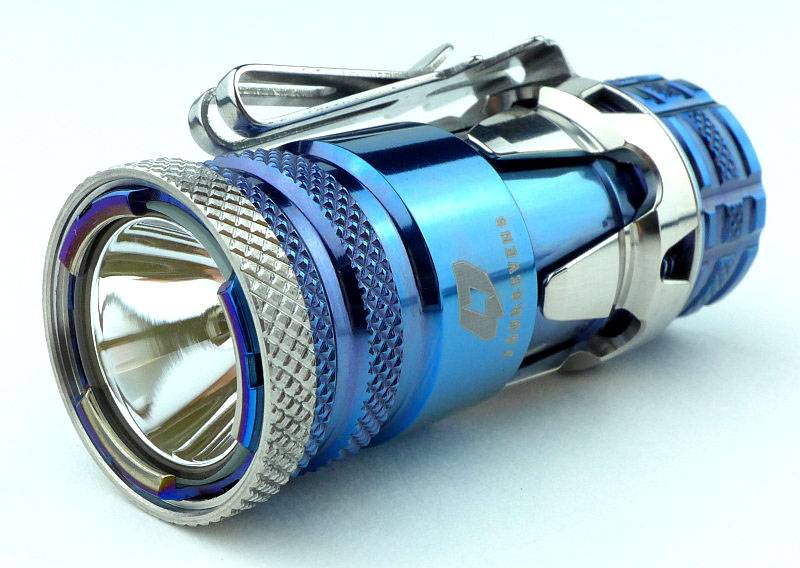
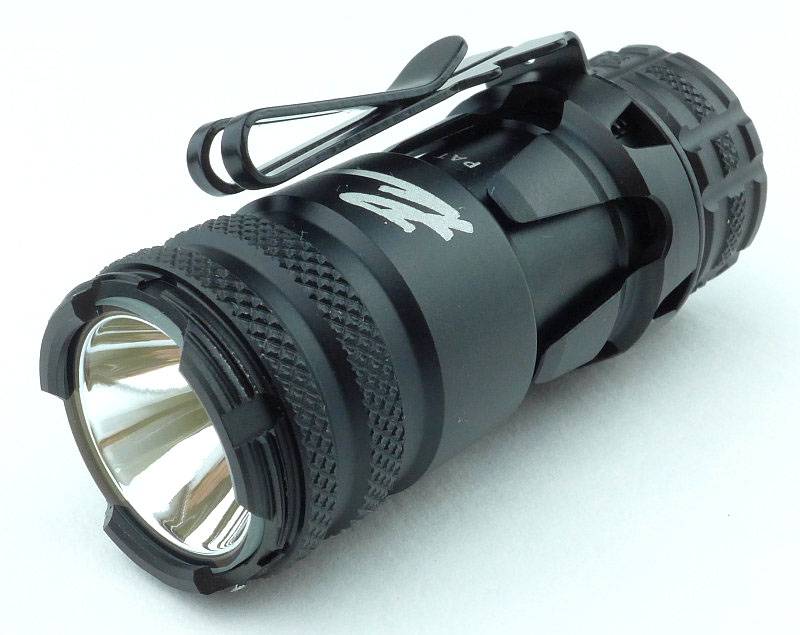
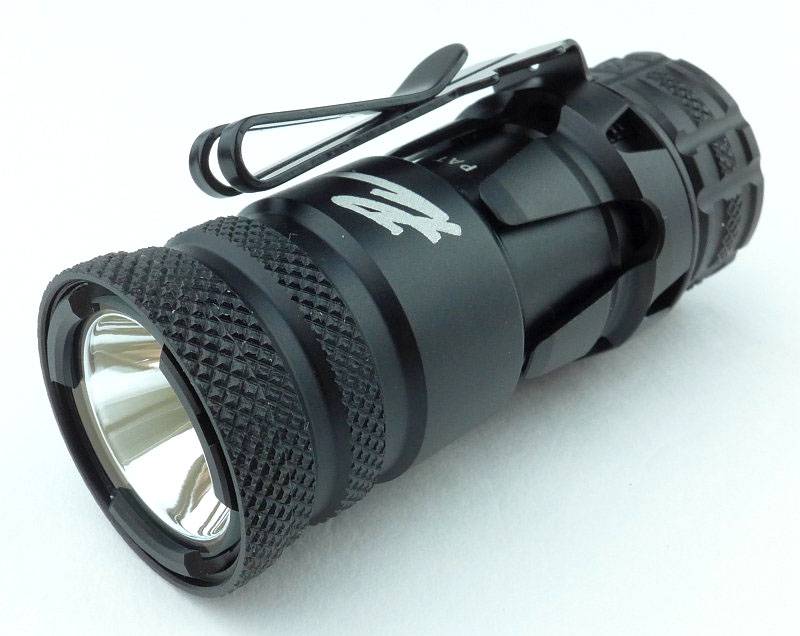
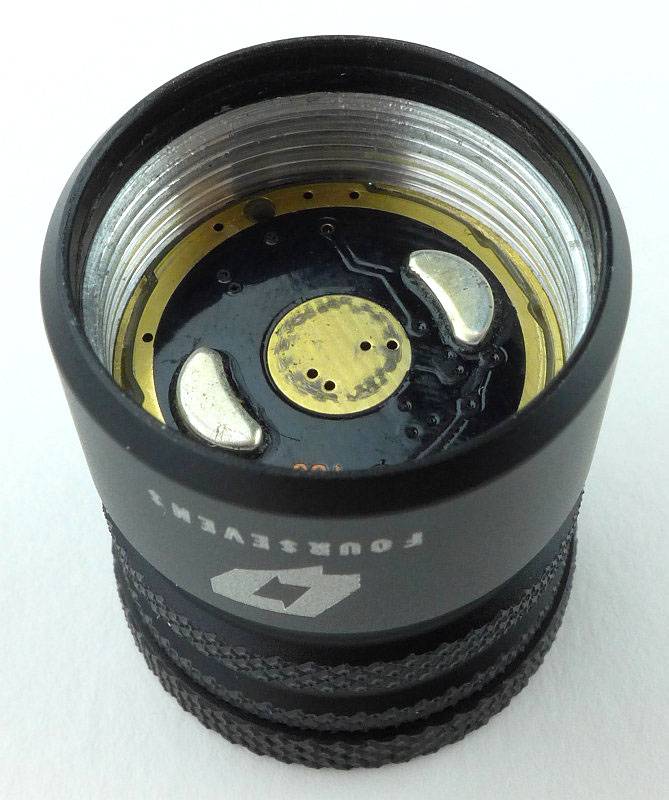
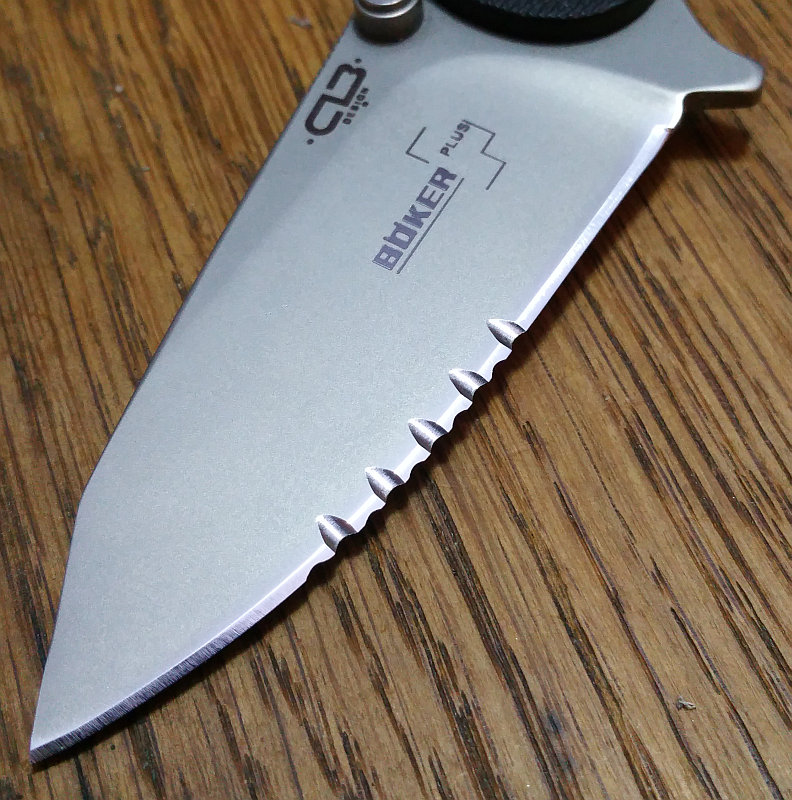
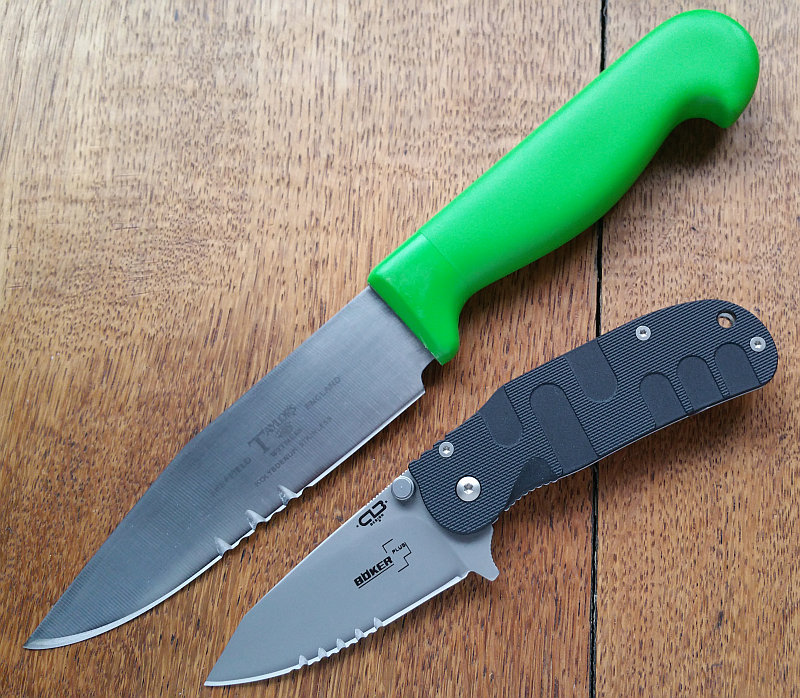
Special Preview: The New Large Inkosi from Chris Reeve Knives

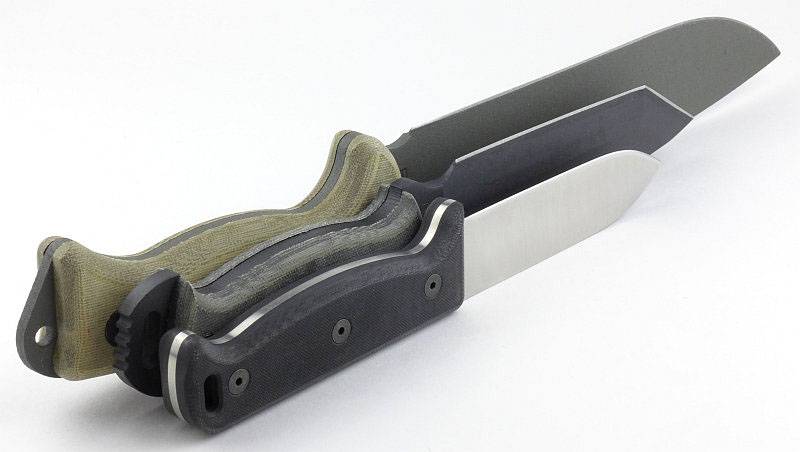
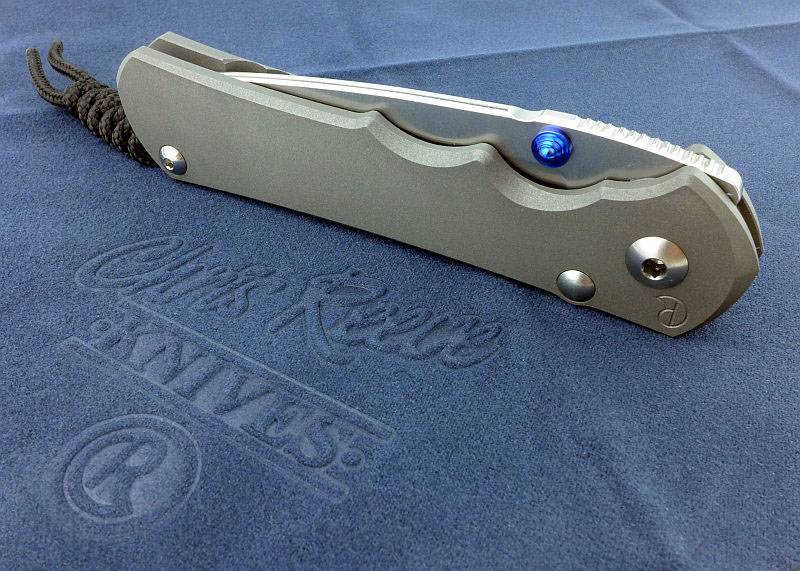
Tactical Reviews is fortunate enough to be able to bring you a quick preview of the new Large Inkosi from Chris Reeve Knives which was launched at BLADE Show 2016. A full review will follow once I’ve been able to test it properly.

 photo 07 L Inkosi cloth P1200349 copy.jpg

The original Inkosi was designed to include improvements to Chris Reeve’s already tried and tested (and industry changing) Sebenza models. Never one to stand still, Chris knew he could improve on his original design with certain key changes to the pivot, bearing, frame and lock. Rather than apply all these changes to the established formula of the Sebenza models, a new line was created to allow these features to be incorporated into the most advanced Chris Reeve folding knife yet. With a trend to smaller more pocketable models, the first Inkosi was created as a compact folding knife, but demand has been strong for a larger version of this knife.

A look over some key design features:

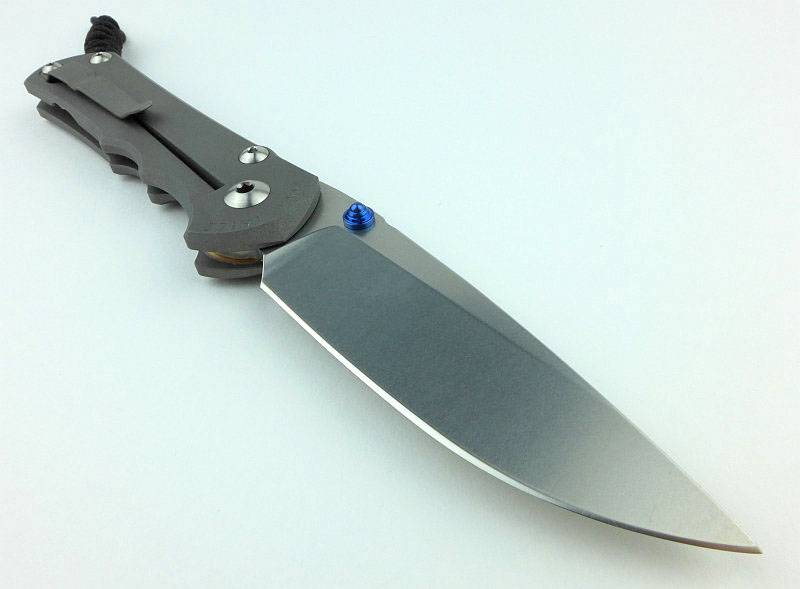
At first the Large Inkosi looks very similar to the Sebenza 25, but we need to look a little closer.
 photo 09 L Inkosi angle P1200355.jpg

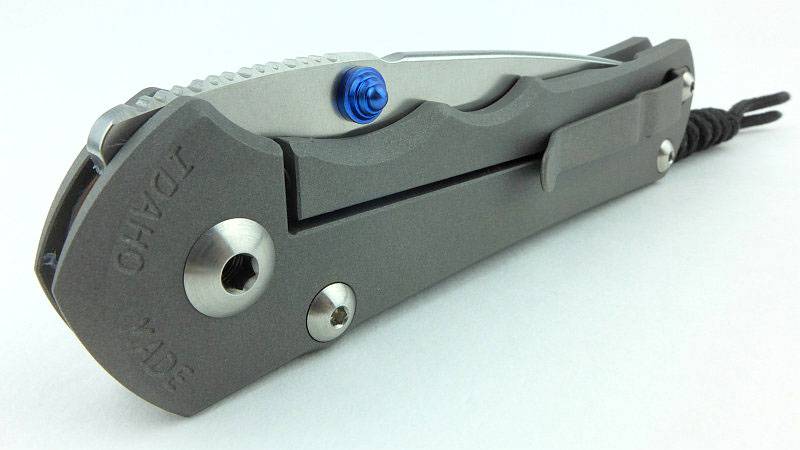
Notice that the stop pin as viewed from this side has no bolt head, just a rounded dome. This is actually floating on this side of the fame with a very precise fit to the hole.
 photo 12 L Inkosi pivot pin stud P1200364.jpg

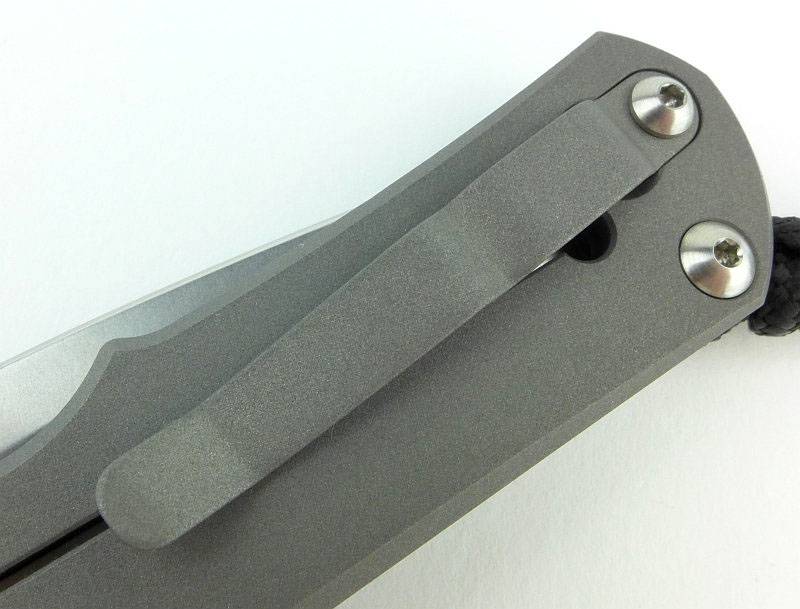
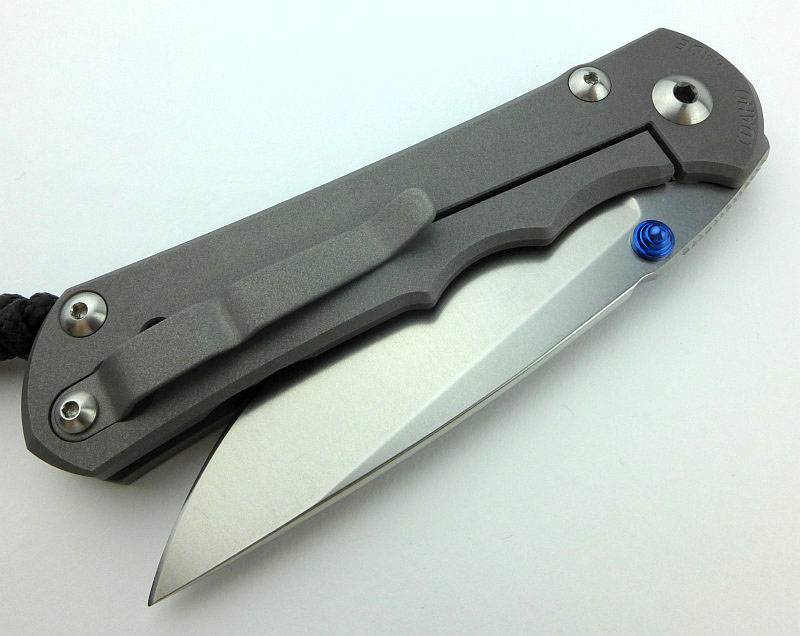
The sharp-eyed will spot the pocket clip sitting differently.
 photo 14 L Inkosi lock side P1200369.jpg

To prevent the pocket clip changing the lock bar tension, it has been angled to sit onto the frame and not push on the lock bar.
 photo 17 L Inkosi clip angle P1200376.jpg

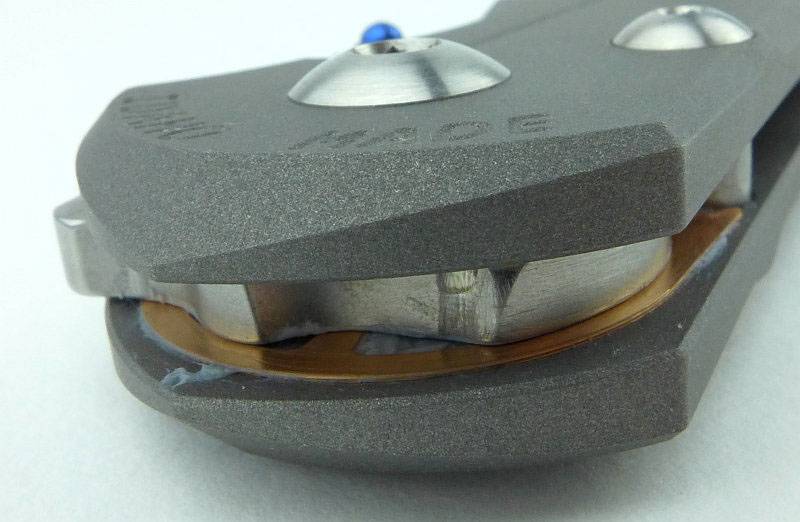
A hint at the extend to which the washer design has been improved with a very large diameter with perforations. The full review will go into this in more detail.
 photo 23 L Inkosi washer lock groove P1200402.jpg

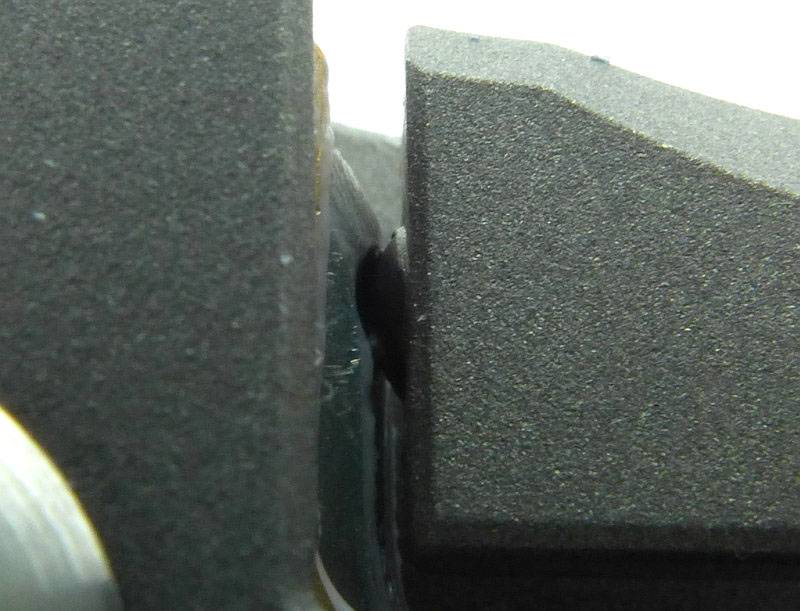
Looking very closely at the lock-bar/blade contact point you can see the ceramic ball sitting into a groove in the blade tang providing positive engagement.
 photo 33 L Inkosi ceramic ball P1200442.jpg

Some first impressions:

This preview is only intended to give a quick first look at this new knife, and though I’ve not been able to put it to any real use yet, the first impressions are strong. The famed CRK quality and precision are clearly evident, and one of the reasons many owners find it hard to start using and mark these works of art.
 photo 28 L Inkosi angle open P1200420.jpg

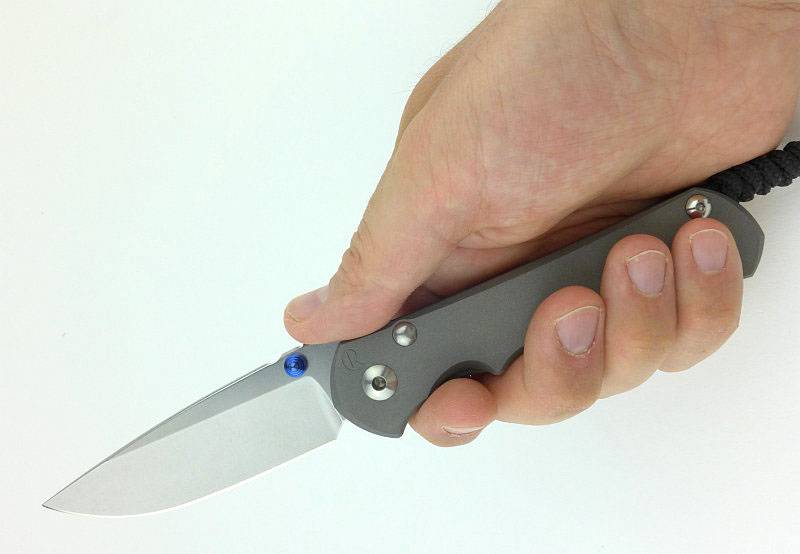
Though the Inkosi is an excellent and easy to carry knife, living in the UK, I can only carry a lock-knife with ‘good reason’ so when I do, I prefer a larger knife. The Large Inkosi is just right.
 photo 38 L Inkosi in hand P1200460.jpg

Attention to detail is evident in every aspect of the knife’s design, and every corner and feature has been given a deliberate finish.
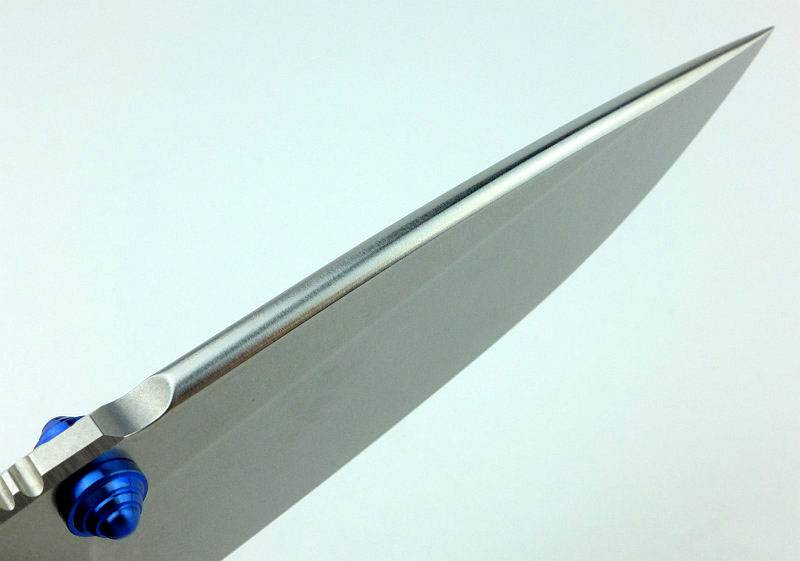
 photo 41 L Inkosi spine P1200476.jpg

Though this has been a very brief look over the new Large Inkosi, the full review will contain the normal sections:

The Blade and Handle Geometry:

Explained by the Maker:

A few more details:

What it is like to use?

 photo 43 L Inkosi blade part open P1200494.jpg

Light Review: NITECORE EA45S

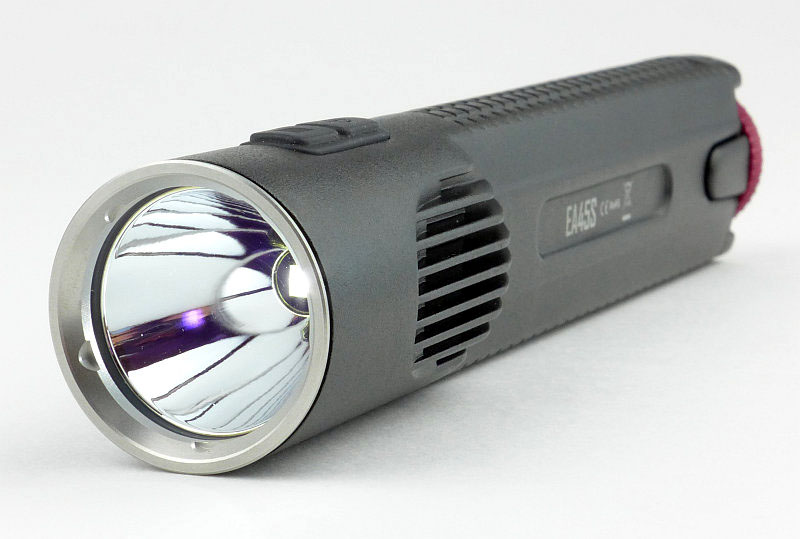
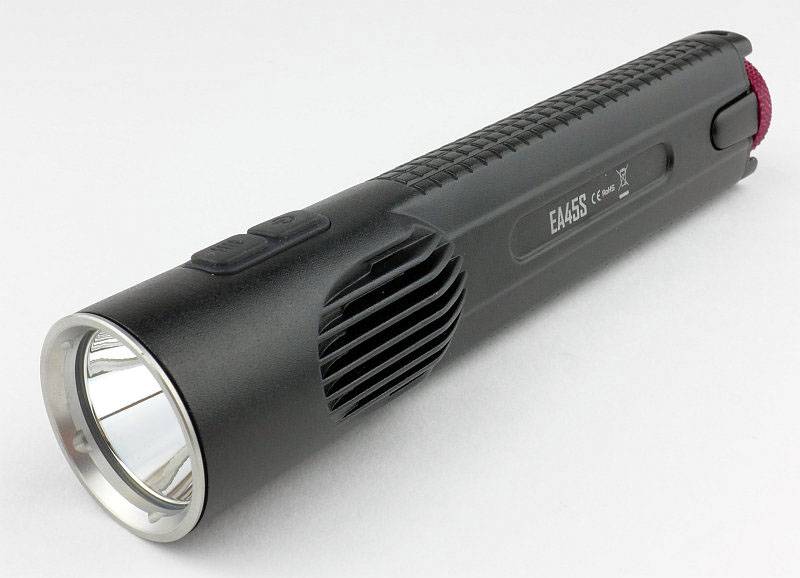
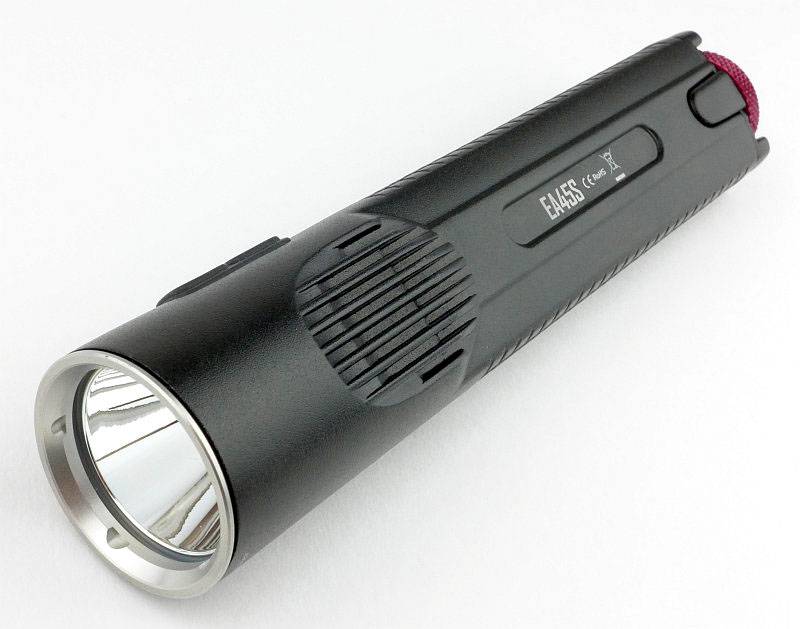
NITECORE’s first die-cast unibody light was the revolutionary EC4 (check the index page for a review link). Developing the idea further, we now have a 4xAA thrower using a similar format die-cast ‘unibody’, the EA45S.

 photo 06 EC45S angle 2 P1150998.jpg

Taking a more detailed look:

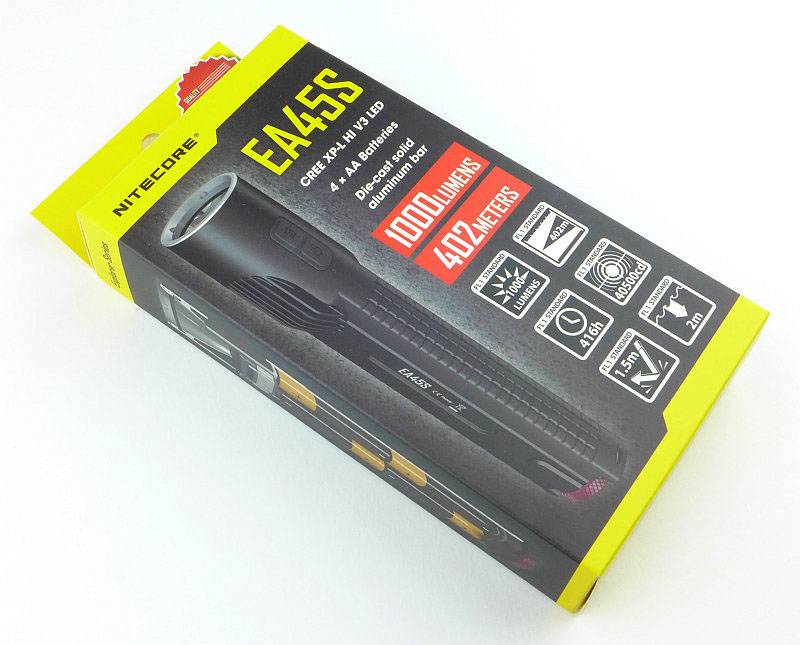
NITECORE’s familiar cardboard packaging is used.
 photo 01 EC45S Boxed P1150979.jpg

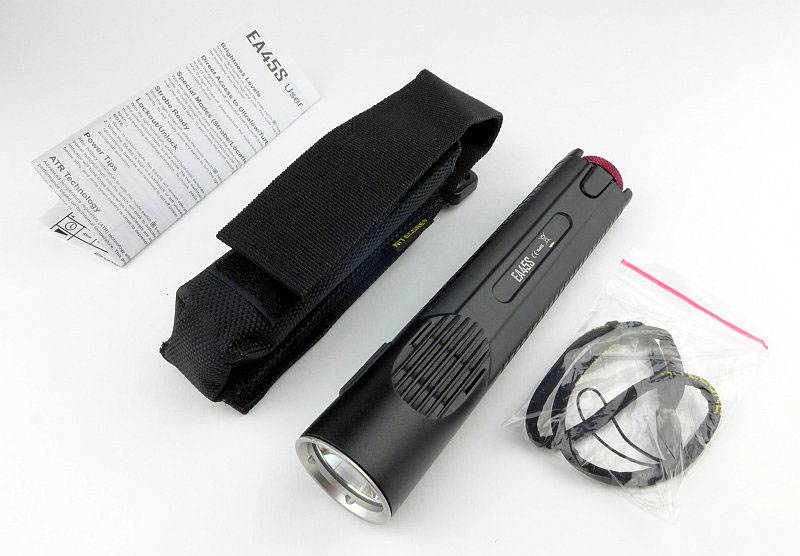
Inside the box is the EA45S, a wrist lanyard, holster and instructions.
 photo 02 EC45S Box contents P1150985.jpg

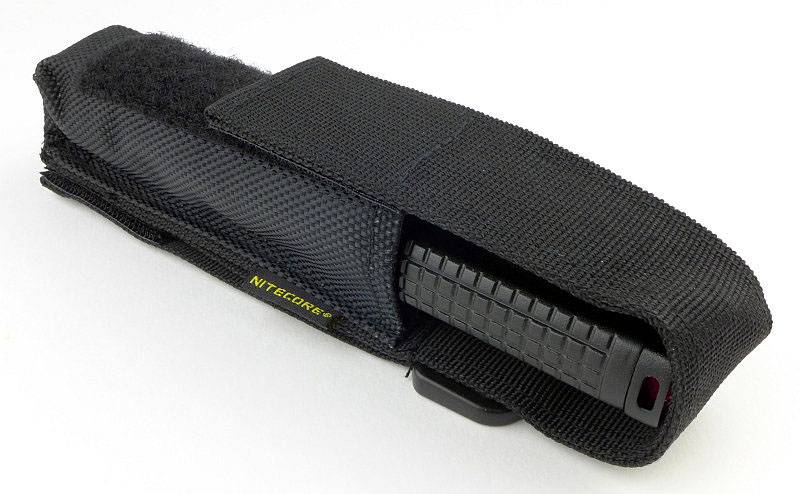
Holsters are always appreciated and this is well made.
 photo 03 EC45S holstered 1 P1150988.jpg

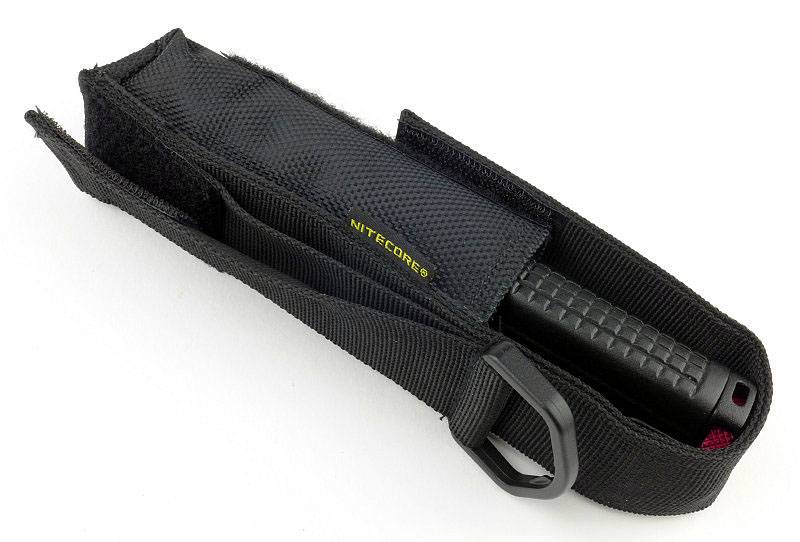
You have the choice of a fixed belt loop, Velcro belt loop and a D-ring.
 photo 04 EC45S holstered 2 P1150991.jpg

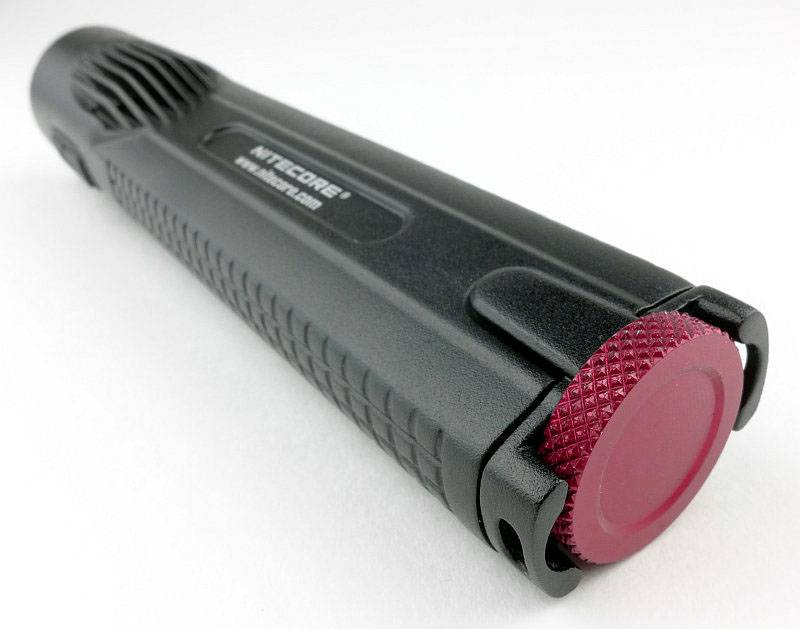
A very distinct feature is the red tail-cap screw that the ‘S’ versions of the die-cast lights have.
 photo 07 EC45S rear angle P1160006.jpg

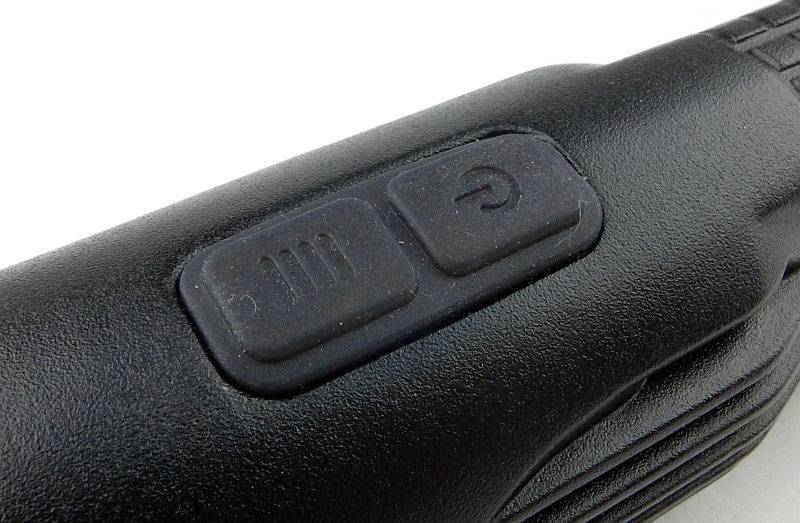
There is a dual side-switch for operating the EA45S.
 photo 08 EC45S switch detail P1160011.jpg

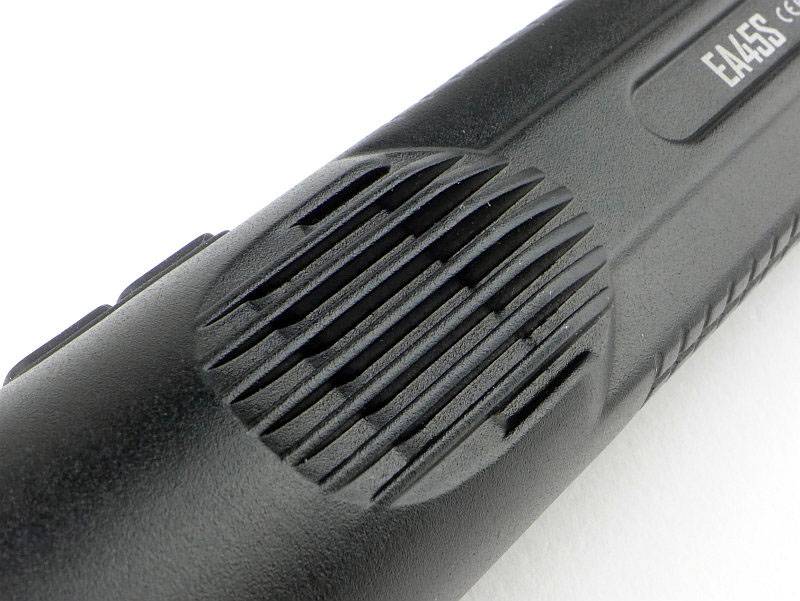
Heat sink fins are cast into the body. Thanks to the die-cast body there is an uninterrupted heat-path from these fins (and the rest of the body) to the LED board mount.
 photo 09 EC45S heat fins P1160012.jpg

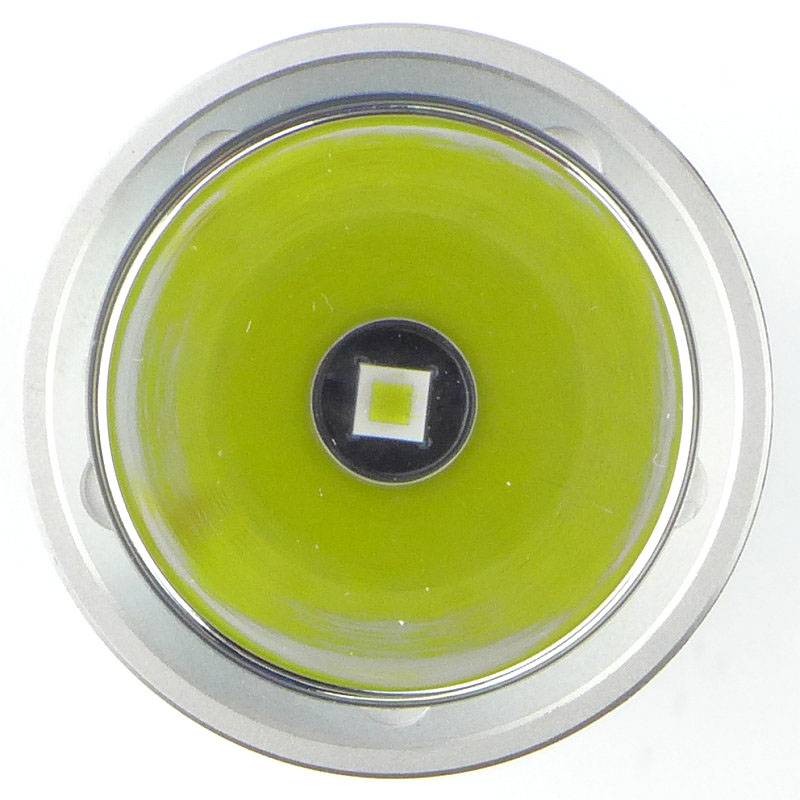
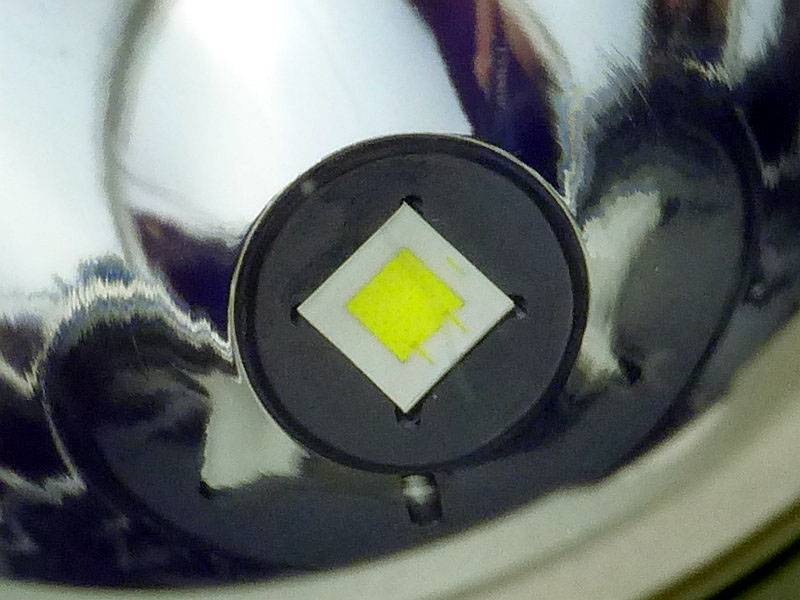
At the base of a smooth reflector is the EA45S’s XP-L Hi V3 LED.
 photo 11 EC45S LED P1160016.jpg

Looking more closely at the XP-L Hi V3 LED.
 photo 12 EC45S LED close P1160026.jpg

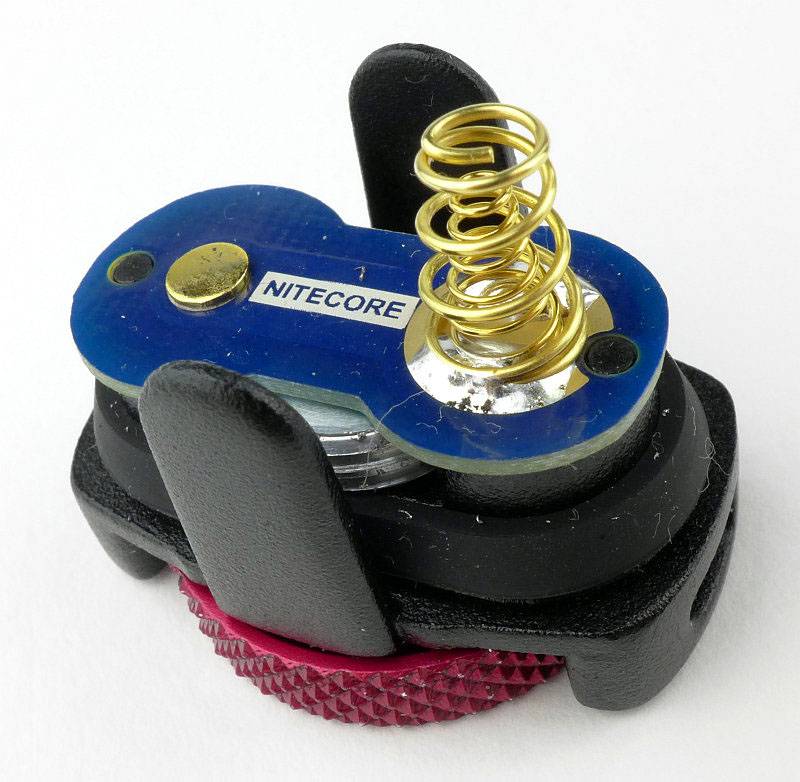
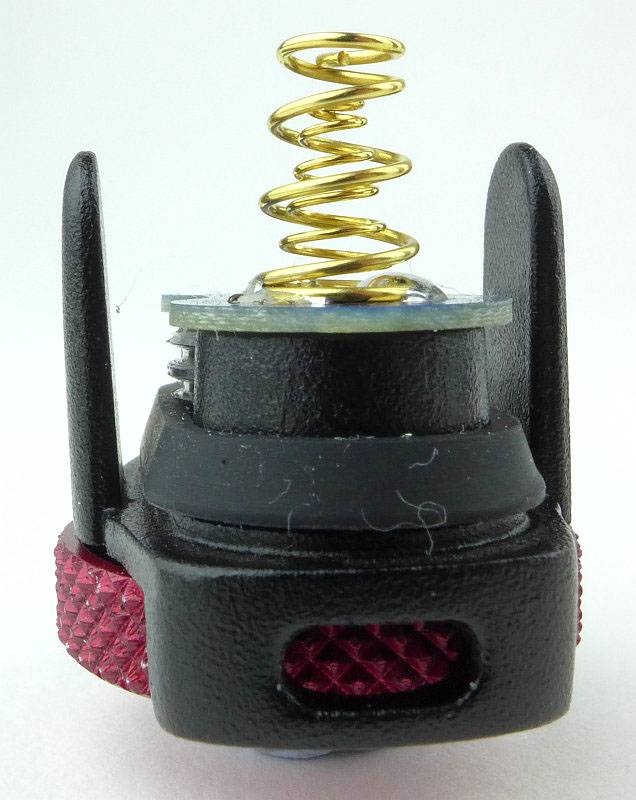
NITECORE’s die-cast lights use an unusual tail-cap design. It has lugs to engage with the body, the contact board, and a thumbscrew.
 photo 13 EC45S tailcap contacts P1160030.jpg

Looking slightly left of centre in this photo, you can see the threads which are almost entirely hidden.
 photo 14 EC45S tailcap threads P1160032.jpg

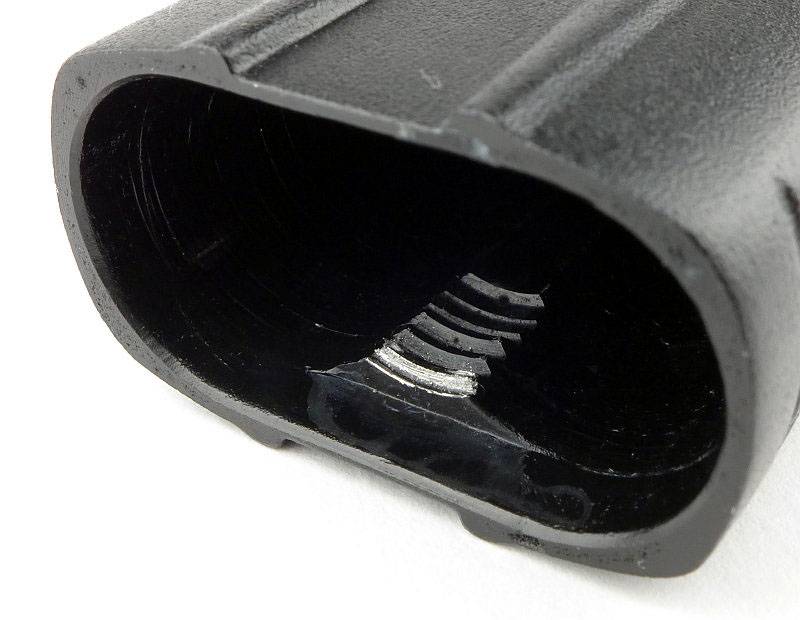
Those threads engage with a small section of threading inside the body.
 photo 15 EC45S internal threads P1160035.jpg

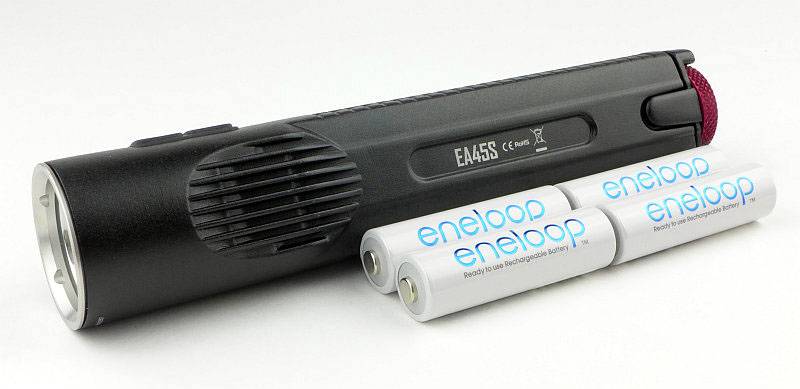
Here you can see the EA45S next to the four AAs it holds.
 photo 16 EC45S with cells P1160042.jpg

The beam

Please be careful not to judge tint based on images you see on a computer screen. Unless properly calibrated, the screen itself will change the perceived tint.

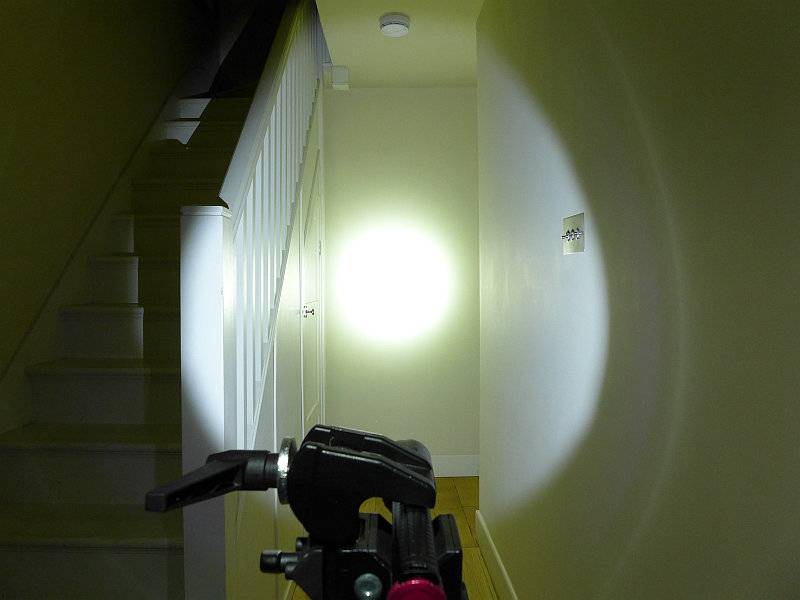
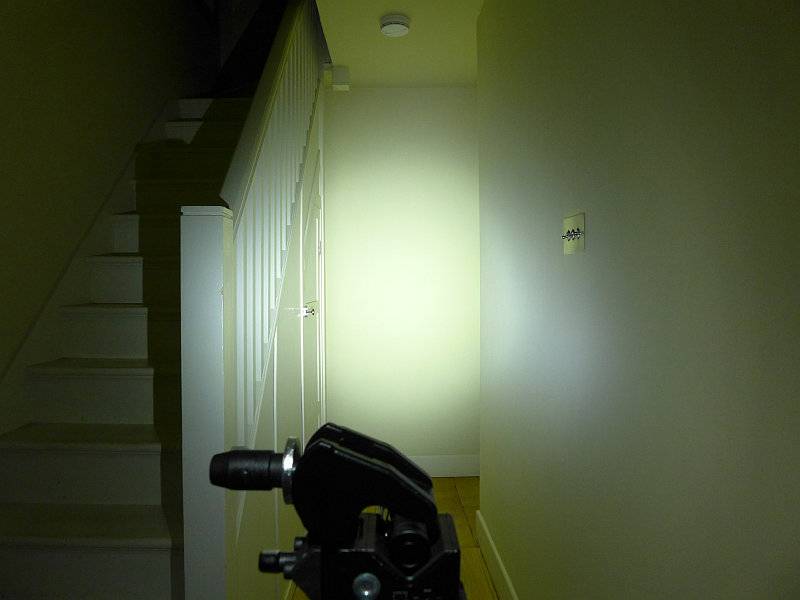
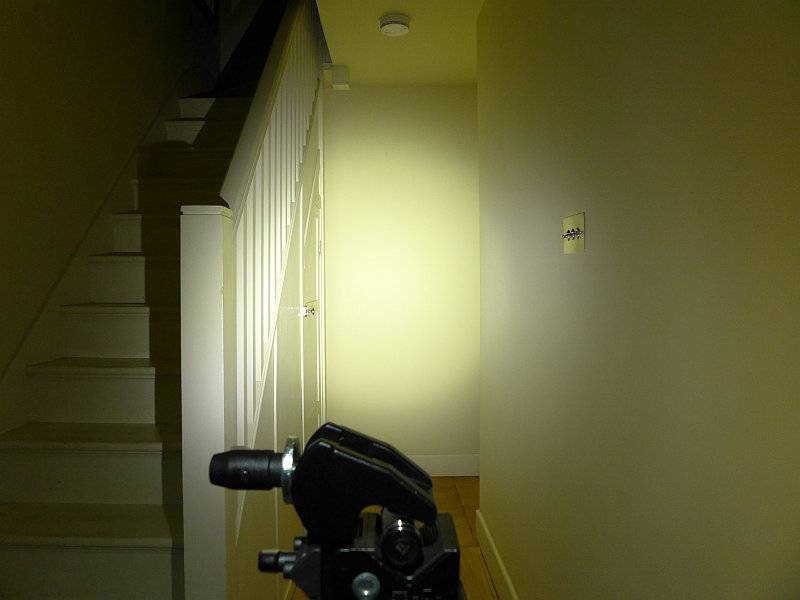
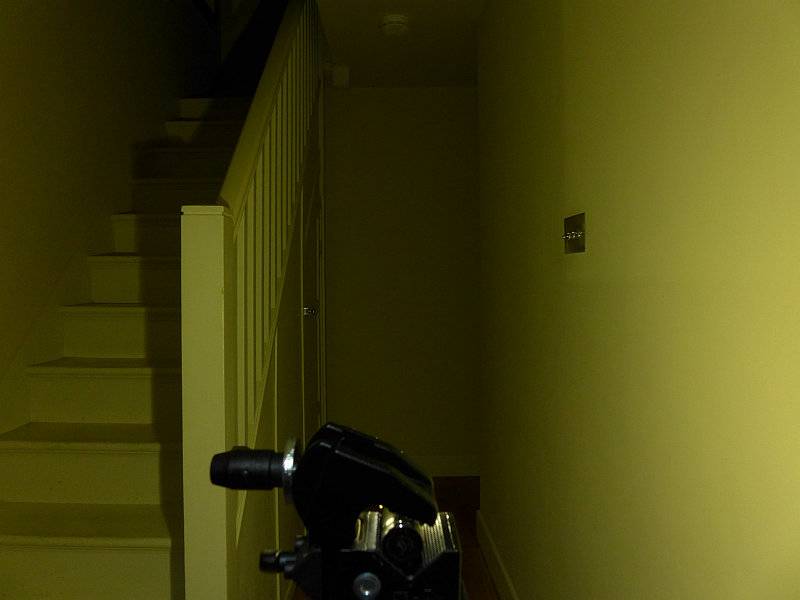
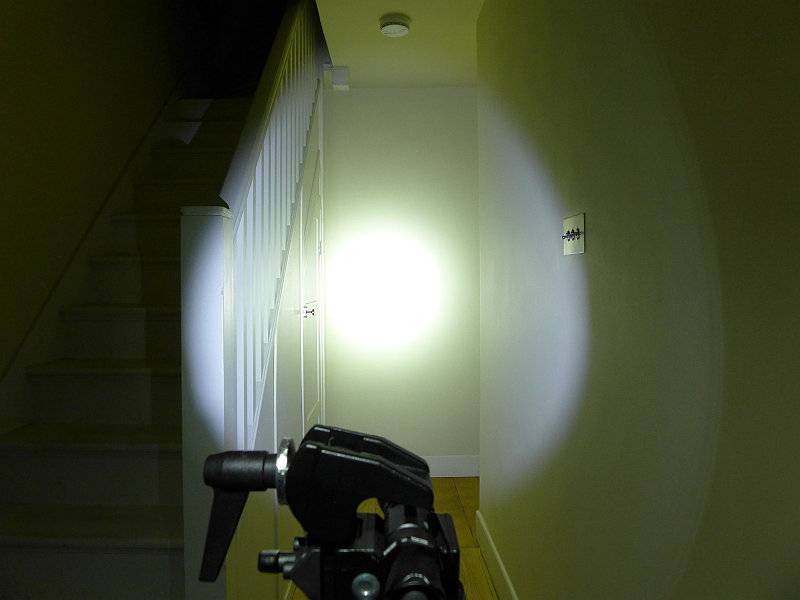
The indoor beamshot is intended to give an idea of the beam shape/quality rather than tint. All beamshots are taken using daylight white balance. The woodwork (stairs and skirting) are painted Farrow & Ball “Off-White”, and the walls are a light sandy colour called ‘String’ again by Farrow & Ball. I don’t actually have a ‘white wall’ in the house to use for this, and the wife won’t have one!

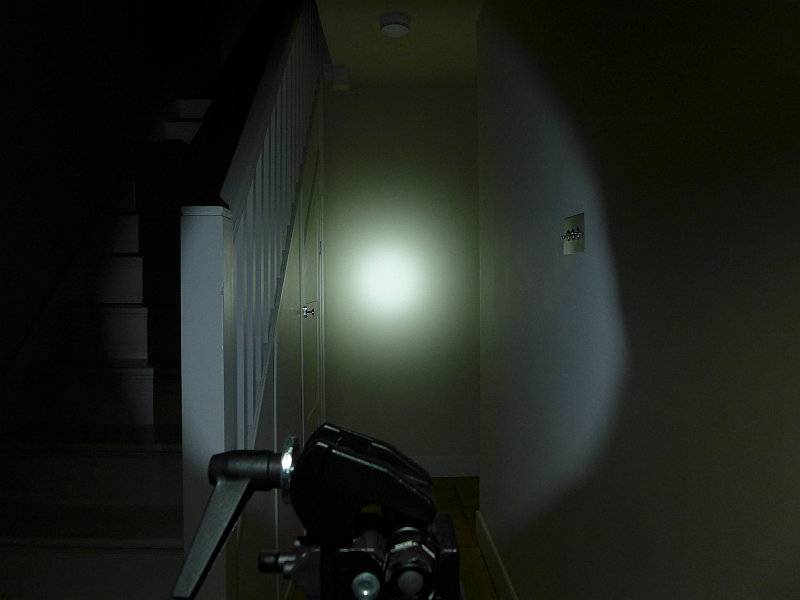
Designed for throw, the EA45S has a very defined and strong hotspot.
 photo 19 EC45S indoor beam P1170299.jpg

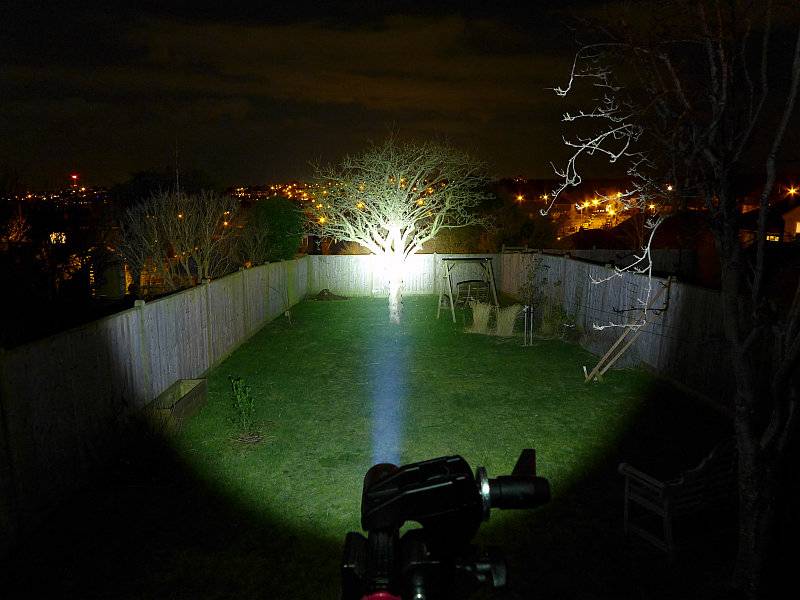
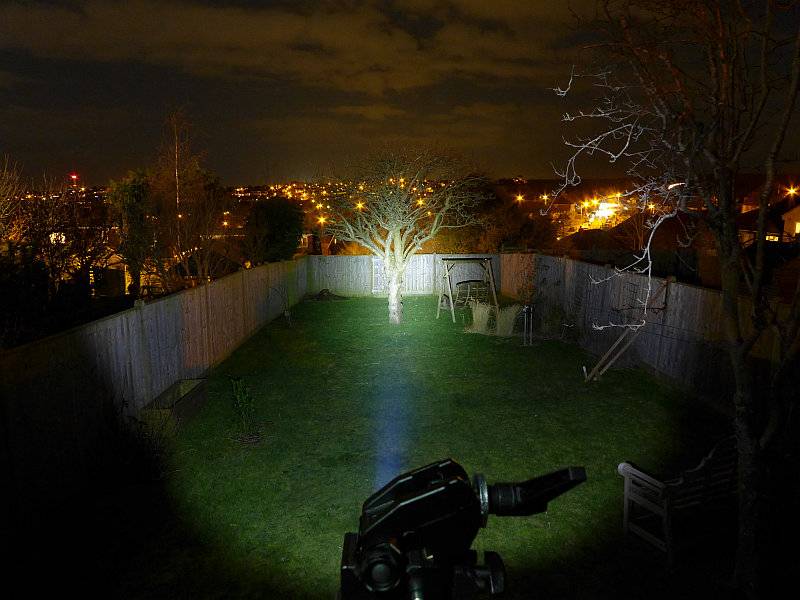
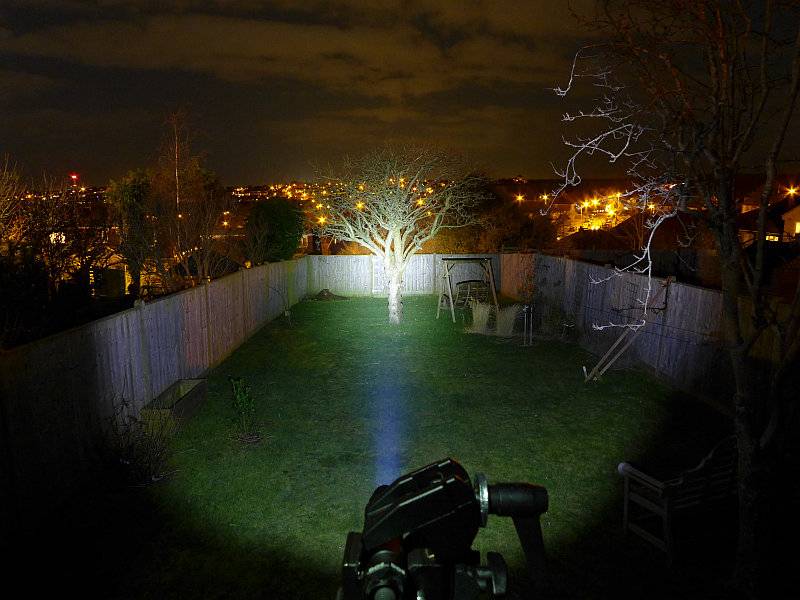
Giving it a bit more range to work with, you can clearly see the power of the beam which is very impressive considering its 4xAA power source.
 photo 20 EC45S outdoor beam P1170234.jpg

Modes and User Interface:

The EA45S has a total of five constant modes (Turbo, High, Medium, Low, Ultra-Low) and three flashing modes (Strobe, Beacon and SOS). Like many other NITECORE lights this is controlled by a dual button.

From OFF, to switch ON to the last used steady white output, briefly press the Power switch. When ON, press the Mode switch to cycle through Turbo -> Ultra-Low -> Low -> Mid -> High back to Turbo etc. To switch OFF briefly press the Power switch.

From OFF, for direct access to Ultra-Low, press and hold the Power switch for more than 1s.

From OFF, for direct access to Turbo, press and hold the Mode switch for more than 1s.

To access White flashing modes, from ON, press and hold the Mode switch for more than 1s. This will activate strobe. Press and hold the Mode switch for more than 1s again to switch to Beacon mode. Press and hold the Mode switch for more than 1s once more to activate SOS.
Once activated, pressing the mode switch briefly returns the EA45S to the previous steady mode, or a brief press of the Power switch will turn the EA45S OFF.

There is a ‘Standby’ mode which uses brief low power flashes of the blue switch indicator LED to act as a locator to allow you to find the EA45S in complete darkness. To activate Standby, from ON press and hold the power switch for over 1s until the blue switch light comes on. Although low power, the flashes are bright enough to disturb someone’s sleep. Exiting standby mode is achieved by switching on the EC4. When using Standby mode the drain is increased but the should still last a year in this mode. Turn ON and OFF again to exit standby.

There is a lockout mode included. With the EA45S ON, press and hold both buttons simultaneously for 1s to enter lockout. When entering Lockout, the EA45S will turn off and give a brief flash of the main beam as you release the buttons. Like this the buttons will not turn the EA45S on. Thanks to the button design this can be done easily with the thumb. To exit Lockout press and hold both buttons simultaneously for 1s and the EA45S will turn ON in the last used mode.

Lastly when first inserting cell/s into the EA45S or briefly pressing the mode switch when OFF, the blue switch light will flash to indicate the battery charge level. It flashes once, twice, or three times. Three flashes indicates full power.

Batteries and output:

The EA45S runs on 4xAA, Alkaline or NiMh. NiMh will give the best performance.

To measure actual output, I built an integrating sphere. See here for more detail. The sensor registers visible light only (so Infra-Red and Ultra-Violet will not be measured).

Please note, all quoted lumen figures are from a DIY integrating sphere, and according to ANSI standards. Although every effort is made to give as accurate a result as possible, they should be taken as an estimate only. The results can be used to compare outputs in this review and others I have published.

___________________________________________ ________________________________ ________________________________
NITECORE EA45S using Eneloop AA I.S. measured ANSI output Lumens PWM frequency or Strobe frequency (Hz)
___________________________________________ ________________________________ ________________________________
Turbo 912 0
High 476 0
Medium 238 0
Low 63 0
Ultra-Low 2 0

* Beacon and Strobe output measurements are only estimates as the brief flashes make it difficult to capture the actual output value.

Peak Beam intensity measured 43100 lx @1m giving a beam range of 415 m.

There is parasitic drain at 102.6uA (2.33 years to drain the cells).

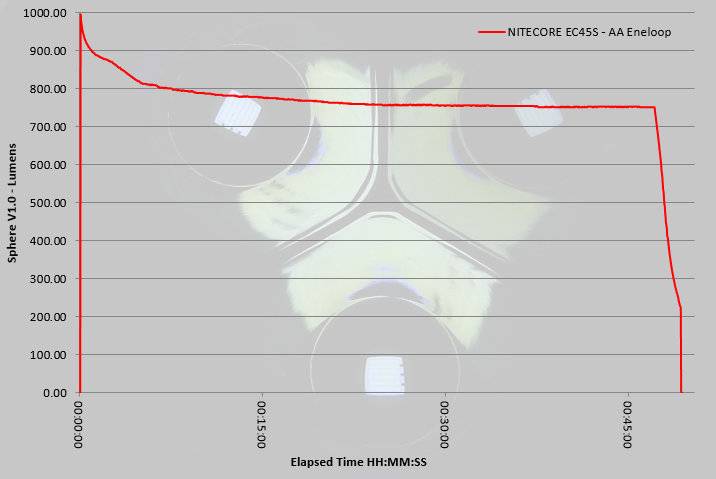
The EA45S does indeed hit 1000lm at switch on, but this drops to a still impressive 912 ANSI lumens. The output gradually declines to around 800lm approximately 7 minutes after switch on, and then remains steady for the remainder of the runtime (just dropping to 750lm) before trailing off sharply once the cells are depleted.
 photo NITECORE EC45S runtime.jpg

Troubleshooting

This section is included to mention any minor niggles I come across during testing, in case the information helps anyone else.

No issues were encountered during testing.

However, I did have a couple of issues with the tail-cap threads not engaging properly. It requires a very firm pressure during the entire fitting of the tail-cap to fit smoothly. The thumb wheel has a convenient smooth depression which allows you to press onto it firmly with your finger while turning the screw.

As per the description of this section, this information is provided in case anyone else finds a similar ‘issue’ that might be fixed in the same way.

The EA45S in use

For those that have followed my reviews for a while, you will most likely know I have always loved the 2xAA format for being easy and comfortable to hold. I’ve tested other 4xAA lights which have had the four cells all together (making quite a handful) or 2×2 as in the EA45S. Thanks to the die-cast unibody and lack of cell holder, the EA45S takes this 4xAA format and fits it into a more compact body.

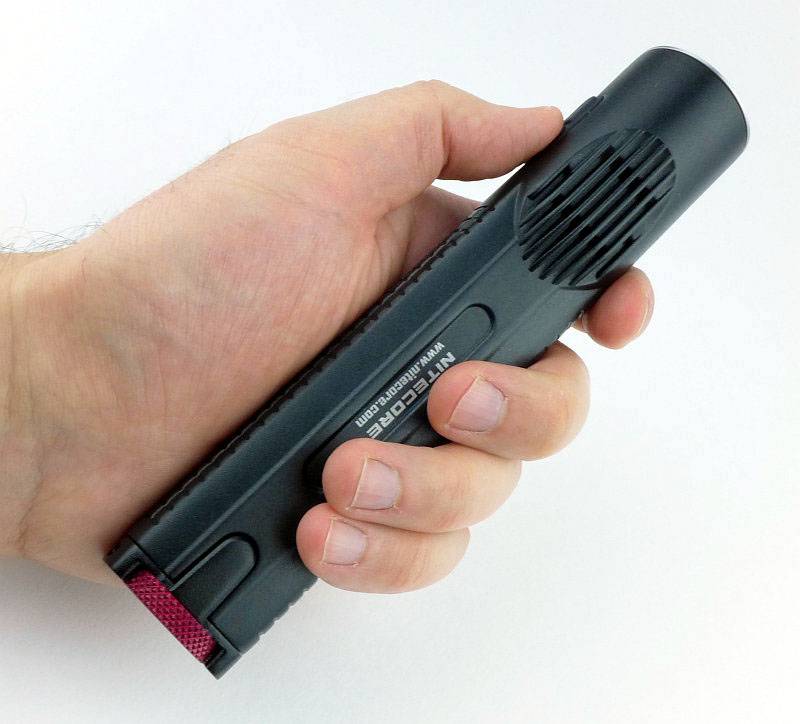
The EA45S has just pushed out the 2xAA as my favourite size/shape, and put itself firmly into pole position with its compact 2×2 4xAA cell layout. It is really comfortable to hold, stable, thanks to the rectangular cross section, and just the right size and weight.

 photo 18 EC45S in hand P1160052.jpg

This is a bigger light than I would EDC, but when I need a step up in performance and runtime without going to something really large, the EA45S fits the bill (and hand) nicely. It is also perfectly reasonable to just throw into a backpack even if you might not need it.

Of course with its throw biased beam, it can be a little fatiguing to use indoors. The Ultra-Low and Low modes are really all you will want to use when inside. Other than that the EA45S’s beam comes into its own. Peering into an engine bay, or deep into storage (loft, or other large space), the throw helps you to see clearly. Outside you can really appreciate the throw the XP-L Hi V3 LED gives you, and how comfortable it is to hold (I might have mentioned that before).

The surface finish on the EA45S is HAIII hard anodised, which can prove challenging on die-cast aluminium, but NITECORE have achieved an excellent quality finish. At first this surface might appear to be a powder-coat due to the graininess, but this is due to having to pre-treat (sand-blast) the die-cast surface before anodising.

A couple of other observations, there is a degree of cell rattle when you knock the EA45S or put it down, but this does not happen with normal handling. Also for use wearing gloves the switches can be a little tricky to hit just right.

Certainly in the sample I have, you have to be careful fitting the tail-cap. Removing it presents no issues, but due to the contact spring strength, it does need constant pressure on it to ensure the threads start and run properly all through the tightening. The thumb-wheel has a shallow smooth depression which makes it easy to apply pressure and turn the wheel to tighten it.

Thanks to the unibody design, heat transfer is managed with ease; nothing gets particularly hot with the entire body acting as a heat-sink.

There are other 4xAA lights with similar output, but NITECORE have delivered it with a superbly ergonomic design. I liked the EC4, but really love the EA45S.

Review Summary

_______________________________________________ _______________________________________________
Things I like What doesn’t work so well for me
_______________________________________________ _______________________________________________
Excellent ergonomics. Tail-cap can be cross-threaded easily.
Over 900lm from four AAs. Beam can be fatiguing at close range.
415m beam range. Parasitic drain could be lower (but is acceptable).
Stable when tail-standing.
Direct access to Ultra-Low and Turbo.

 photo 05 EC45S angle 1 P1150993.jpg


Discussing the Review:

Please feel free to add comments to the review, but the ideal place to freely discuss these reviews is on a forum. If you started reading the shorter forum version of the review, but followed the link this full exclusive review, please return to that forum to discuss the review there.
If you read the review entirely on Tactical Reviews, please consider one of the following to join in any discussion.

CandlePowerForums – Flashlight Reviews Section (Largest and Friendliest Flashlight Community Forum)

EdgeMatters – Sponsored Reviews (UK based Forum for Knife Makers and Collectors)

Light Review: Olight S1 plus Special Edition S1 Ti

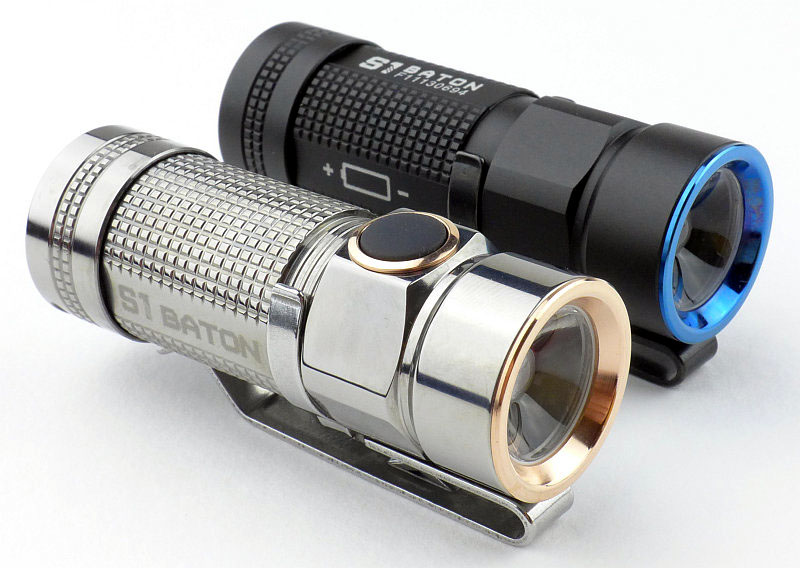
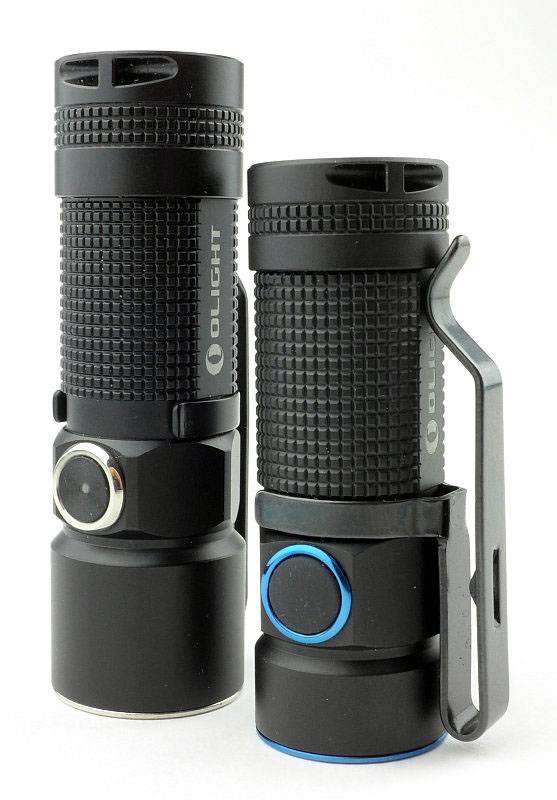
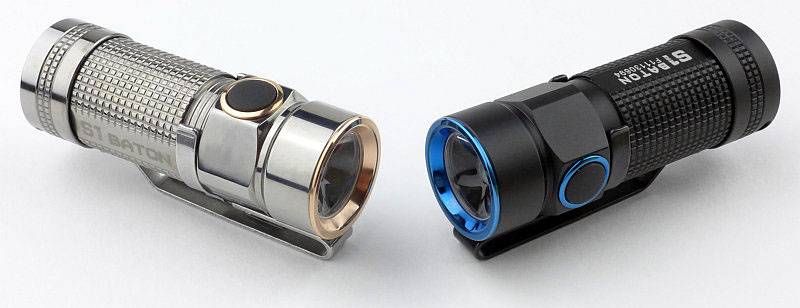
Olight’s S1 is the smallest light they have ever produced with a side switch. Along with the standard aluminium edition, Olight have created quite a storm of interest by also releasing several different Special Editions with different emitters and materials such as Copper, Titanium as well as Gold-plated versions.

 photo 52 S1 twins3 P1150843.jpg

Taking a more detailed look at the S1 (standard Al edition):

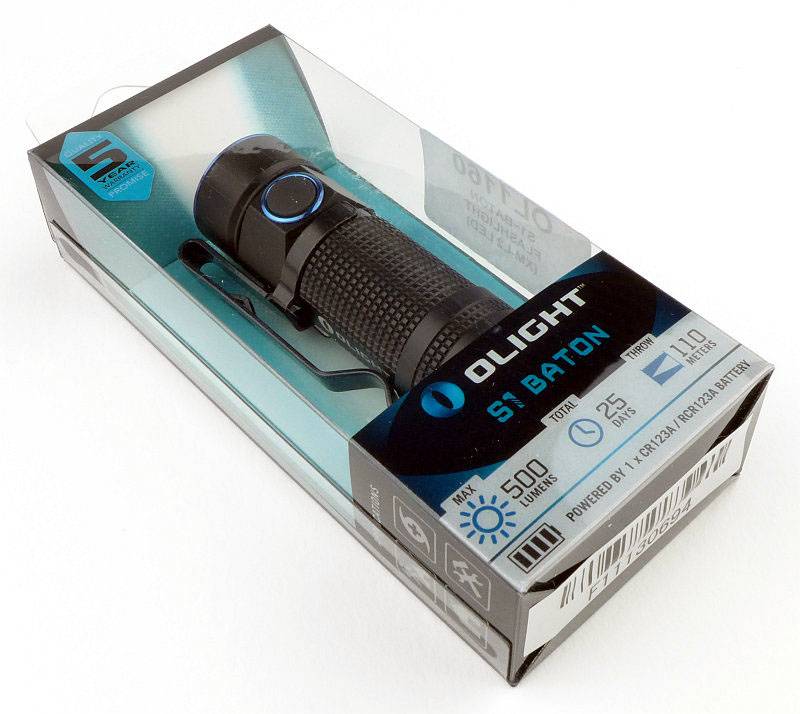
Olight’s standard plastic box packaging displays the S1 nicely.
 photo 01 S1 Al boxed P1150522.jpg

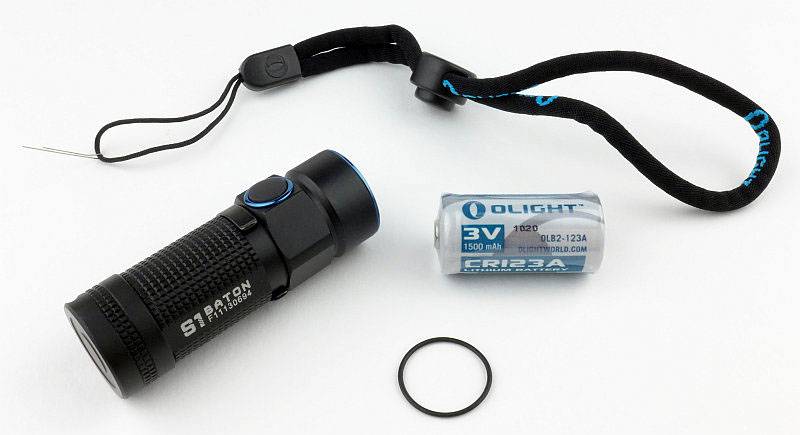
Inside the box is the S1, a CR123 cell, spare O-ring (which is actually used to hold the S1 in place) and a wrist lanyard. A really thoughtful feature is that the lanyard comes with a threading wire fitted to it to make it easy to fit to the S1.
 photo 02 S1 Al box contents P1150526.jpg

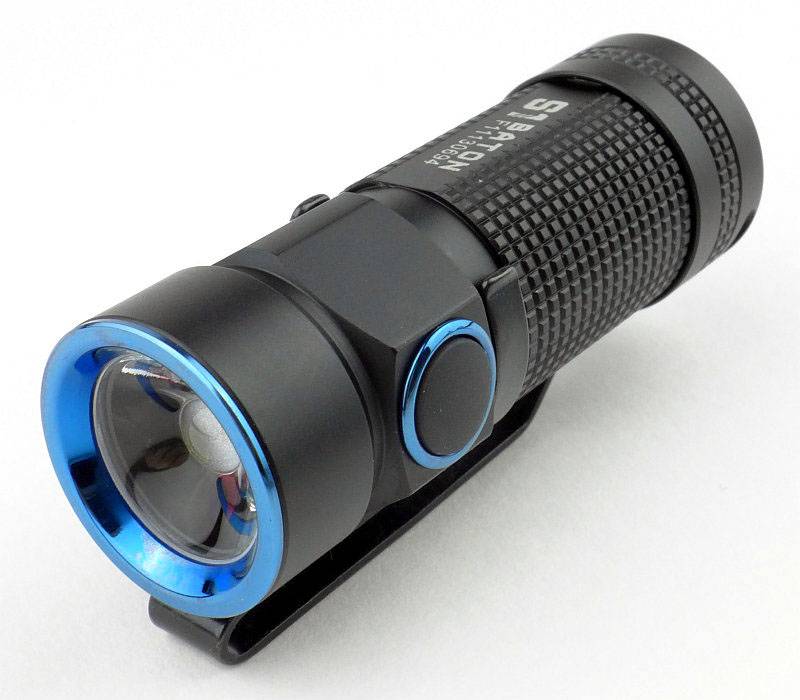
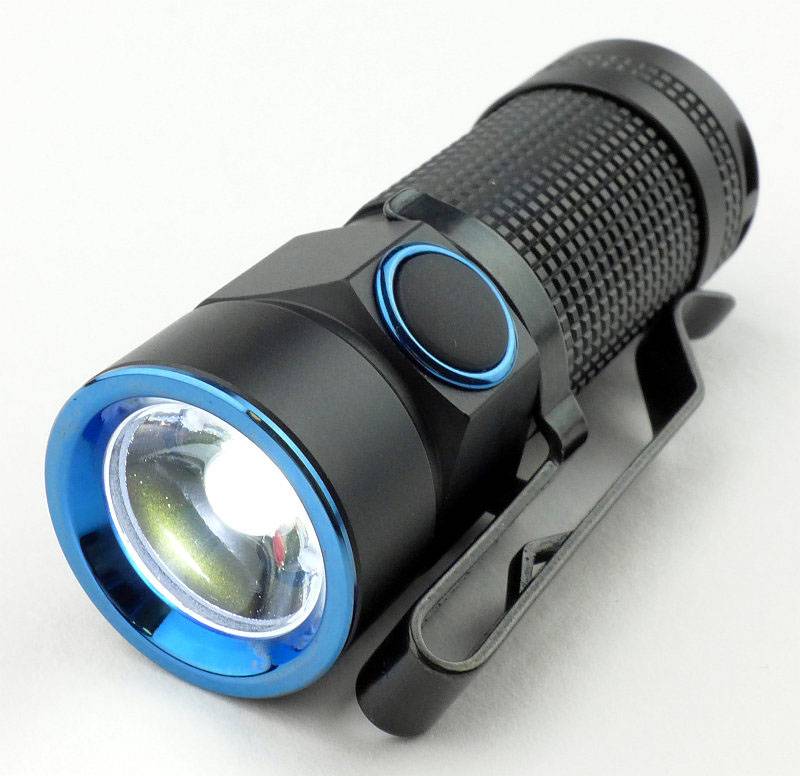
The S1 itself has a stylish two tone appearance with the bezel and switch rings in blue.
 photo 05 S1 Al angle03 P1150532.jpg

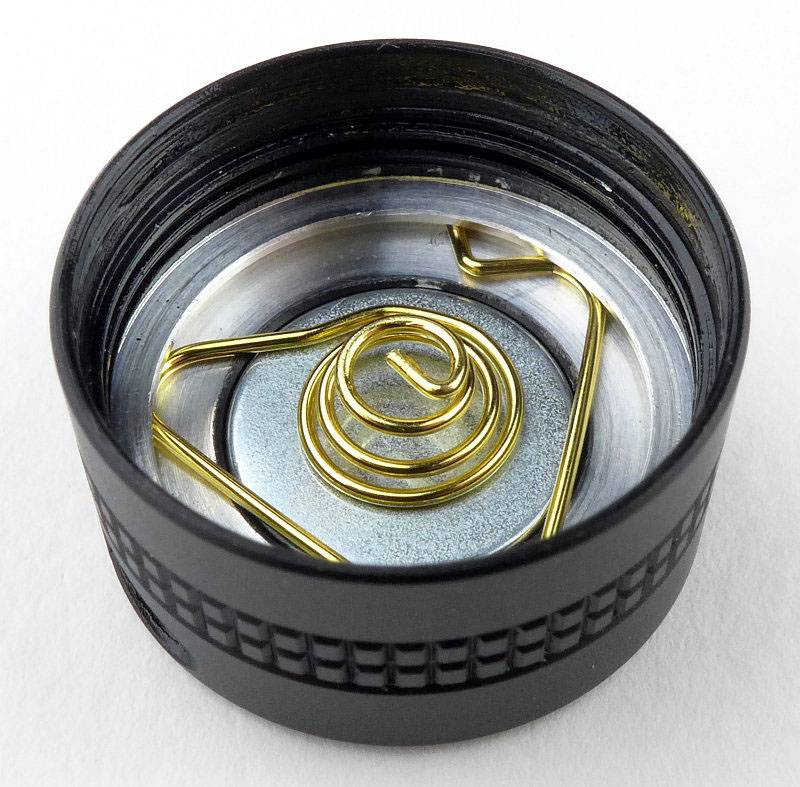
Keeping the size down, the tailcap is a very streamlined design. The spring clips into a slot and is used to hold the magnet in place. This makes it easy for the user to remove and replace the magnet.
 photo 06 S1 Al tailcap P1150537.jpg

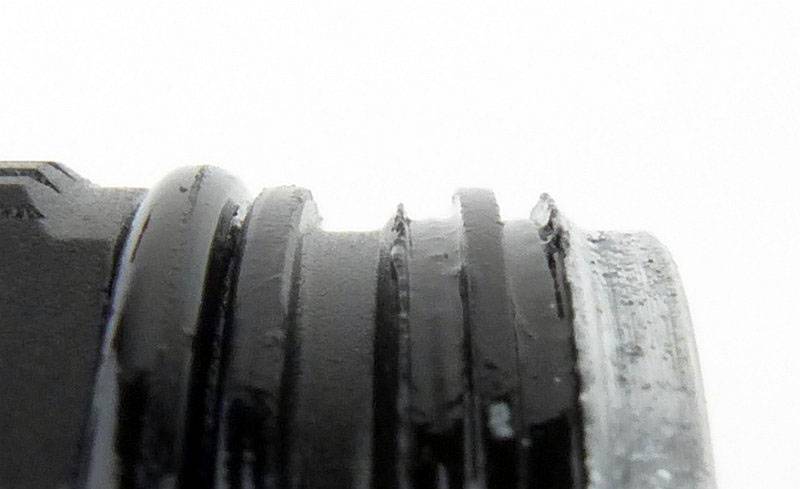
The threads are square cut and as the body is short, there are not many actual threads.
 photo 07 S1 Al threads P1150539.jpg

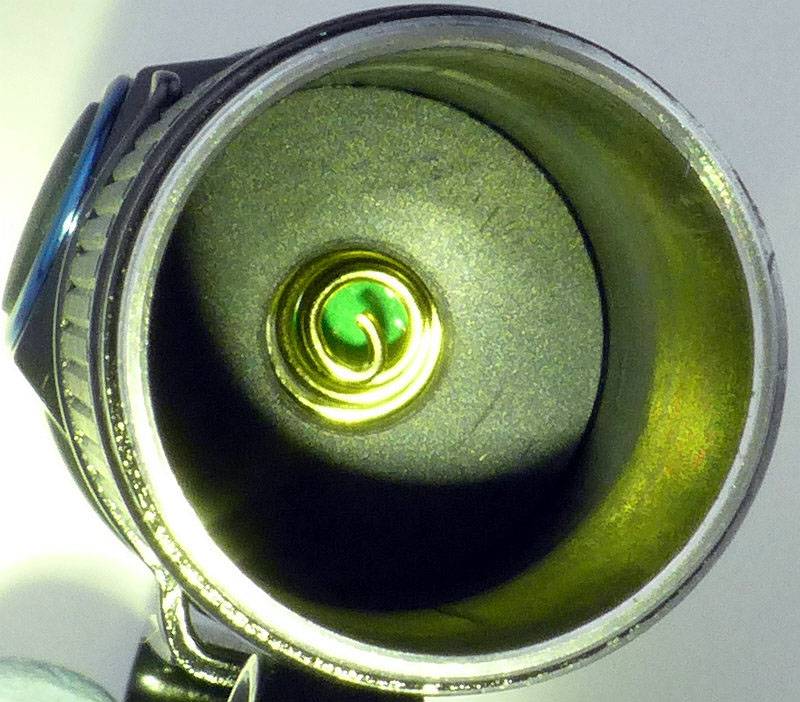
Peering inside there is another spring terminal and an anti-rattle closed-cell foam pad.
 photo 08 S1 Al inside P1150549.jpg

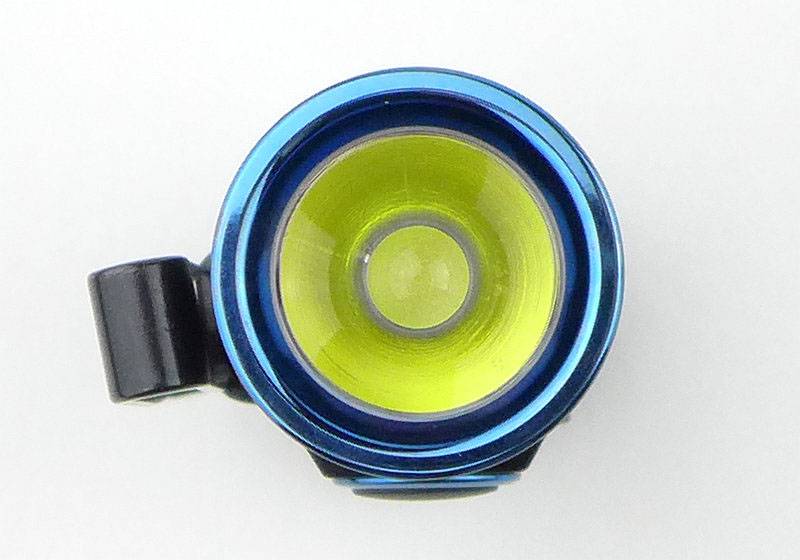
Looking dead-on, the S1 has a TIR optic and the actual LED cannot be seen.
 photo 09 S1 Al TIR P1150553.jpg

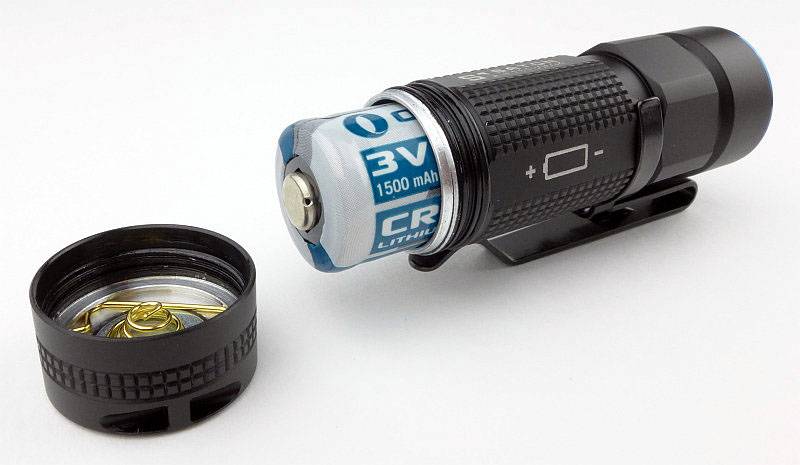
In a less common format, the cell is inserted negative towards the head and this is clearly marked on the side of the S1.
 photo 11 S1 Al Cell P1150563.jpg

Just to give an idea of how compact this light is, here it is next to the already small Olight S10R (another RCR123 light).
 photo 12 S1 Al S10R compare P1150566.jpg

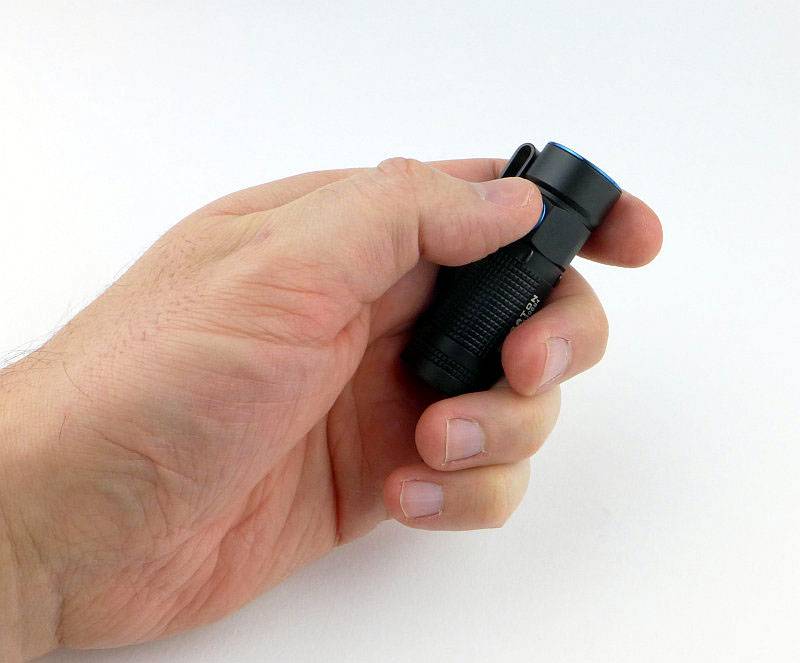
Also for scale here it is in my hand (I take XL gloves)
 photo 13 S1 Al in hand P1160056.jpg

Before moving on to the Special Edition another quick look at those lovely blue PVD trims.
 photo 10 S1 Al TIR lit P1150559.jpg

Taking a more detailed look at the S1 Special/Ti edition:

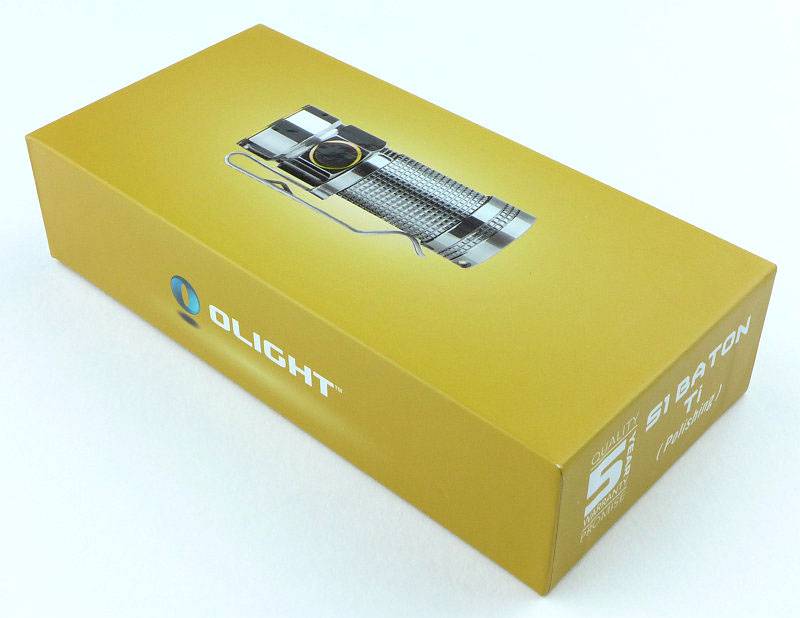
In keeping with its Special Edition status, the Ti S1 gets a different box.
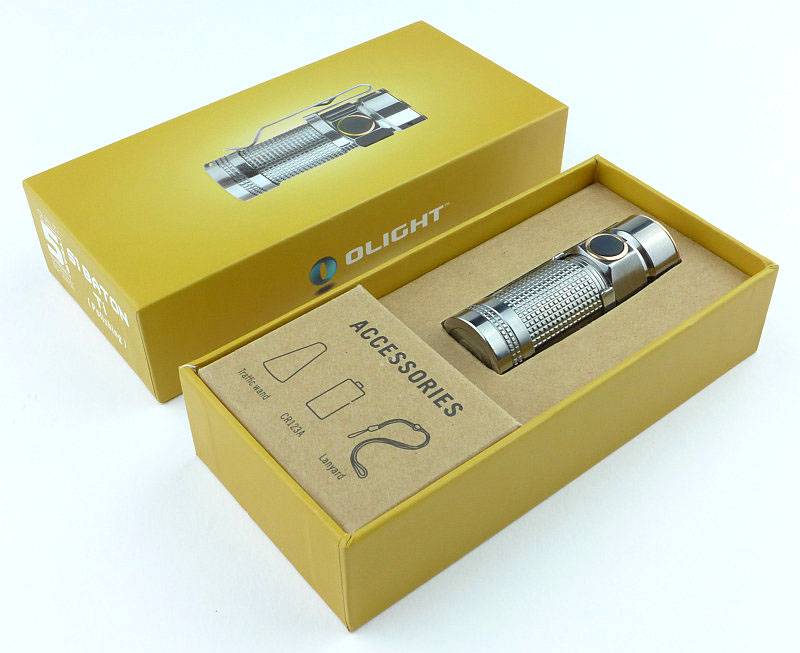
 photo 20 S1 Ti boxed P1150804.jpg

Presentation is excellent.
 photo 21 S1 Ti box open P1150807.jpg

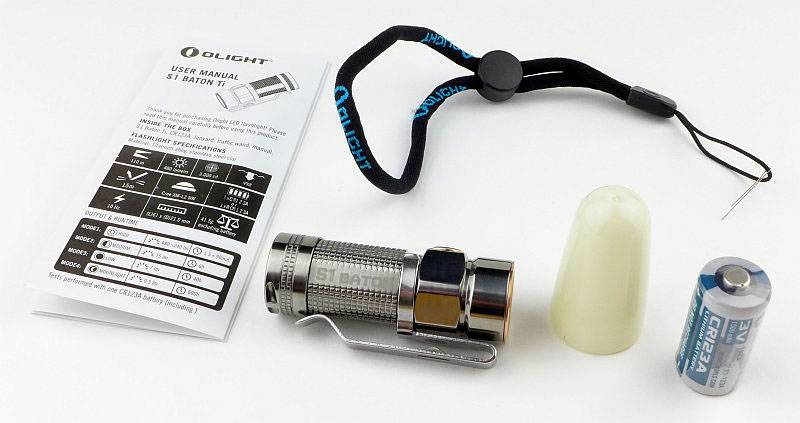
Inside the box is the S1, a CR123 cell, diffuser, instructions and a wrist lanyard. A really thoughtful feature is that the lanyard comes with a threading wire fitted to it to make it easy to fit to the S1.
 photo 25 S1 Ti contents P1150820.jpg

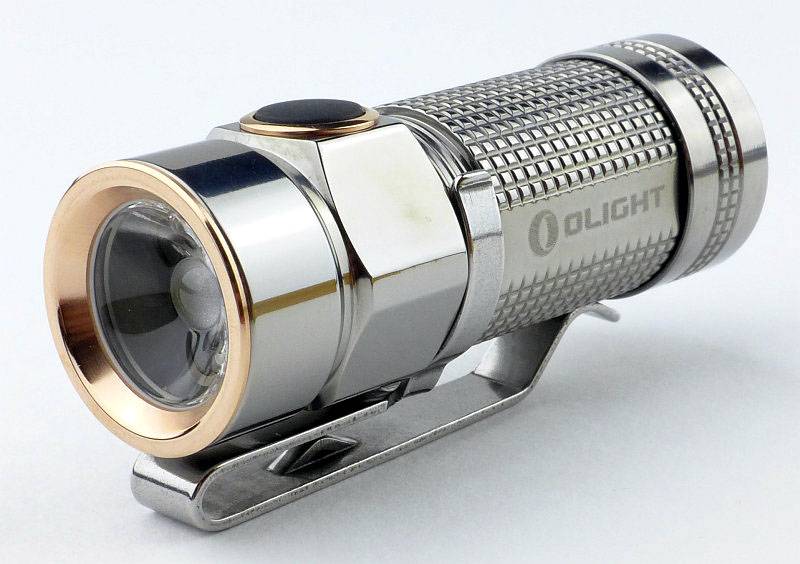
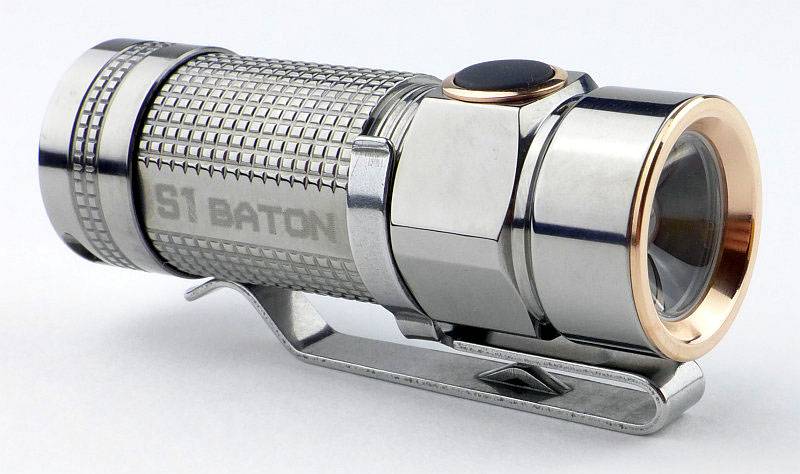
A glorious looking light.
 photo 30 S1 Ti angle3 P1150834.jpg

The clip is removable and reversible.
 photo 24 S1 Ti clip P1150816.jpg

Construction of the tailcap is the same as the standard version with the terminal spring clipped into a groove and used to secure the magnet.
 photo 26 S1 Ti tailcap P1150822.jpg

Square threads are used.
 photo 27 S1 Ti threads P1150824.jpg

Looking inside the internals are the same as the standard version.
 photo 28 S1 Ti inside P1150826.jpg

A Rose Gold plated bezel surrounds the TIR optic.
 photo 29 S1 Ti TIR P1150830.jpg

Without the diffuser fitted.
 photo 31 S1 Ti angle4 P1150837.jpg

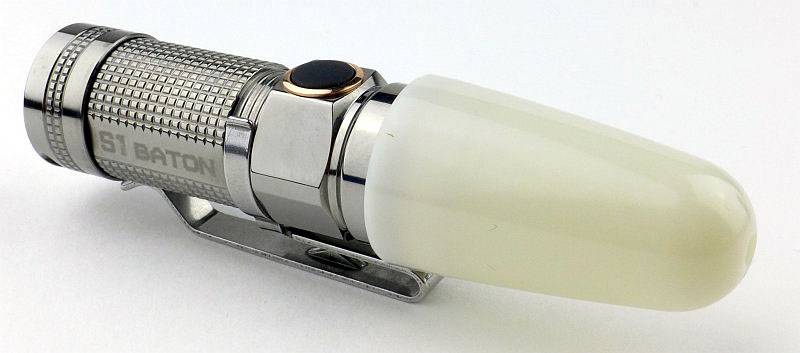
With the diffuser fitted.
 photo 32 S1 Ti diffuser P1150846.jpg

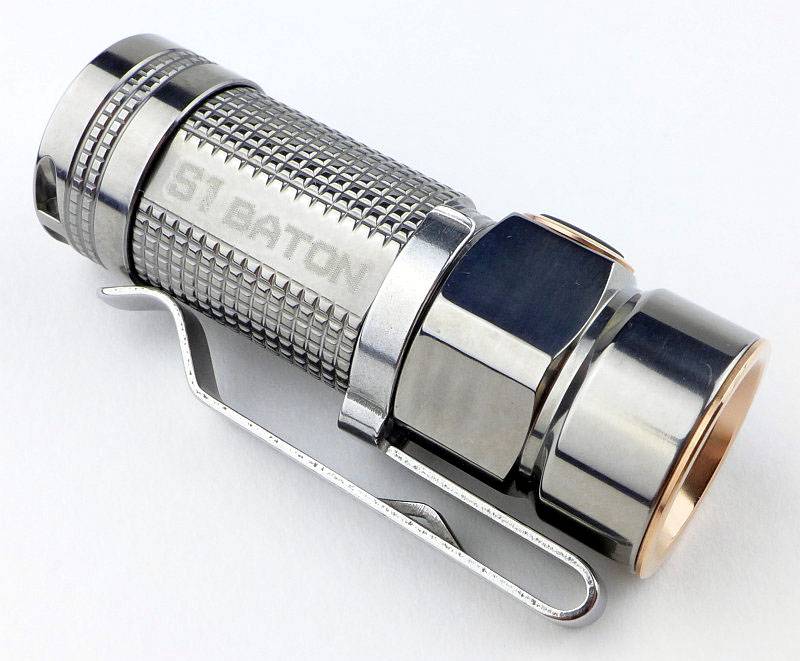
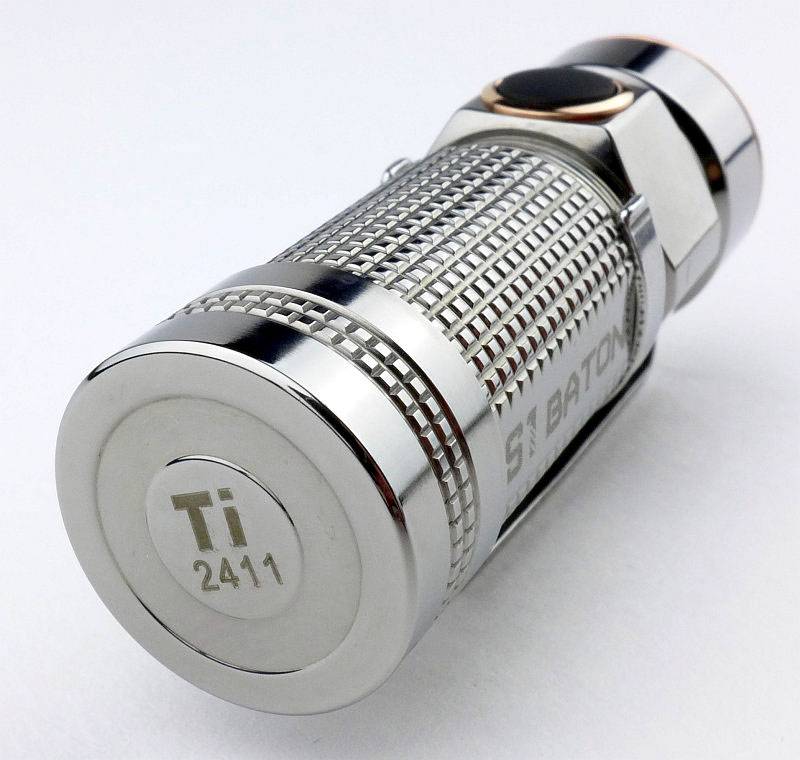
For the special editions they have the identifier ‘Ti’ and a serial number engraved on the tail-cap.
 photo 33 S1 Ti tail view P1150974.jpg

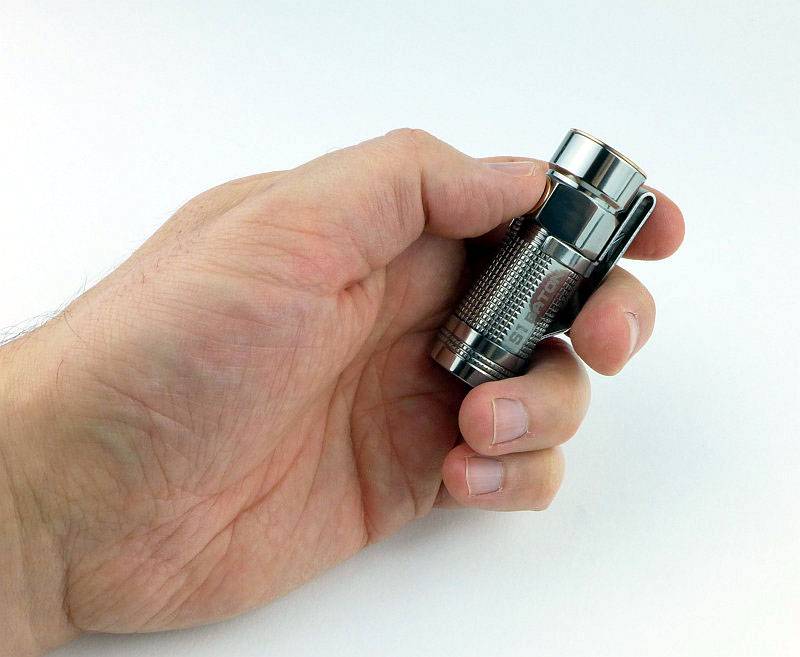
Small, Shiny and Ti, a winning combination.
 photo 34 S1 Ti in hand P1160053.jpg

The beam

Please be careful not to judge tint based on images you see on a computer screen. Unless properly calibrated, the screen itself will change the perceived tint.

The indoor beamshot is intended to give an idea of the beam shape/quality rather than tint. All beamshots are taken using daylight white balance. The woodwork (stairs and skirting) are painted Farrow & Ball “Off-White”, and the walls are a light sandy colour called ‘String’ again by Farrow & Ball. I don’t actually have a ‘white wall’ in the house to use for this, and the wife won’t have one!

Starting indoors with the Standard S1. The wide hotspot transitions into a wide spill giving a great all round beam, and one that works really well for EDC tasks.
 photo 14 S1 Al indoor beam P1170324.jpg

The main difference in the Special Ti Edition is that the LED is neutral white.
 photo 35 S1 Ti indoor beam P1170329.jpg

Fitting the Ti Edition’s diffuser makes a hug difference giving a real lantern like beam.
 photo 36 S1 Ti indoor beam diffused P1170333.jpg

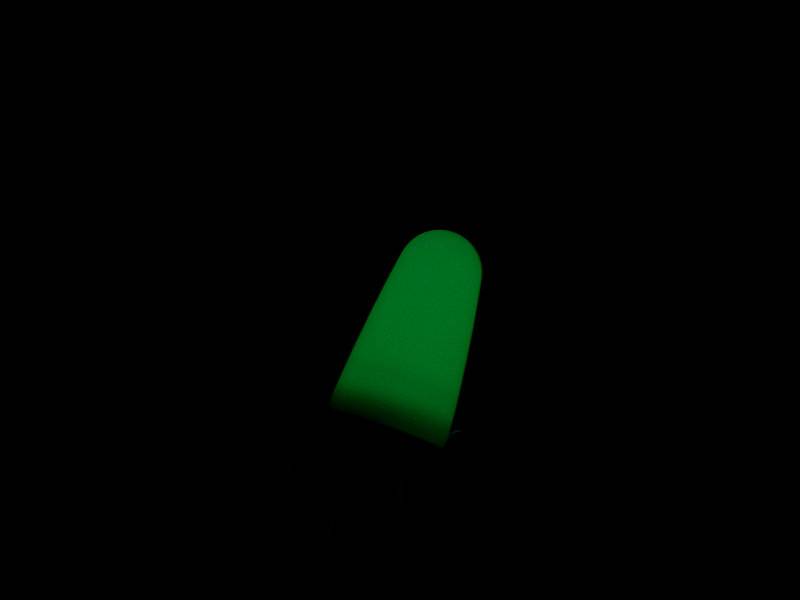
The Diffuser itself is GITD as can be seen here once the test was over.
 photo 37 S1 Ti indoor beam GITD P1170336.jpg

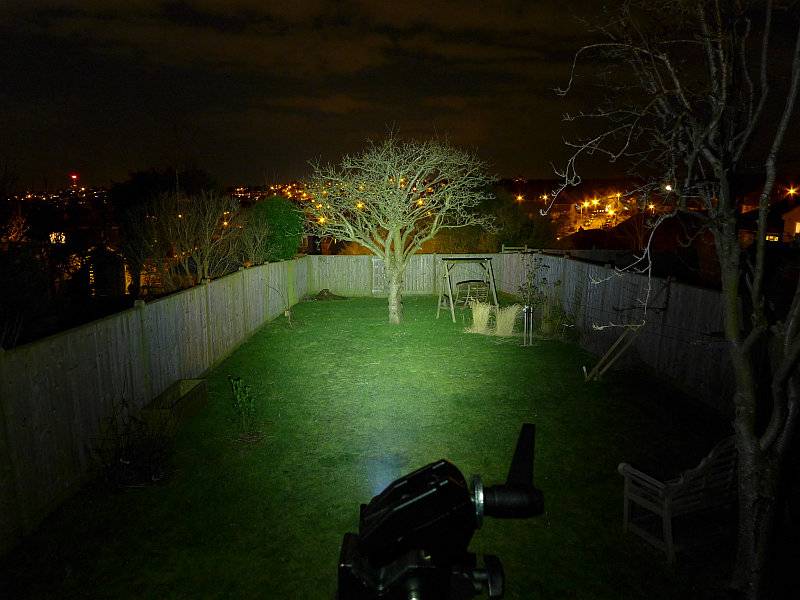
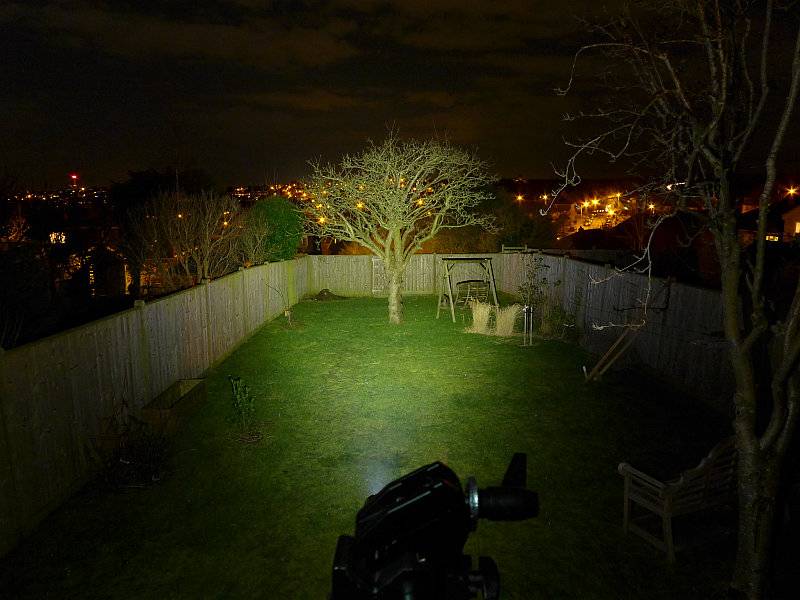
Outdoors, the wide hotspot does well enough up to medium distances.
 photo 15 S1 Al outdoor beam P1170258.jpg

The neutral emitter of the Ti does make the colours appear more natural.
 photo 38 S1 Ti outdoor beam P1170261.jpg

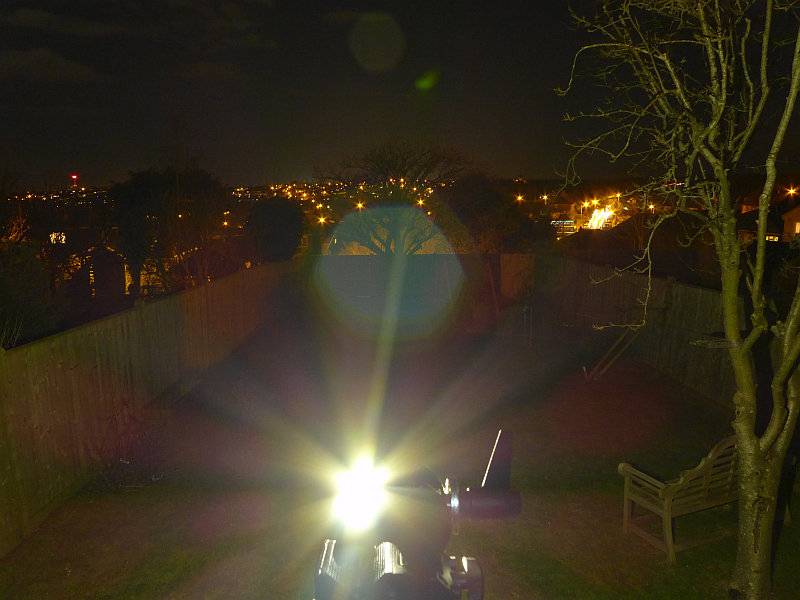
Just to show what happens when the diffuser is fitted – GLARE – lots of glare. On the indoor shot the clamp prevented the glare from hitting the camera, but here it does not. Use the diffuser with caution.
 photo 39 S1 Ti outdoor beam diffused P1170297.jpg

Modes and User Interface:

The S1 has five output modes, High, Medium, Low, Moonlight and Strobe and a single click-switch on the side.

Basic ON/OFF operation is carried out with a single click of the side switch. The S1 will turn on to the last used standard mode (this does not include Moonlight or Strobe).

To change the brightness, while ON, press and hold the switch to cycle through Medium -> High -> Low -> Medium etc. Release the switch once you have the required output.

There are a few special functions:
Moonlight mode – from OFF, press and hold the switch for 1s until the Moon mode is activated.
Direct access to High – from OFF, double-click the switch.
Strobe – From ON, triple-click the switch.
Timer – From ON, double-click the side switch. The S1 will blink one or two times. Once means the 3 minute timer is activated, twice means the 9 minute timer is activated. To swap between 3 and 9 minutes timers, double-click the switch.

Timer mode means that the S1 will turn itself off after the specified time, and this can be started from any mode (including Strobe and Moonlight).

Batteries and output:

The S1 runs on either CR123 or RCR123.

To measure actual output, I built an integrating sphere. See here for more detail. The sensor registers visible light only (so Infra-Red and Ultra-Violet will not be measured).

Please note, all quoted lumen figures are from a DIY integrating sphere, and according to ANSI standards. Although every effort is made to give as accurate a result as possible, they should be taken as an estimate only. The results can be used to compare outputs in this review and others I have published.

___________________________________________ ________________________________ ________________________________
‘Model’ and ‘Mode’ using specified cell I.S. measured ANSI output Lumens PWM frequency or Strobe frequency (Hz)
___________________________________________ ________________________________ ________________________________
S1 Al – High – CR123 428 0
S1 Al – Medium – CR123 92 0
S1 Al – Low – CR123 15 0
S1 Al – Moon – CR123 Below Threshold 0
S1 Al – High – RCR123 555 0
S1 Al – Medium – RCR123 92 0
S1 Al – Low – RCR123 15 0
S1 Al – Moon – RCR123 Below Threshold 0
S1 Ti – High – CR123 461 0
S1 Ti – Medium – CR123 92 0
S1 Ti – Low – CR123 12 0
S1 Ti – Moon – CR123 Below Threshold 0
S1 Ti – High – RCR123 541 0
S1 Ti – Medium – RCR123 91 0
S1 Ti – Low – RCR123 12 0
S1 Ti – Moon – RCR123 Below Threshold 0

* Beacon and Strobe output measurements are only estimates as the brief flashes make it difficult to capture the actual output value.

Peak Beam intensity of the S1 Al measured 3500 lx @1m giving a beam range of 118 m.
Peak Beam intensity of the S1 Ti measured 3000 lx @1m giving a beam range of 110 m.

There is parasitic drain but it is very low. For both the S1 Al and Ti, the drain was 1.1uA (145 years to drain a CR123 cell)

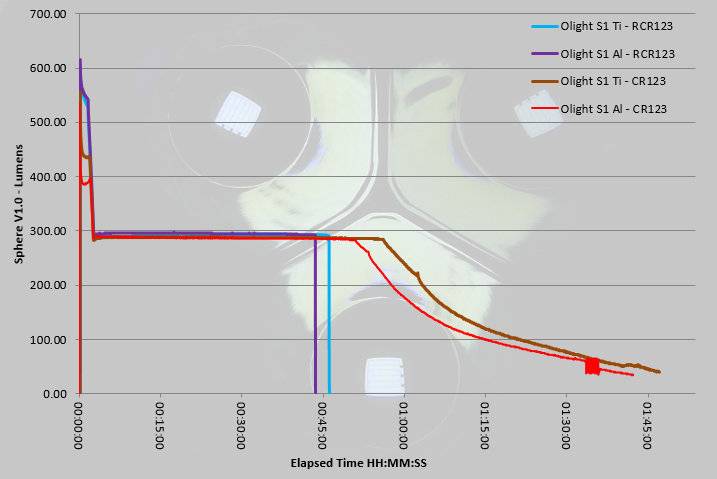
The trace here shows each of the S1 versions running on CR123 and on RCR123. The most distinctive difference is that on RCR123 the initial output is up to 120lm higher than on CR123. Once the light has been running for 3 minutes and the output ramps down to around 300lm, all four traces pretty much overlap. For the RCR123s, there is a sudden shut-off when the cell-protection kicks in. On CR123 the output starts to drop out of regulation at around 50 minutes after turn-on which is approximately halfway through the total ANSI runtime.
 photo Olight S1 runtime.jpg

Troubleshooting

This section is included to mention any minor niggles I come across during testing, in case the information helps anyone else.

No issues were encountered during testing.

As per the description of this section, this information is provided in case anyone else finds a similar ‘issue’ that might be fixed in the same way.

The Olight S1 in use

In reality there is little difference between these two versions in terms of practicality, except perhaps the neutral emitter in the Ti version. Of course the Ti version feels much more special and looks the part, as do any of the S1 special editions.

Regardless of special edition or not, the S1 is an excellent EDC light and won me round straight away. Easy and reliable access to Moon mode, direct access to High and memory of the last standard mode used, all tick the EDC boxes; all this and never forget its super compact size which makes it very easy to carry.

The built in timer is great for giving the light a ‘sleep’ mode so if you are camping or otherwise in need of a period of ‘settling-in’ before going to sleep, but not wanting to then have to turn a light off; it will turn itself off for you. Think of your own uses for this; I really like it even if I don’t use the timer all that much.

Being able to pop out the tailcap spring and remove the magnet is a really clever design. Magnets are useful, but very often I get annoyed with them picking up this and that. Now I can choose to have the magnet or not.

Deciding between CR123 and RCR123 will be personal preference. For heavy users the guilt-free-lumens of RCR123 may be a better match, but check that runtime graph; a sudden cut-off might be a problem for some users. If it is a problem, stick to CR123, as for general light EDC use it will last a long time.

Thanks to the very low parasitic drain, you can be confident that leaving it loaded up with a CR123, the S1 will be ready to go when you need it, and you won’t find it with a run-down cell. If you are super-paranoid, you can lock out the Standard version by unscrewing the tail-cap half a turn. You cannot lockout the Ti Special Edition like this as the threads are not coated.

Although a TIR lens was chosen for better control of the beam shape, it has the added benefit of being pretty much unbreakable. That beam is a general purpose beam which is well suited to closer range typical EDC uses.

Even though I’m use to it, I still have to think twice when putting a new cell in, the ‘negative terminal towards the head’ layout seems a strange choice when convention has the positive terminal towards the head. It does include all the relevant protection in case you get it wrong, but this seems an unnecessary unconventional touch.

The switch is quite low profile and without the clip often needs a bit of ‘hunting’ to find. The clip, which seems relatively large, can act as a guide for finding the button, and also helps stabilise the grip. The S1 is small enough that is can feel insecure to hold, especially when performing multi-clicks of the switch; the clip gives a little something extra to get hold of.

Small, good looking and full of useful modes that are easy to get at. It is no wonder the S1 is proving very popular.

Review Summary

_______________________________________________ _______________________________________________
Things I like What doesn’t work so well for me
_______________________________________________ _______________________________________________
Very compact. Sudden cut-off when using RCR123.
Great UI and selection of modes. Unconventional cell direction.
Takes CR123 or RCR123. Special Edition version cannot be locked out.
Very low parasitic drain.
User removable tail-cap magnet.
‘Proper’ Moon-Mode (with direct access).
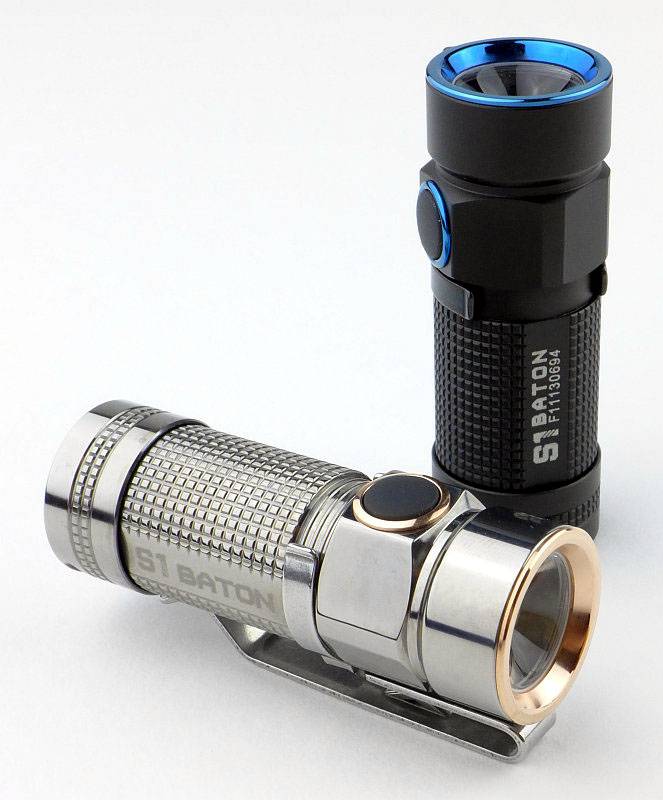
Timer mode.

 photo 51 S1 twins2 P1150842.jpg

At the time of posting, the following links are for the Olight S1 on:
Amazon UK
Amazon US


Discussing the Review:

Please feel free to add comments to the review, but the ideal place to freely discuss these reviews is on a forum. If you started reading the shorter forum version of the review, but followed the link this full exclusive review, please return to that forum to discuss the review there.
If you read the review entirely on Tactical Reviews, please consider one of the following to join in any discussion.

CandlePowerForums – Flashlight Reviews Section (Largest and Friendliest Flashlight Community Forum)

EdgeMatters – Sponsored Reviews (UK based Forum for Knife Makers and Collectors)

Light Review: NITECORE Headlamps – T-360, HA20 and HC30

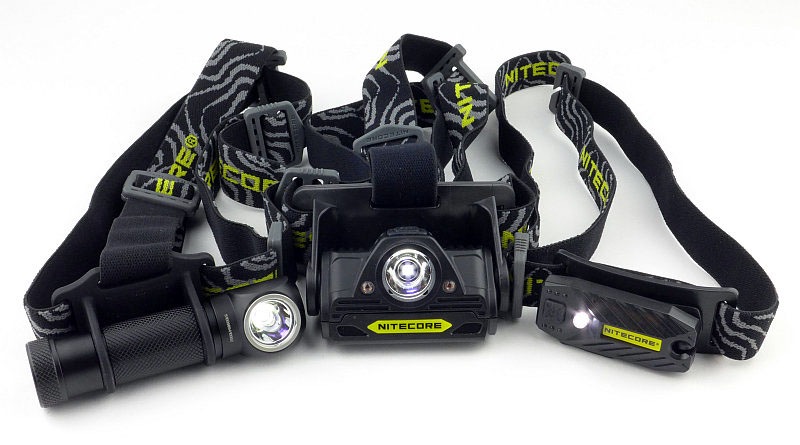
With the launch of three new headlamps from NITECORE, the T-360, HA20 and HC30, I’ve had the opportunity to compare them. Each one is very different and fits a different requirement. Have a look and see which one would be right for you.
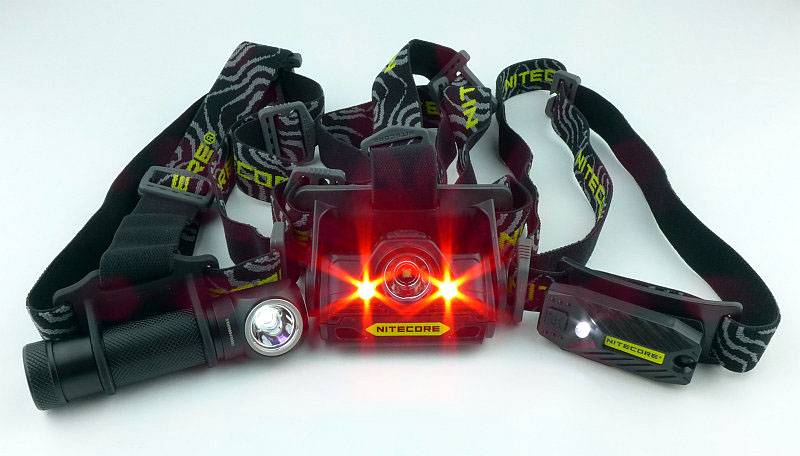
 photo 02 NITECORE headlamps group red P1160494.jpg

Taking a more detailed look at the T-360:

Before diving into the detail here are the three boxed lights together.
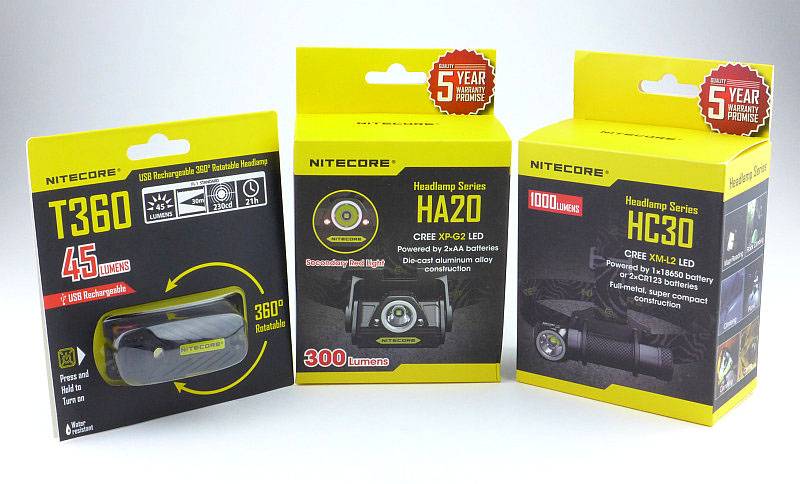
 photo 01 NITECORE headlamps boxed P1160364.jpg

For the T-360, as it has a built-in USB rechargeable cell, there is simply the T-360, a headband and the instructions in the box.
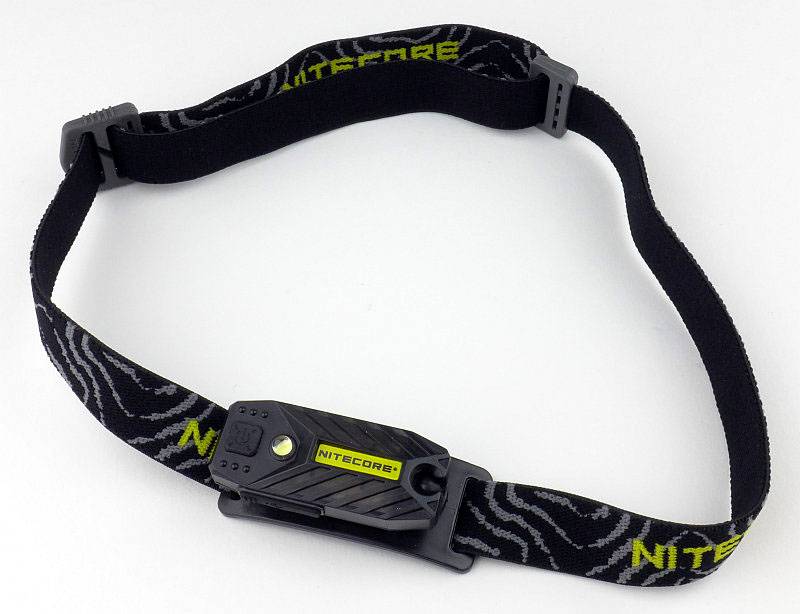
 photo 11 T-360 unboxed P1150736.jpg

Giving it its unique versatility, the T-360 has a ball joint around which the entire light head swivels and rotates.
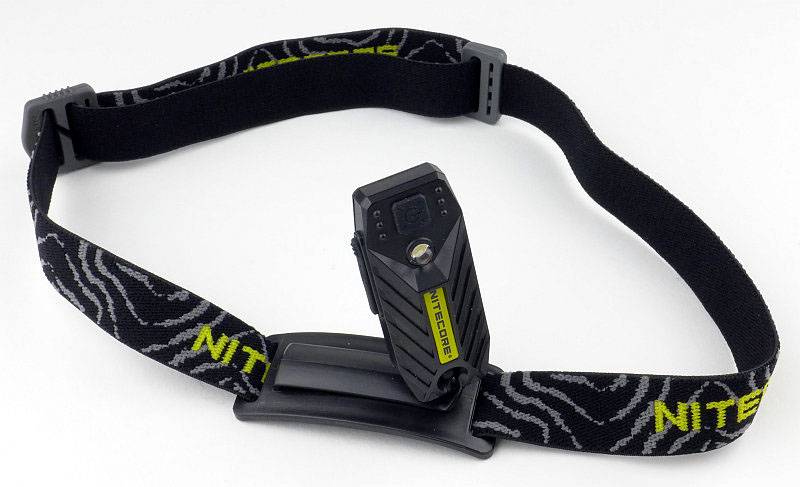
 photo 12 T-360 angle head P1150739.jpg

Just slipping in a gratuitous shot of several T-360s lined up.
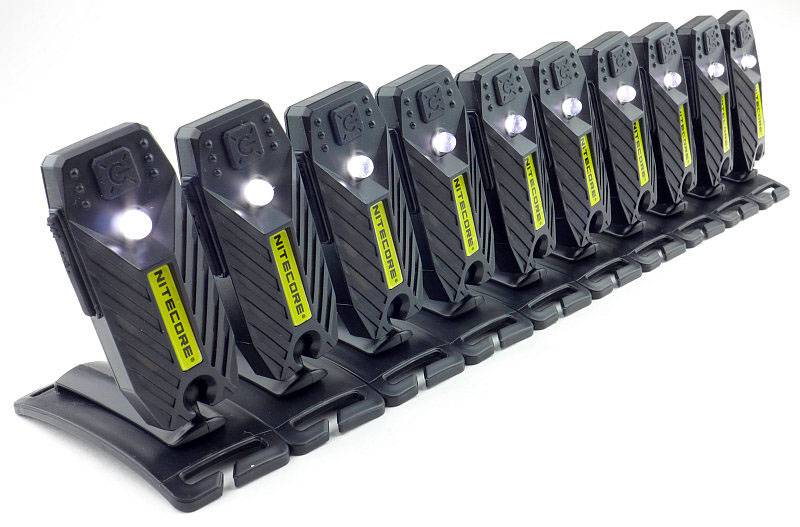
 photo 13 T-360 lineup P1150757.jpg

Being so small and light, you can keep a spare one on the same headband!
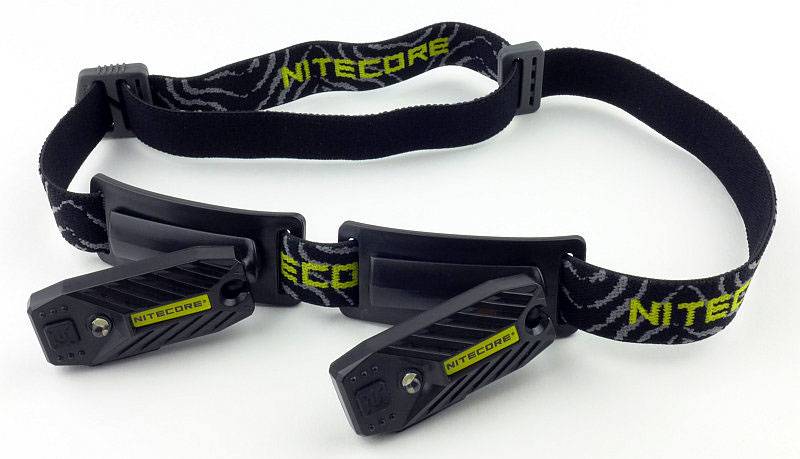
 photo 14 T-360 backup P1150795.jpg

Shown here in its head-mounted configuration with the spare T-360 as well.
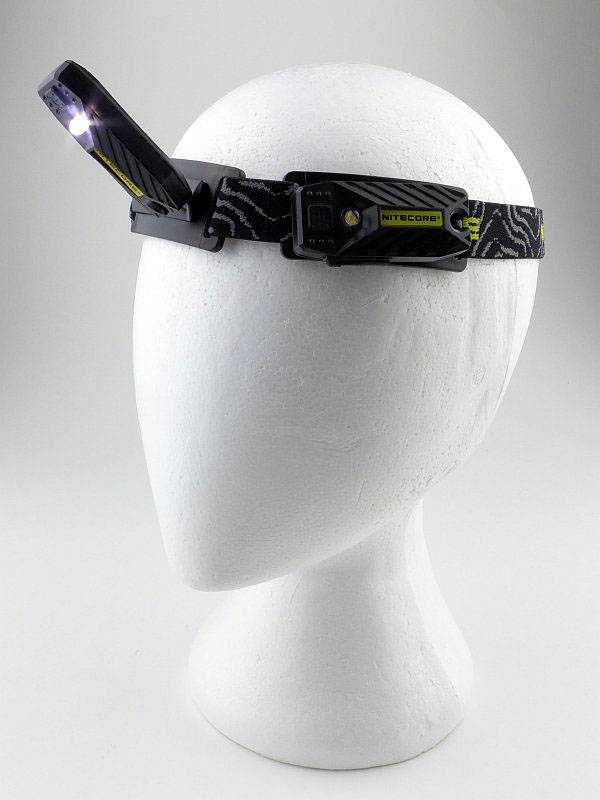
 photo 15 T-360 on head P1160352.jpg

Taking a more detailed look at the HA20:

For the HA20, as well as the light unit, there is the headband (with top strap) a special square-shaped O-ring and the instructions.
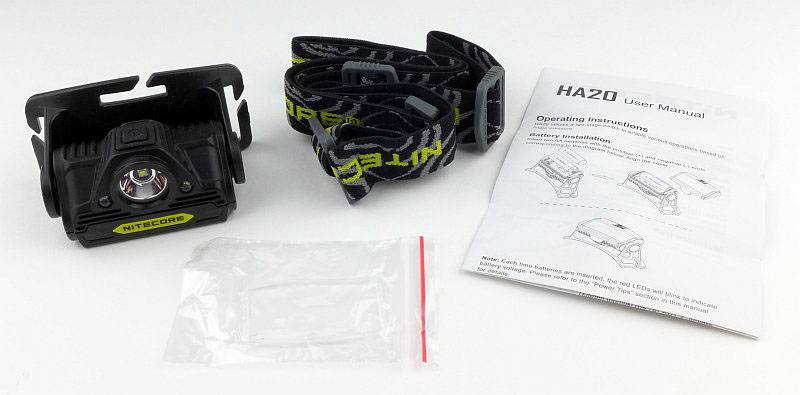
 photo 20 HA20 contents P1160368.jpg

Fitting the strap is very easy.
 photo 21 HA20 strap fitted P1160376.jpg

You can’t get to the battery compartment with the light unit rotated normally.
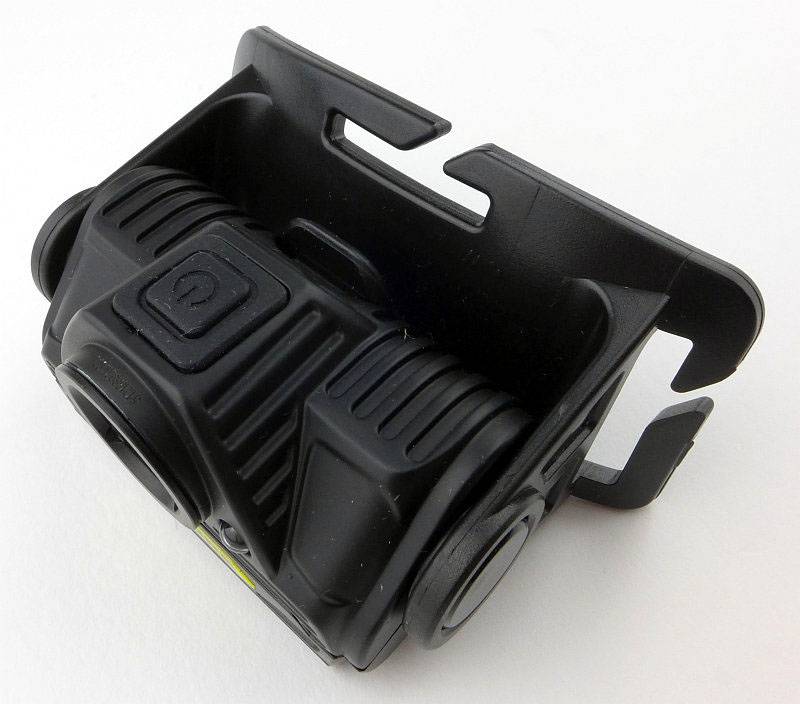
 photo 23 HA20 battery01 P1160387.jpg

First you need to rotate the unit forwards to expose the plastic tab.
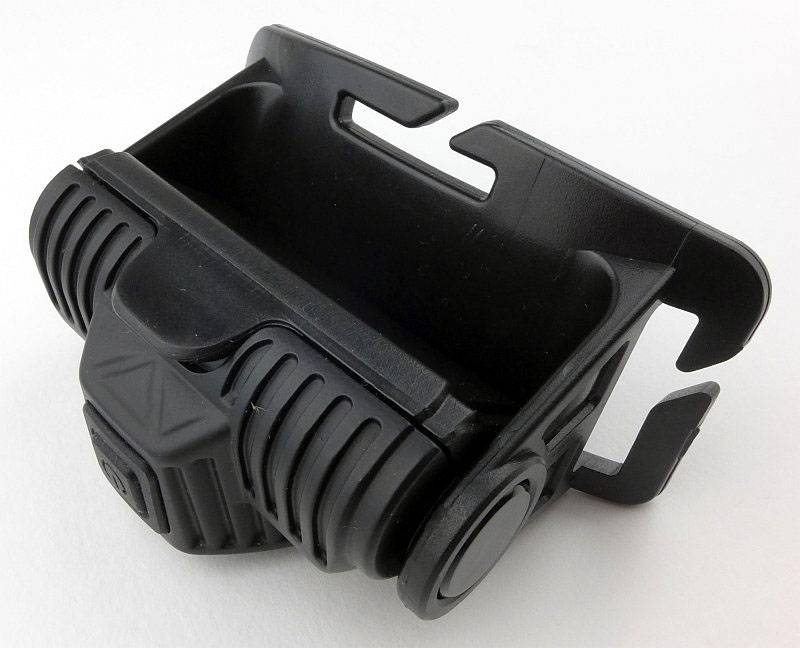
 photo 24 HA20 battery02 P1160389.jpg

Then you can pop the cover open.
 photo 25 HA20 battery03 P1160390.jpg

Finally you can rotate the light unit all the way back round to allow the door to come off.
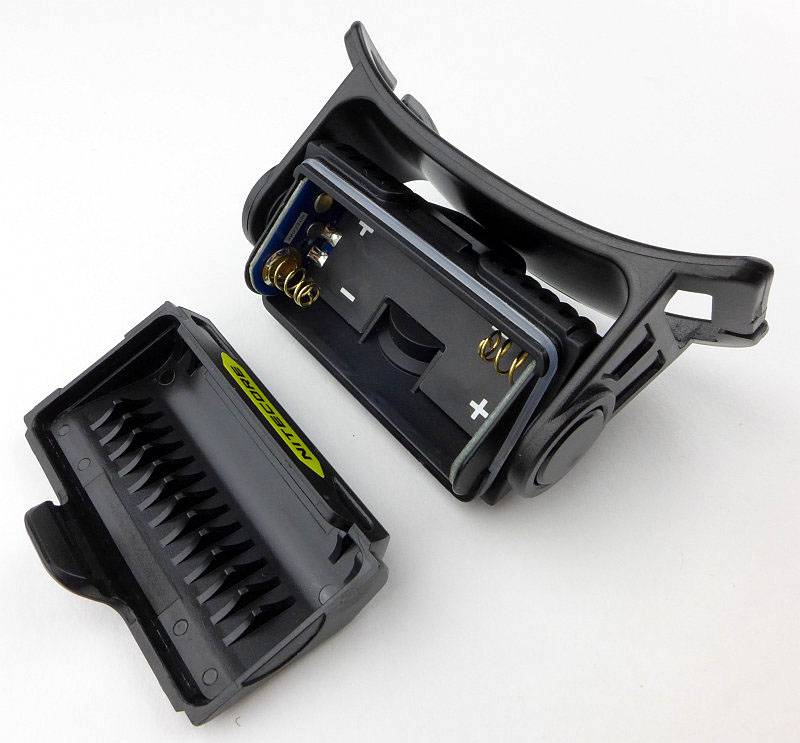
 photo 26 HA20 battery04 P1160394.jpg

Each end of the battery compartment has a set of sturdy terminals.
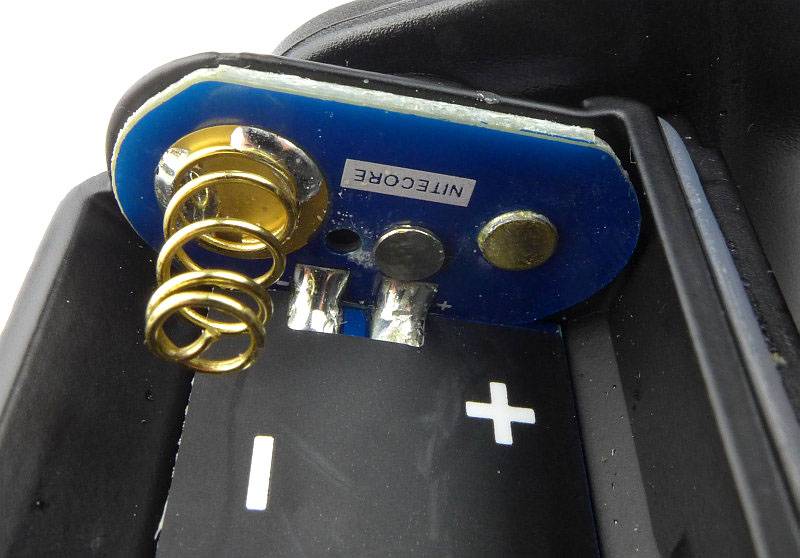
 photo 27 HA20 terminals P1160398.jpg

You have to fit the rear cell first then the front one.
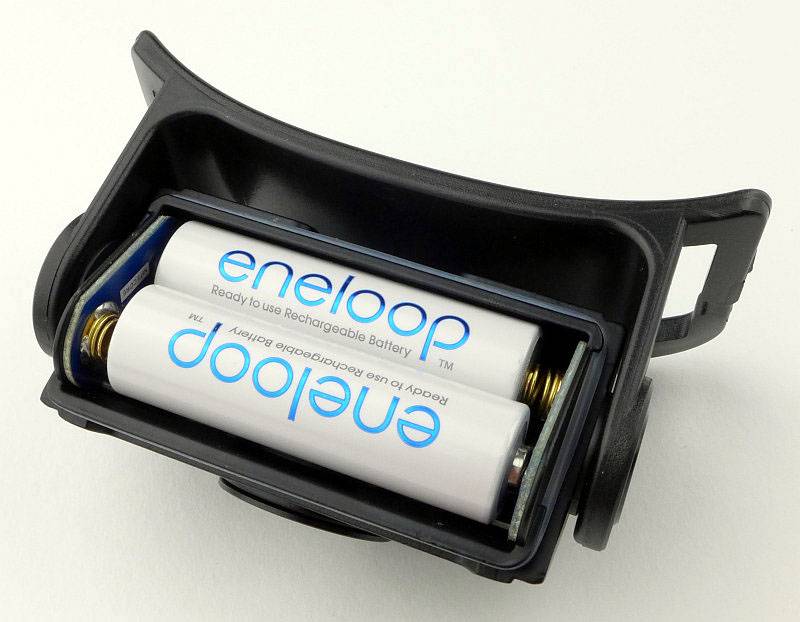
 photo 28 HA20 cells fitted P1160405.jpg

The HA20 has three LEDs, an XP-G2 LED and two F5 red LEDs.
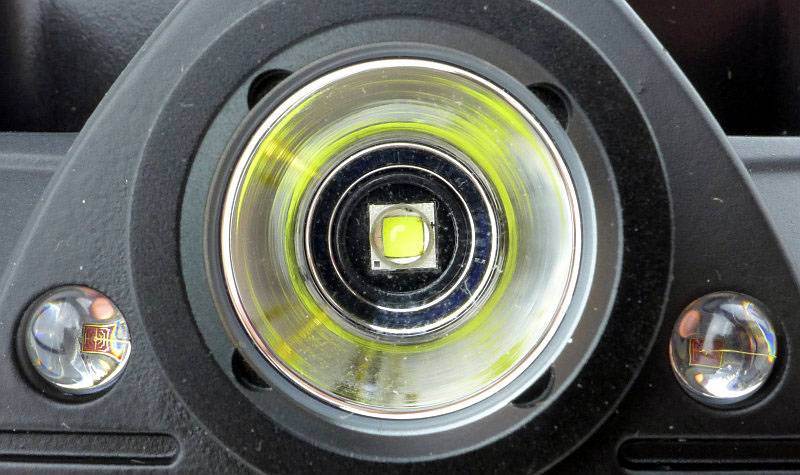
 photo 29 HA20 LEDs P1160414.jpg

A closer look at the main beam XP-G2 and its reflector.
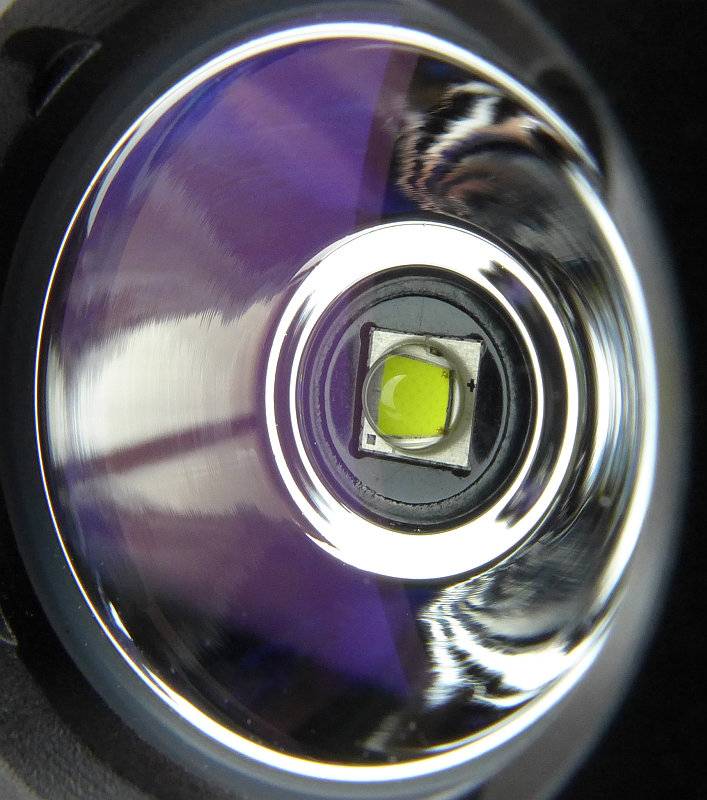
 photo 30 HA20 main LED P1160419.jpg

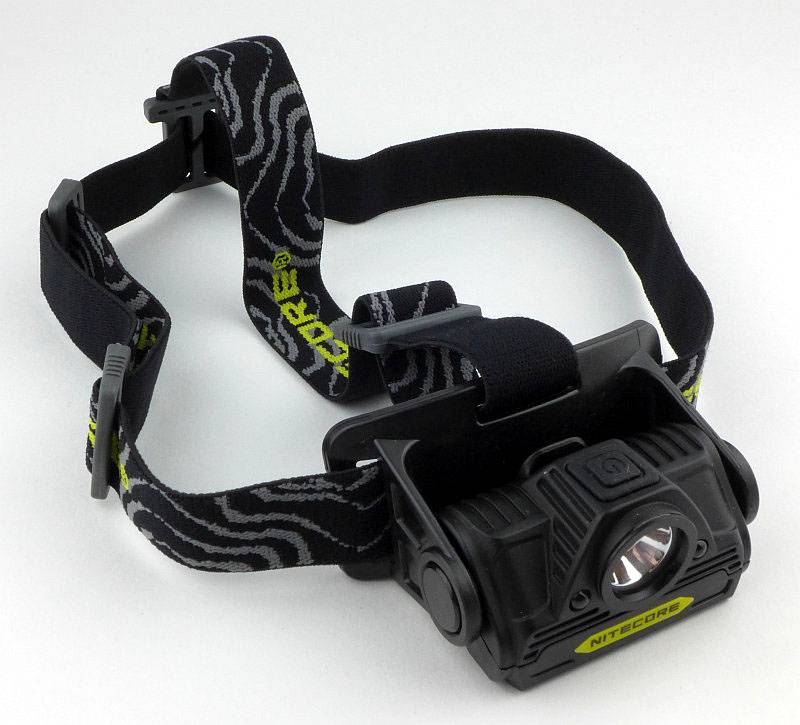
The elastic strap for the main headband is routed through the mount as shown.
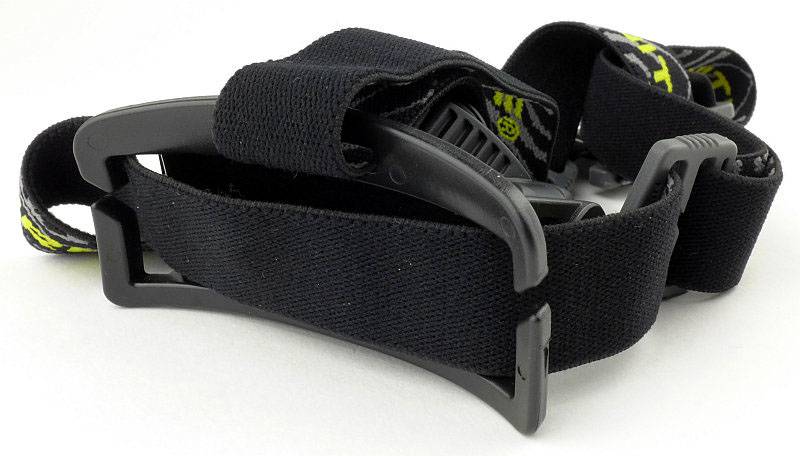
 photo 31 HA20 mount back P1160422.jpg

The top strap gives extra stability when wearing the headlamp.
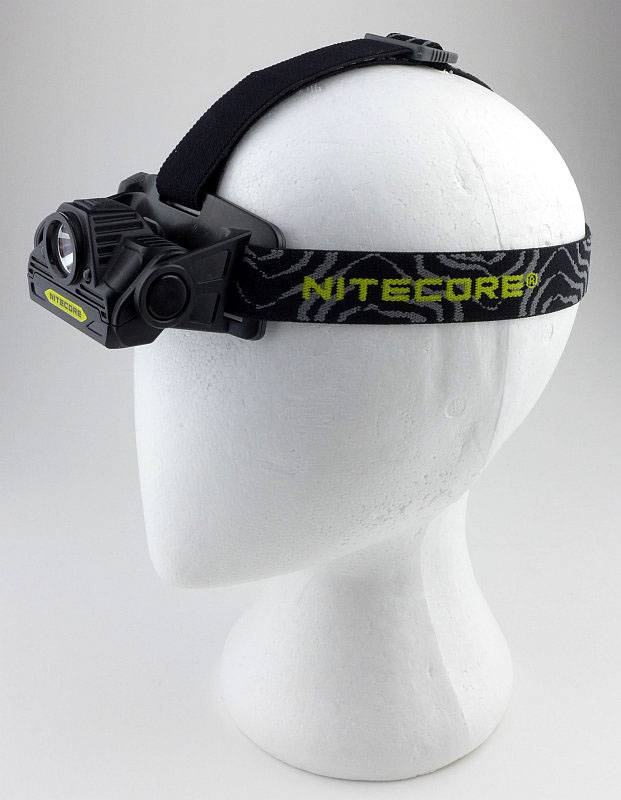
 photo 22 HA20 on head P1160382.jpg

Taking a more detailed look at the HC30:

Of these three headlamps, the HC30 has more accessories as it includes two spare O-rings, a spare switch boot and clip as well as the HC30 itself, headband and instructions.
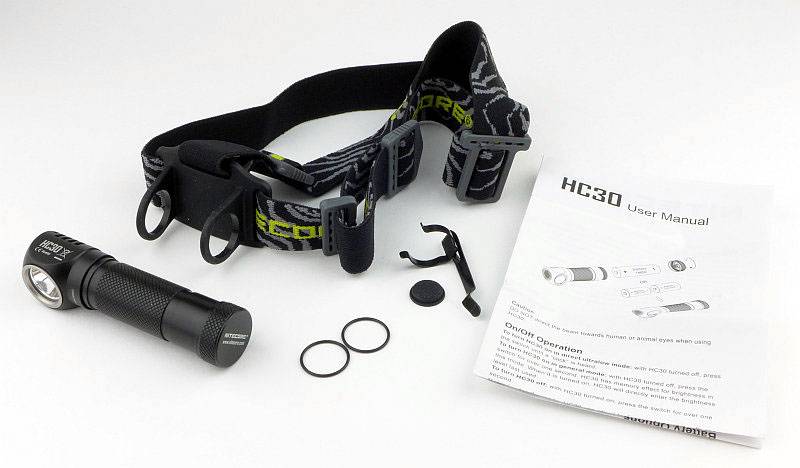
 photo 40 HC30 contents P1160425.jpg

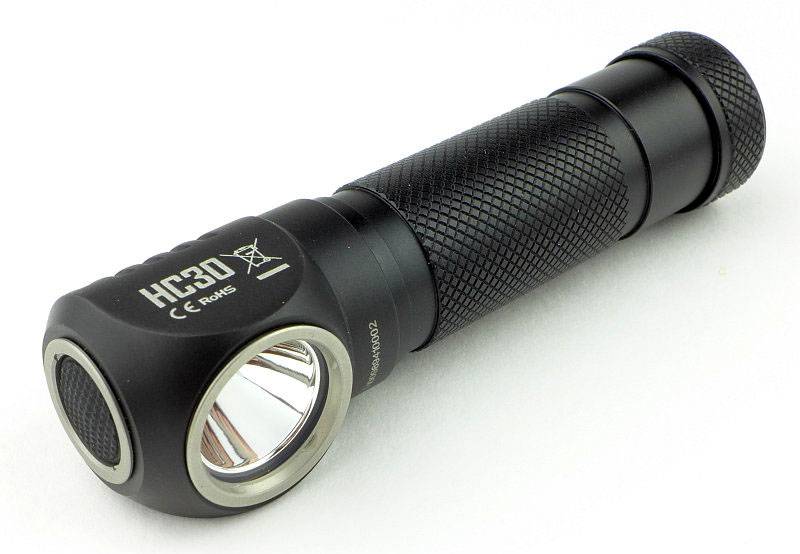
A very sleek design.
 photo 41 HC30 angle P1160431.jpg

On the head of the HC30 is a low profile rubber click switch.
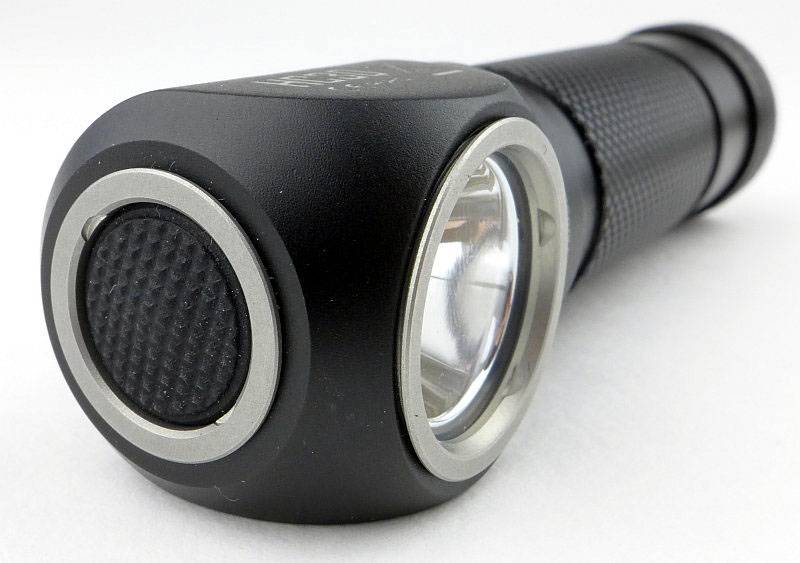
 photo 42 HC30 switch P1160435.jpg

When looking side on you can see the deeply cut heat-sink fins.
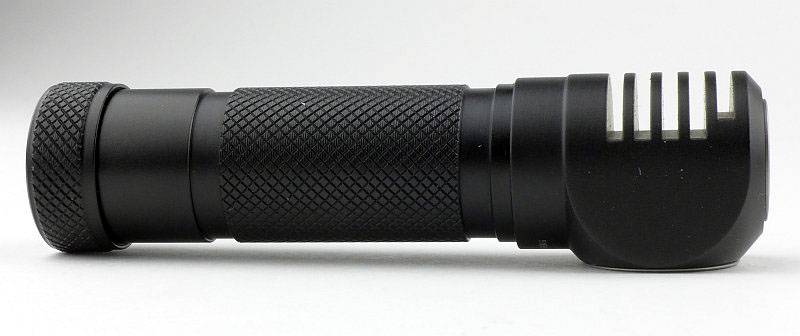
 photo 43 HC30 fins P1160441.jpg

The battery tube cap has been laser engraved with NITECORE’s logo.
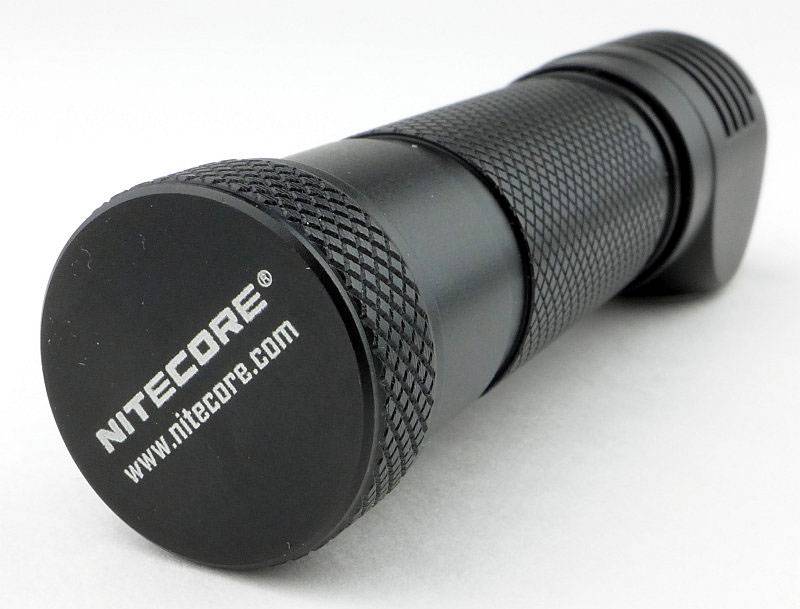
 photo 44 HC30 tailcap P1160443.jpg

Inside the tail-cap is a spring contact which has been tucked into a groove, removing the need for any circuit board and allowing the depth of the cap to be as shallow as possible.
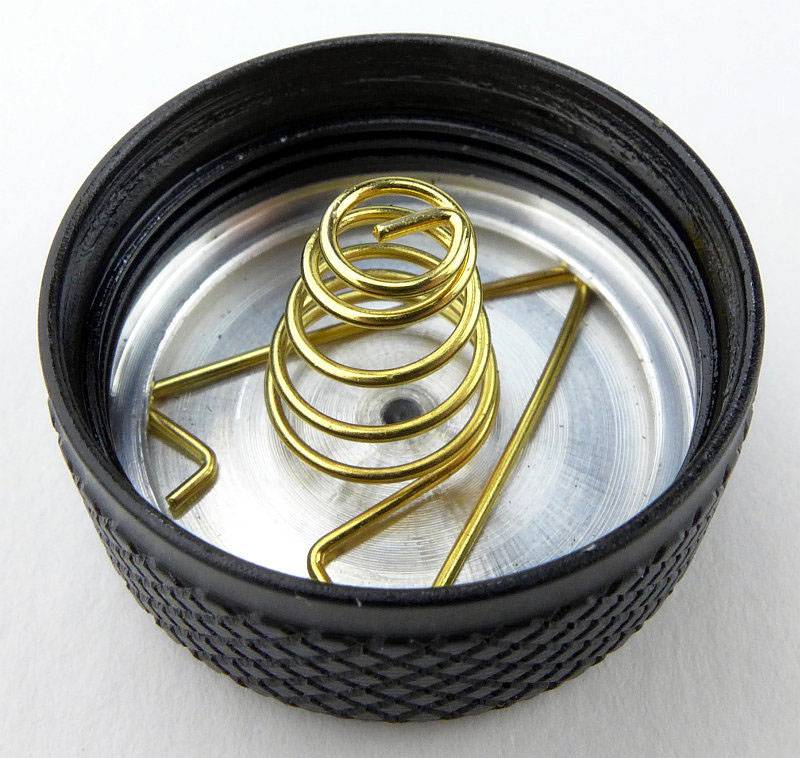
 photo 45 HC30 tailcap contact P1160446.jpg

The threads are Acme (trapezoid) in form, well lubricated and fully anodised (allowing lockout).
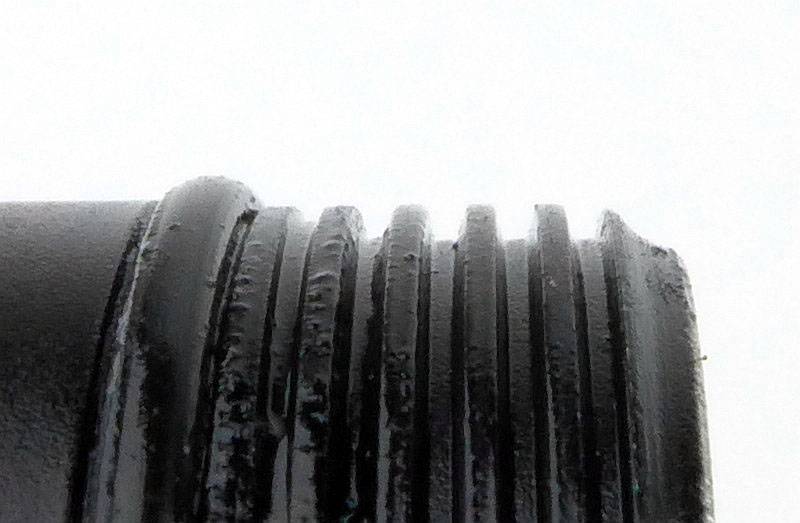
 photo 46 HC30 tailcap threads P1160451.jpg

Inside the battery tube you can see the physical reverse polarity protection (also requiring the use of button top cells).
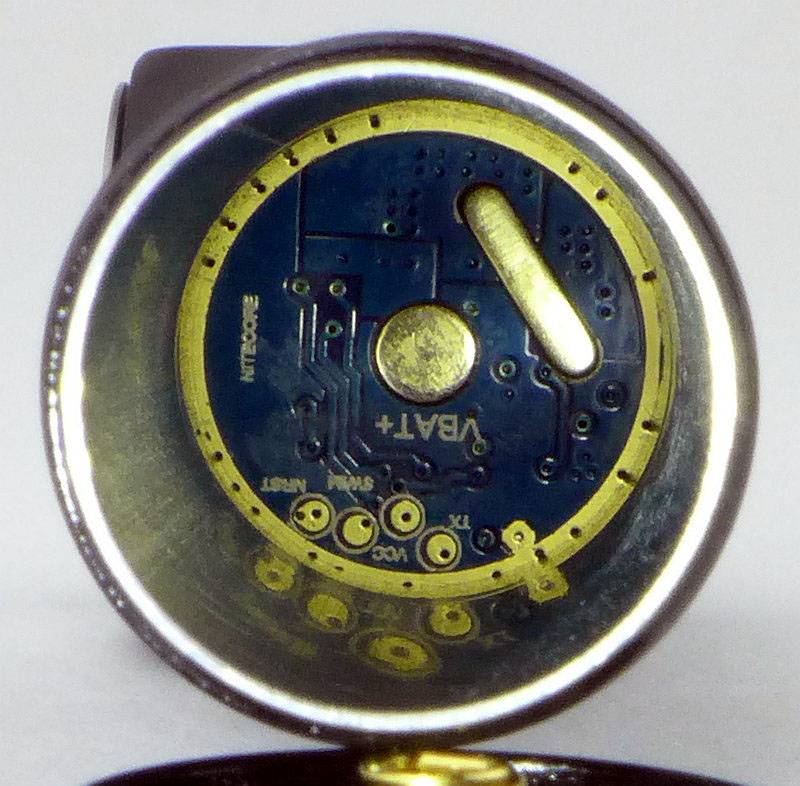
 photo 47 HC30 inside P1160455.jpg

Thanks to a well thought-out design, the HC30 is not much larger than the cell it uses. A very nice compact design.
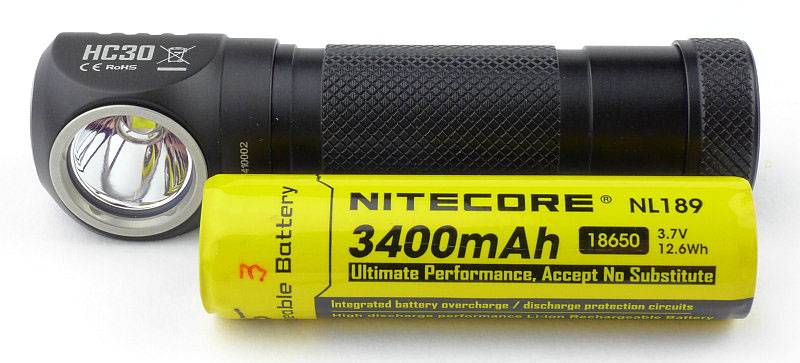
 photo 48 HC30 with cell P1160456.jpg

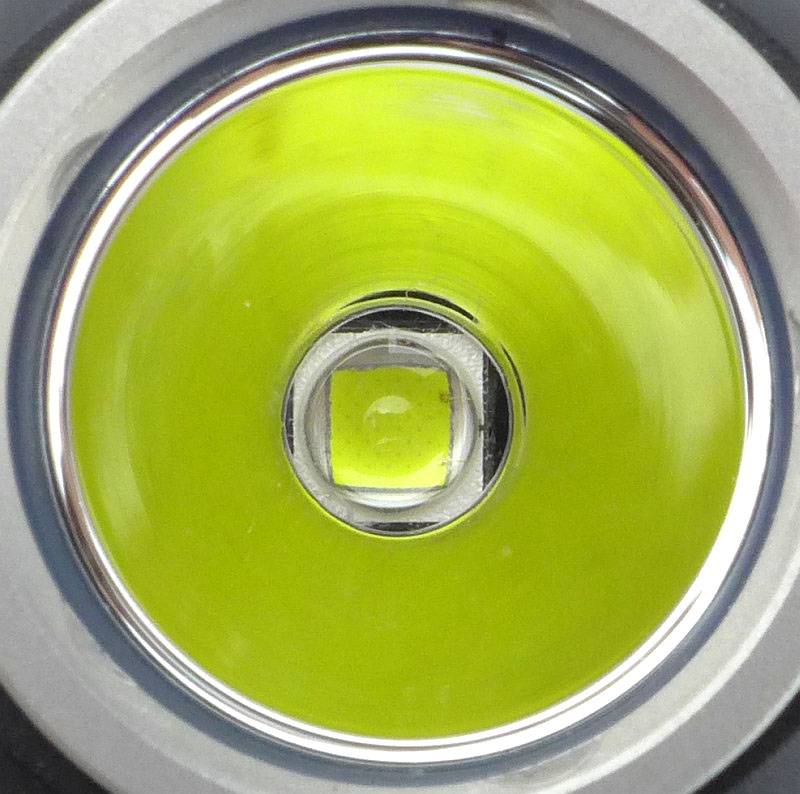
An XM-L2 LED is used.
 photo 49 HC30 LED P1160463.jpg

For such a compact design, the reflector is relatively deep.
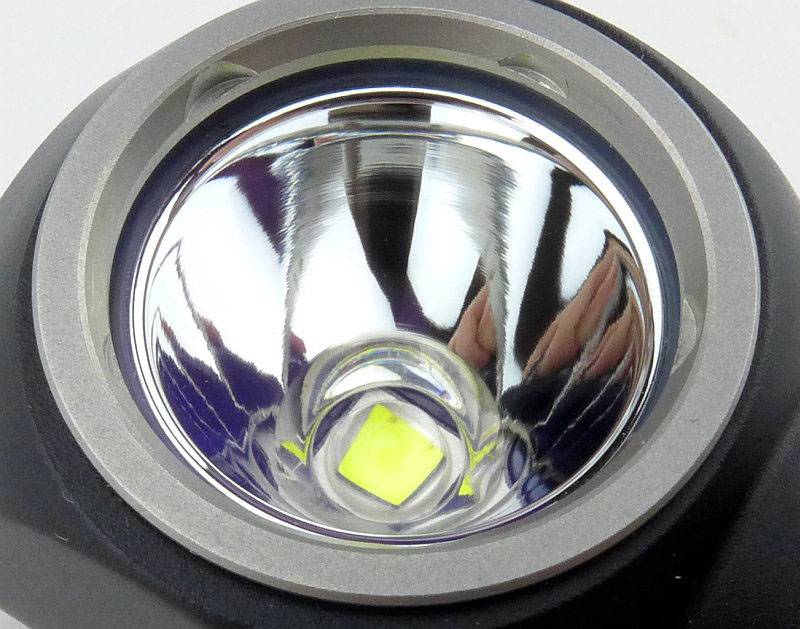
 photo 50 HC30 reflector P1160465.jpg

You can fit the optional clip into either groove giving an up or down position. With the clip fitted it does not fit into the headband mount properly.
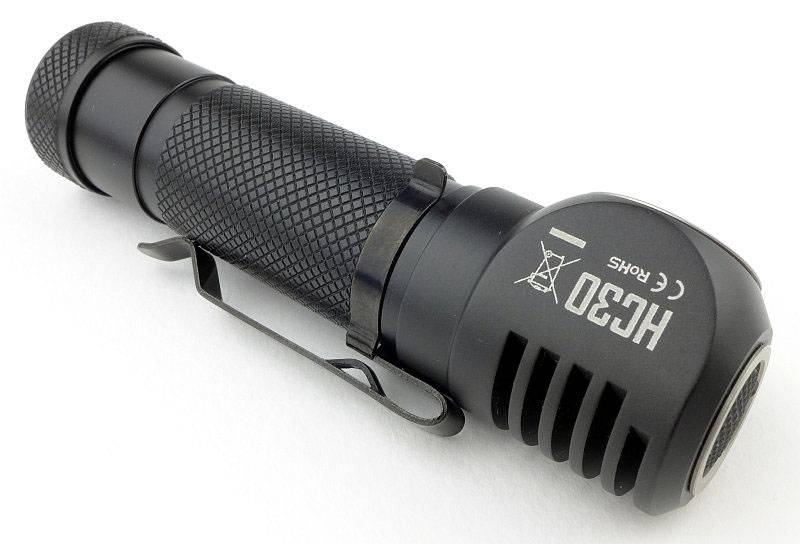
 photo 51 HC30 clip P1160471.jpg

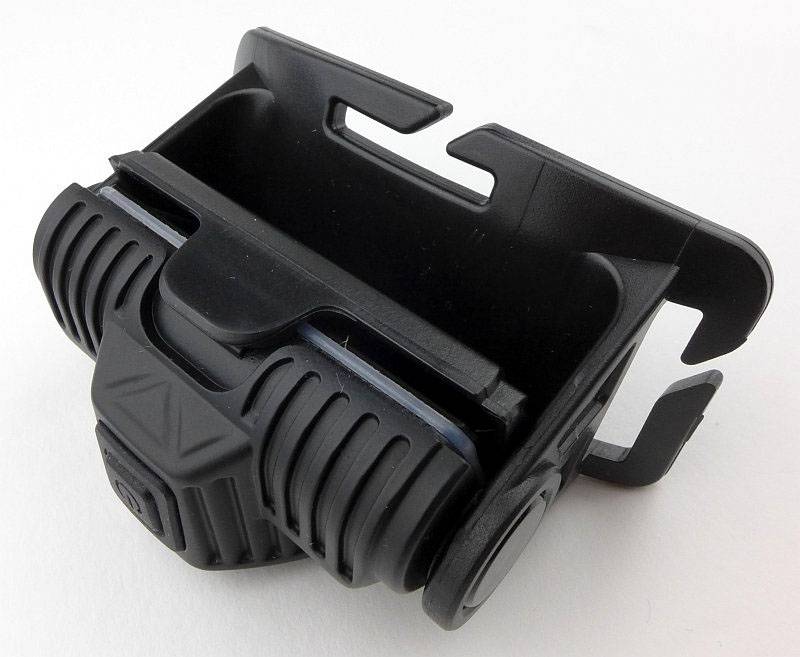
With the strap sitting against your head, and the mount being low profile, you have maximum comfort.
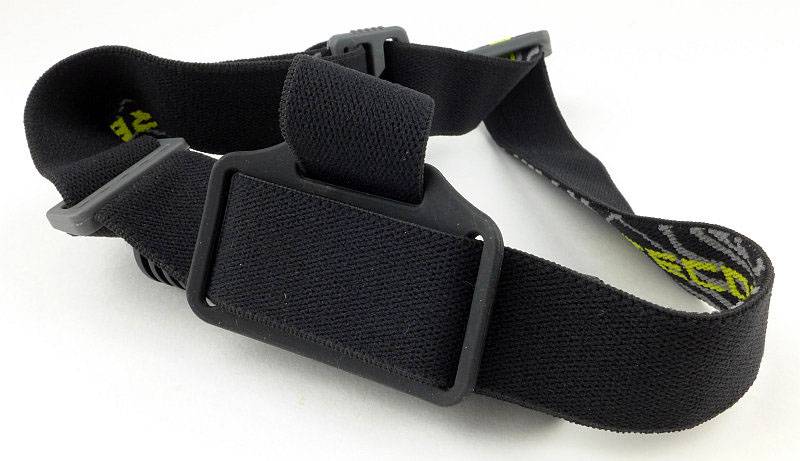
 photo 55 HC30 mount back P1160487.jpg

The fully assembled headlight.
 photo 52 HC30 in mount P1160473.jpg

On the head, the HC30 is very comfortable, light and stable.
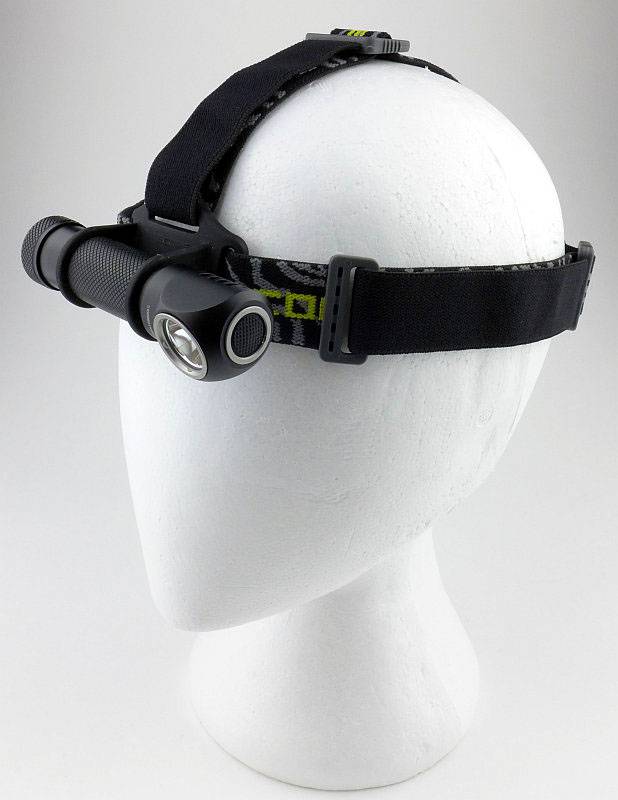
 photo 53 HC30 on head P1160479.jpg

The LED on the Ultra Low mode showing the dots on the phosphor surface – just because…
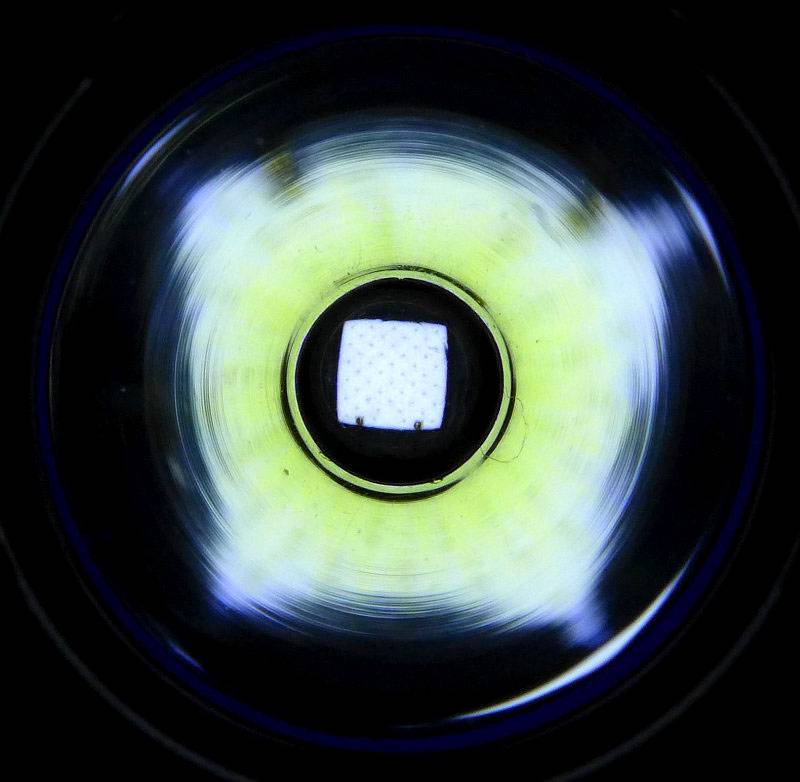
 photo 54 HC30 LED close low P1160485.jpg

The beam

Please be careful not to judge tint based on images you see on a computer screen. Unless properly calibrated, the screen itself will change the perceived tint.

The indoor beamshot is intended to give an idea of the beam shape/quality rather than tint. All beamshots are taken using daylight white balance. The woodwork (stairs and skirting) are painted Farrow & Ball “Off-White”, and the walls are a light sandy colour called ‘String’ again by Farrow & Ball. I don’t actually have a ‘white wall’ in the house to use for this, and the wife won’t have one!

Being a comparison review, we have the opportunity for some side-by-side (or top-to-bottom) comparisons using the same exposures. However BEFORE we start that comparison, as the T-360 is a tiny lightweight low powered light, to just get an idea of the beam, this first photo is at an exposure to give the best impression of the beam.
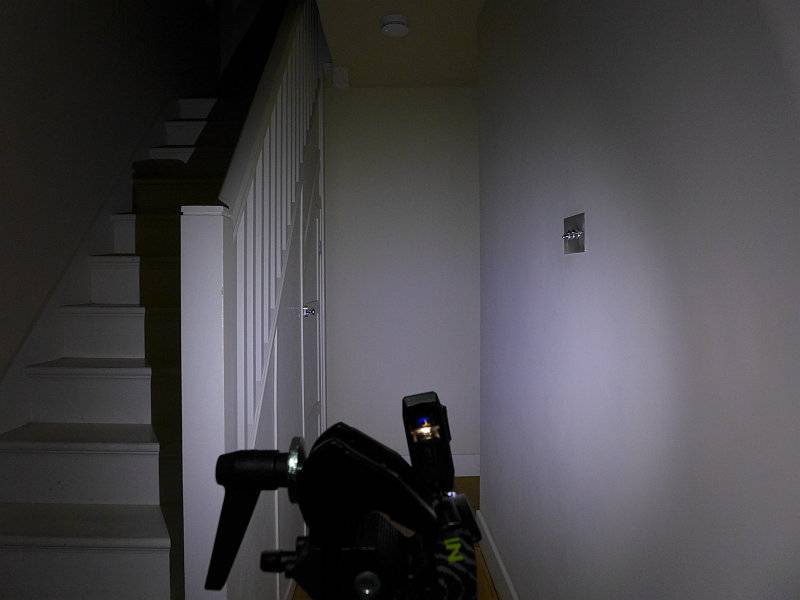
 photo 16 T-360 indoor beam P1170378.jpg

Now we start the comparison and the exposure has been set for the HA20 and HC30 to show correctly so the T-360 appears rather dim in comparison.
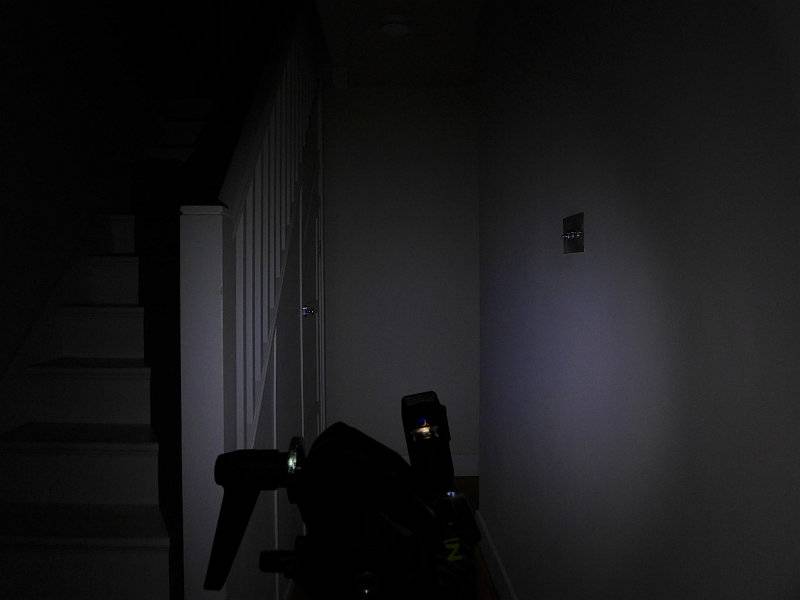
 photo 17 T-360 indoor beam exposure comparison P1170380.jpg

On the same exposure, the HA20 – there is a very defined hot-spot and a wide smooth spill.
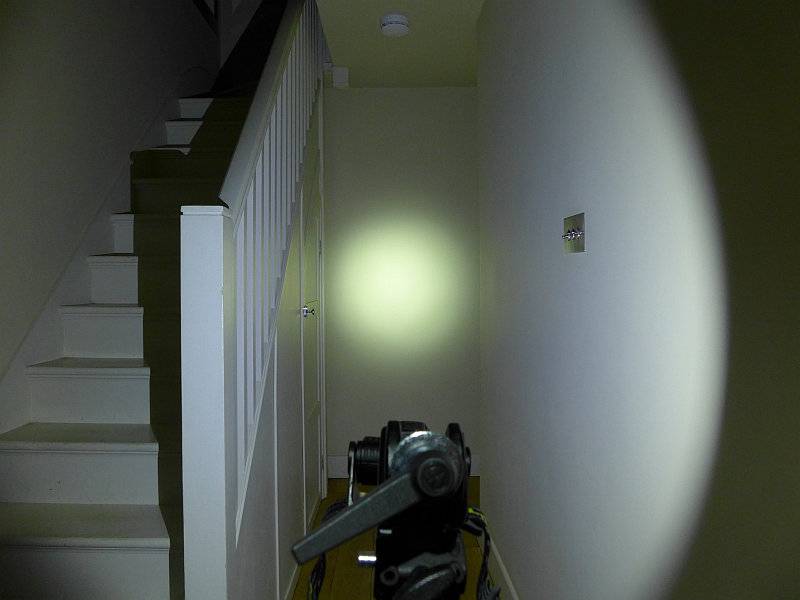
 photo 32 HA20 indoor beam exposure comparison P1170355.jpg

Again on the same exposure, the HC30 shows its power. It has a broad hot-spot and bright spill, but the spill is narrower than the HA20.
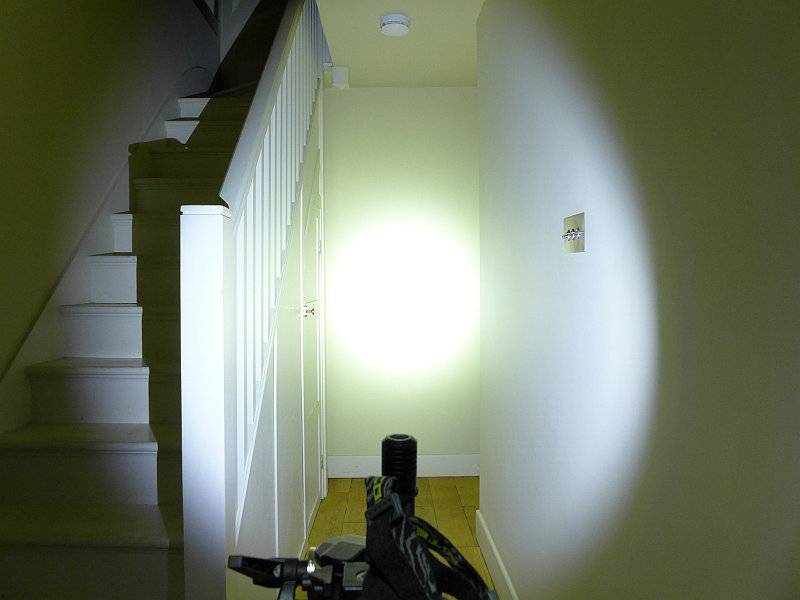
 photo 57 HC30 indoor beam exposure comparison P1170351.jpg

For the outdoor beamshots, the T-360 did not have enough power to show, so is not included.
As before the exposure has been fixed to allow the HA20 and HC30 to be directly compared. Starting here with the HA20. The purpose of it hot-spot becomes clear as the lower power of the HA20 needs this to extend the range.
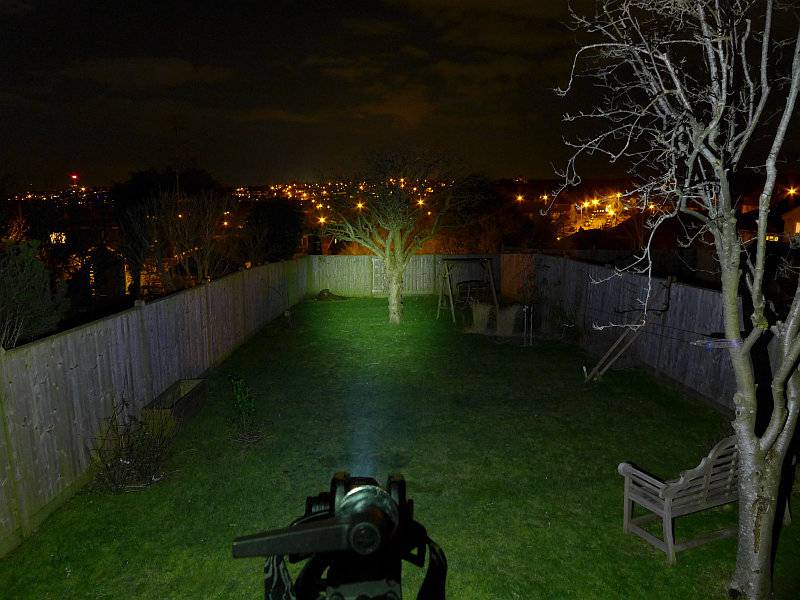
 photo 33 HA20 outdoor beam exposure comparison P1170273.jpg

The HC30, of course, has much more power and this is very clear in this direct comparison.
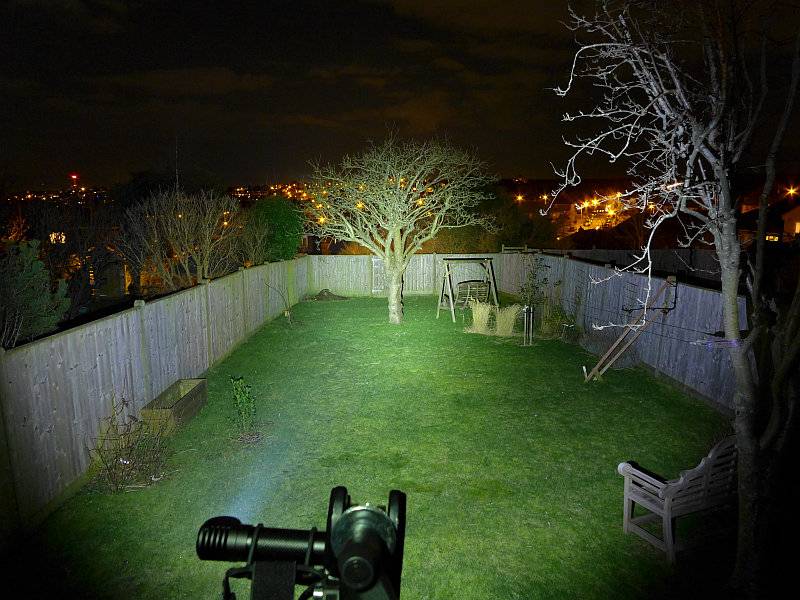
 photo 56 HC30 outdoor beam exposure comparison P1170270.jpg

Modes and User Interface:

Three different headlamps, and three very different interfaces.

T-360
–Control:
Single click button

–Modes:
High, Mid, Low and Flash/Strobe at 1Hz, 2Hz and 10Hz

–UI:
From OFF, press-and-hold the switch for over 1s to turn ON to Low. Press briefly to cycle through Mid, High, Low etc.
Press-and-hold again for 1s to turn OFF.
From OFF double-click the switch to enter flashing mode at 1Hz. Press briefly to cycle through 2Hz, 10Hz, 1Hz etc.
Press-and-hold for 1s to turn OFF.
There is no memory for constant of flashing modes. Both will always start from Low or 1Hz.

HA20
–Control:
Two-stage switch

–White Modes:
Turbo, High, Mid, Low, Ultra Low and ‘Special Modes’ (Police Warning/Location Beacon/SOS)
(Police Warning is a slow flashing mode at approximately 1Hz)

–Red Modes:
Constant, Flashing and Power Indicator.

–White UI:
From OFF press the switch fully until it clicks to turn ON.
While ON, half-press the switch to cycle through Low, Mid, High, Turbo, Ultra Low etc.
To switch OFF, press the switch fully until it clicks.
While ON, half-press the switch for over 1s to enter Special modes. Half-Press the switch to cycle through Police Warning, Location Beacon, SOS, Police Warning etc
To Exit Special modes and switch OFF, press the switch fully until it clicks.

–Red UI:
From OFF, half-press the switch for over 1s to turn on the Constant Red output.
To swap between constant and flashing Red output, half-press the switch.
To switch OFF, press the switch fully until it clicks.

–Power Indicator:
On first inserting cells into the HA20, the Red LEDs flash to indicate the battery voltage, first whole Volts, then after a pause 0.1V.
From OFF, half-press the switch briefly to indicate power level with one (<10%), two (<50%) or three (>50%) flashes.

HC30
–Control:
Single click button

–White Modes:
Turbo, High, Mid, Low, Lower and ‘Special Modes’ (Strobe/SOS/Location Beacon)
UI: From OFF press the switch to turn directly ON to Lower mode (regardless of the previously used mode).
From OFF, press-and-hold the switch for over 1s to turn ON to ‘Last used constant mode’.
From OFF, press-and-hold the switch for over 2s to turn ON to Turbo.
While ON press the switch briefly to cycle through Lower, Low, Mid, High, Turbo, Lower etc.
To turn OFF press-and-hold the switch for over 1s.
From OFF, double-click the switch to enter Strobe. While ON Strobe, press the switch briefly to cycle through SOS, Location Beacon, Strobe etc. To turn OFF, press-and-hold the switch for over 1s.

Batteries and output:

The T-360 runs on its built-in cell.
The HA20 runs on 2xAA (Alkaline, NiMh or L91).
The HC30 runs on 1×18650 (button top), 2xCR123 or 2xRCR123.

To measure actual output, I built an integrating sphere. See here for more detail. The sensor registers visible light only (so Infra-Red and Ultra-Violet will not be measured).

Please note, all quoted lumen figures are from a DIY integrating sphere, and according to ANSI standards. Although every effort is made to give as accurate a result as possible, they should be taken as an estimate only. The results can be used to compare outputs in this review and others I have published.

___________________________________________ ________________________________ ________________________________
Model/Mode using specified cell I.S. measured ANSI output Lumens PWM frequency or Strobe frequency (Hz)
___________________________________________ ________________________________ ________________________________
T-360/High – Built-in 62 0
T-360/Medium – Built-in 24 0
T-360/Low – Built-in 2 0
HA20/Turbo – AA Eneloop 342 0
HA20/High – AA Eneloop 202 0
HA20/Medium – AA Eneloop 106 0
HA20/Low – AA Eneloop 39 0
HA20/Ultra Low – AA Eneloop 2 0
HC30/Turbo – 18650 1058 0
HC30/High – 18650 503 0
HC30/Medium – 18650 245 0
HC30/Low – 18650 82 0
HC30/Ultra Low – 18650 2 0

Peak Beam intensity for the T-360 was not measured.
Peak Beam intensity for the HA20 measured 2800 lx @1m giving a beam range of 106 m.
Peak Beam intensity for the HC30 measured 6800 lx @1m giving a beam range of 165 m.

There is parasitic drain in the T-360 but this was not measured due to the built-in cell.
There is parasitic drain in the HA20; the drain was 194uA (1.23 years to drain the cells).
There is parasitic drain in the HC30; the drain was 51.5uA (6.87 years to drain the cell).

All shown on the same graph, the performance of each of these light is very different on maximum output.
The T-360 is very consistent for 30 minutes and then tails off to the point of being no use by 45 minutes.
The HA20 drops from maximum after around 10 minutes, and after stabilising again, remains consistent up to the last part of the run.
The HC30 however, has a strange behaviour which is only really noticeable using measuring equipment. After the initial drop after 5-6 minutes, the output rises, stabilises, then rises again before starting a gradual decline. Having a wide input voltage range from 3V to 8.4V, this will be a consequence of having to manage the quite different cell characteristics. Remember this is the maximum output, so it is testing the limits of the cell as well as the HC30. To the naked eye this behaviour doesn’t stand out.
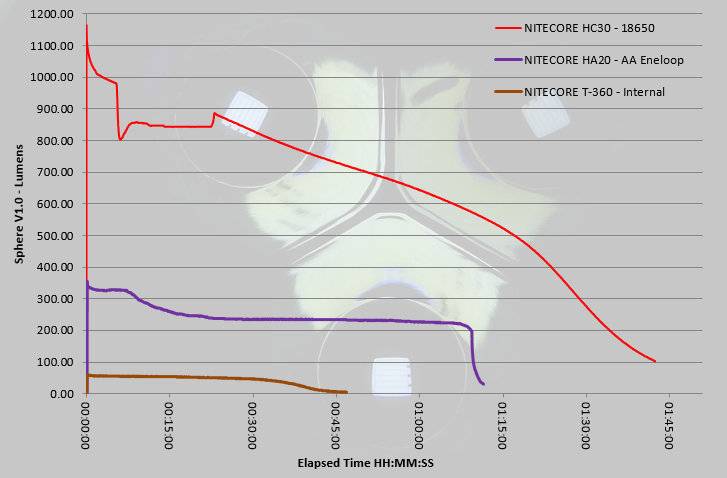
 photo NITECORE Headlamps HC30 HA20 T360 runtime.jpg

Troubleshooting

This section is included to mention any minor niggles I come across during testing, in case the information helps anyone else.

No issues were encountered during testing.

As per the description of this section, this information is provided in case anyone else finds a similar ‘issue’ that might be fixed in the same way.

The T-360, HA20 and HC30 in use

Do I have a favourite? Yes, but more on that later, as each of these headlamps gives you different benefits and capabilities.
—–
You are probably familiar with the NITECORE TUBE key-chain light. The T-360 is a spin off of this USB rechargeable featherweight light and gives you a featherweight headlamp. As I showed earlier it is so lightweight you can install two (or even three) on the same headband so you have hot-spares ready for when the cell becomes depleted. The T-360 means anyone can EDC a headlamp. Of course it is not just a headlamp as when you take it off the strap it will stand by itself, or can be clipped over a cap peak or pocket edge. Unlike the TUBE, the T-360 does not use any PWM so is superbly good to use on any level.

As shown in the head mounted photo, I have found the T-360 benefits from rotating the body out, so that it sticks out, when you use it. With the full flood beam, if you leave it flat on your forehead, half the light just goes upwards, so by rotating it as shown you can direct this down and make better us of the available light.
—–
Moving up in size and in power to the HA20. AA power is a significant benefit simply due to the ease of getting AA cells; this is not to be underestimated. This also makes it easier to give as a gift. With the HA20 there is a bit of a trade off in providing one of the features. The head has a really good range of adjustment, including upwards; The result of this is that the HA20 has been placed further from the head to provide the space to be able to rotate so far in the mount. With an aluminium body, this creates a slightly front-heavy design making the HA20 feel heavier on the head than it really is. Once you start moving about more it can become noticeable.

Still on the HA20, the two-stage button has proven to be a little difficult to work with. The half-press is somewhat indistinct so you are not entirely sure you have pressed it enough. The full-press is a substantial press needing the button to be pushed well into the switch boot.

Having Red light as an option in the same headlamp is one of the strong points. When I’m out hunting and using red light on the gun-light, the last thing I want is to then switch on a white light, so the pure red light (not filtered) is just what is needed. Just be aware that this is not ‘Star Party’ friendly red light as it is quite bright.
—–
Finally we have the bright and compact HC30. NITECORE have done really well in keeping the size down, and the HC30 is not much bigger than the 18650 it uses. A single 18650 is a great compromise for a headlamp as it typically has the energy of 3-4 AAs but weighs roughly the same as 2xAA(NiMh) cells and is a single cylinder (so more compact). This allows for greater output or longer runtimes from a smaller lighter headlamp. So as long as you are into li-ions (or happy to burn through CR123s), then it makes an ideal choice.

Even though it has only a single-stage button, the interface is very well thought out. With no delay at all you can click onto ‘Lower’, then cycle up to a level you want. Alternatively you can return straight to a previously used level if you are happy to press-and-hold for 1s. You also still have direct access to Turbo with a slightly longer press-and-hold of 2s. But there is more, as if you are into your flashing modes, a double-click brings them to life.

With all the modes available, I couldn’t have asked for more from this single button interface.

Comfort is top notch as the weight is kept close to your head (increasing stability) and the mount doesn’t touch you at all and has no hard/hot-spots.

For my own uses, I would have preferred a more flood orientated beam, but with its mixed use as a right-angle light and a headlamp the beam’s mix of flood and throw is very good.
—–
So could you spot my favourite? The HC30 has it, if I had to pick one.

Which would you pick?

Review Summary

_______________________________________________ _______________________________________________
Things I like What doesn’t work so well for me
_______________________________________________ _______________________________________________
T-360 – Featherweight. T-360 – Limited runtime with built-in cell./td>
T-360 – Easy to EDC. T-360 – Press-and-hold to turn on.
T-360 – MicroUSB rechargeable.
T-360 – Can be used as a clip light.
HA20 – Easy AA power. HA20 – Front heavy.
HA20 – White and Red output HA20 – Switch can be tricky to half-press reliably.
HA20 – Wide range of angle adjustment HA20 – Relatively high parasitic drain.
HA20 – Aluminium body for good heat-sinking.
HC30 – 1000lm output. HC30 – Cannot use flat-top cells.
HC30 – Super compact. HC30 – Ultra-Low mode could be lower.
HC30 – Excellent weight distribution.
HC30 – Can be used as a right-angle hand-held light.
HC30 – Direct access to Turbo, Ultra-Low and Strobe modes.
HC30 – Parasitic drain can be stopped by locking-out the tail-cap.

 photo 03 NITECORE headlamps group white P1160491.jpg


Discussing the Review:

Please feel free to add comments to the review, but the ideal place to freely discuss these reviews is on a forum. If you started reading the shorter forum version of the review, but followed the link this full exclusive review, please return to that forum to discuss the review there.
If you read the review entirely on Tactical Reviews, please consider one of the following to join in any discussion.

CandlePowerForums – Flashlight Reviews Section (Largest and Friendliest Flashlight Community Forum)

EdgeMatters – Sponsored Reviews (UK based Forum for Knife Makers and Collectors)

Light Review: FOURSEVENS Knight and Paladin

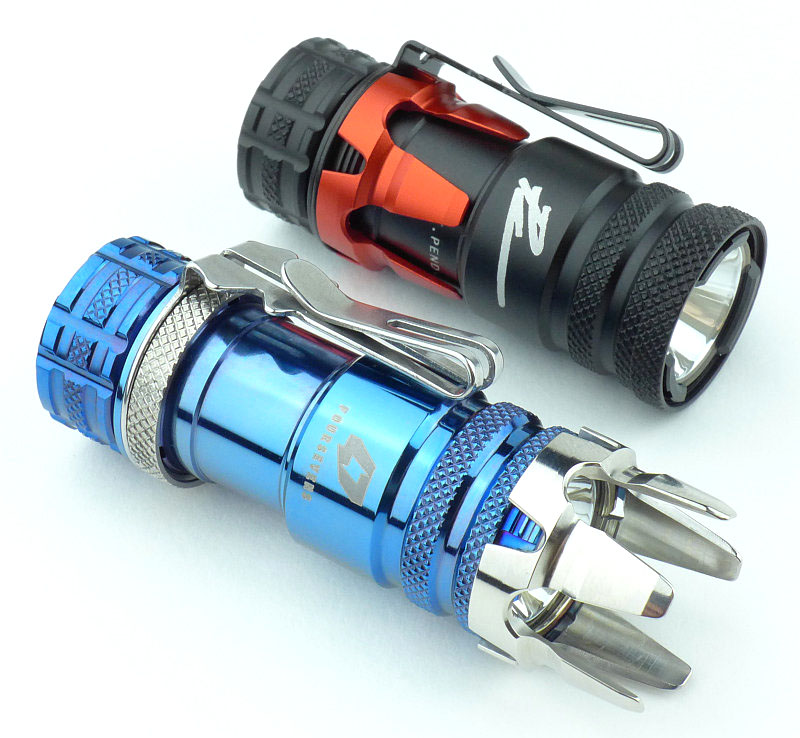
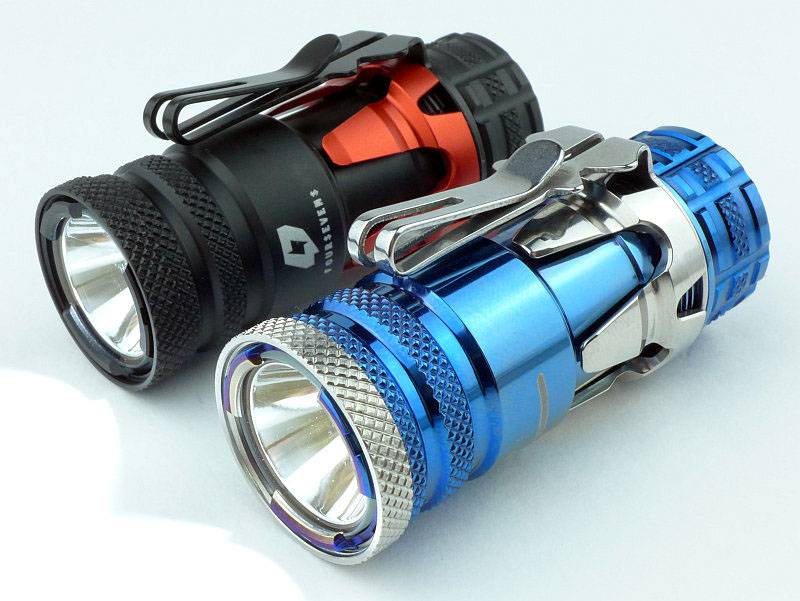
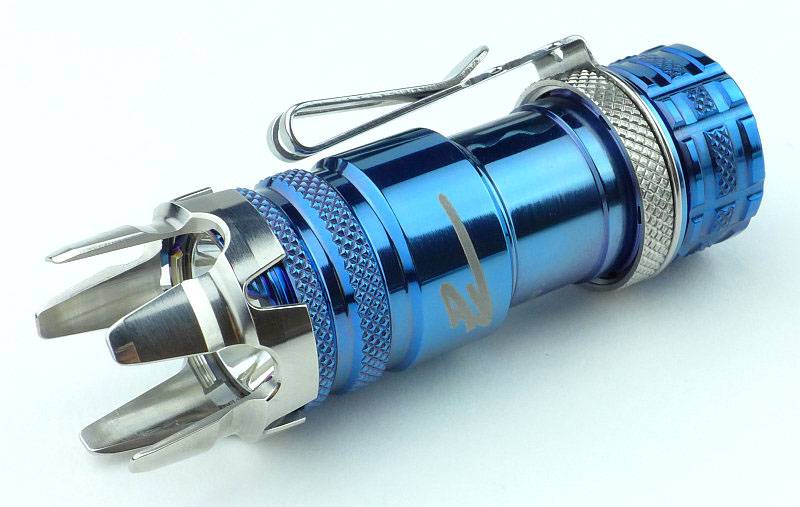
First revealed at SHOT Show 2015, FOURSEVENS have collaborated with PK (Paul Kim aka the Photon King) to produce these two exciting, fun and altogether usable lights – The Knight and Paladin. These are effectively the same light but the Knight is an Aluminium version and the Paladin is Titanium.

 photo 27 KnightPaladin plain P1170178.jpg

Taking a more detailed look:

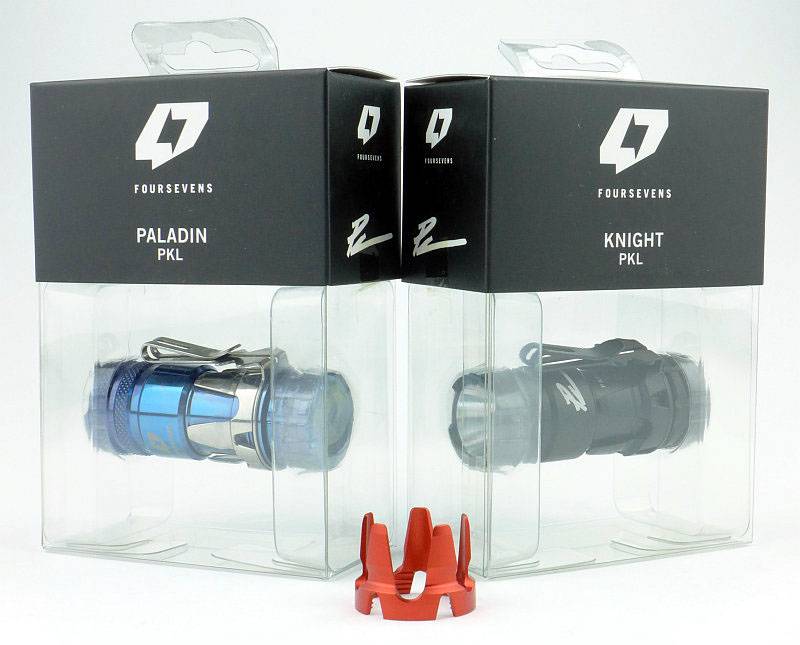
FOURSEVENS’ packaging is ideal for showing off the design. Available separately are two versions of the strike bezel (a red one is shown here).
 photo 01 KnightPaladin Boxed P1170036.jpg

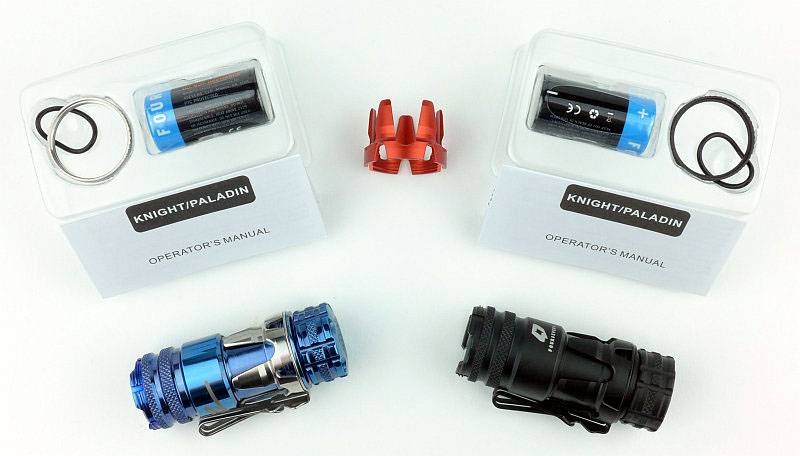
In the box you find the light itself, a spare O-ring, a CR123 cell and the front bezel ring which comes separately and not fitted to the light.
 photo 02 KnightPaladin unBoxed P1170053.jpg

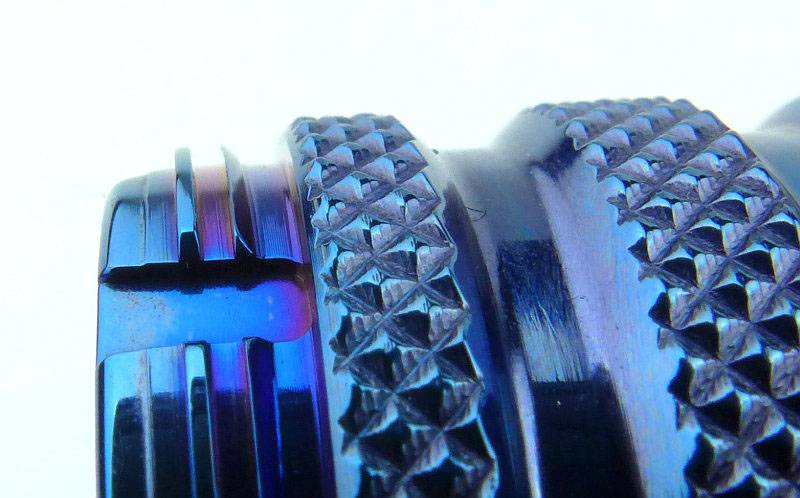
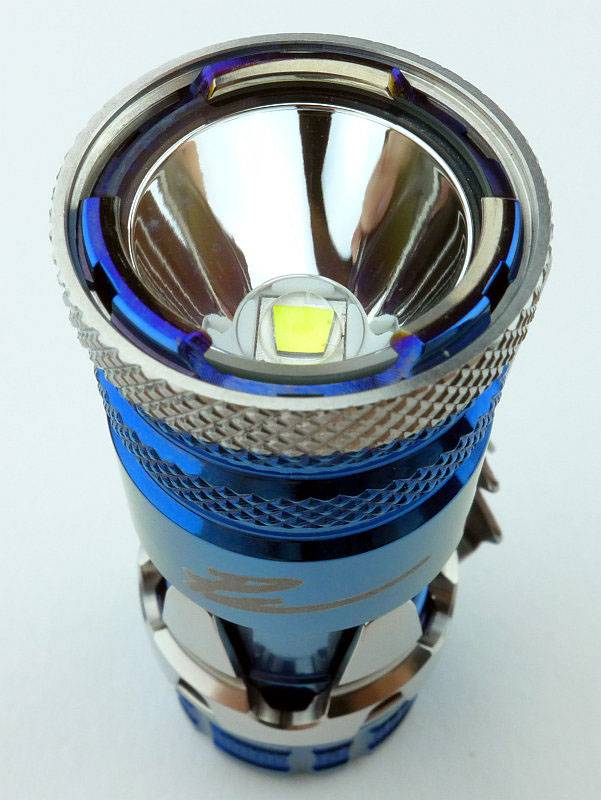
So as it comes out of the package, the front bezel threads are exposed. Here the beautiful blue tones of the Paladin’s PVD finish can be seen clearly.
 photo 03 KnightPaladin bezel thread P1170058.jpg

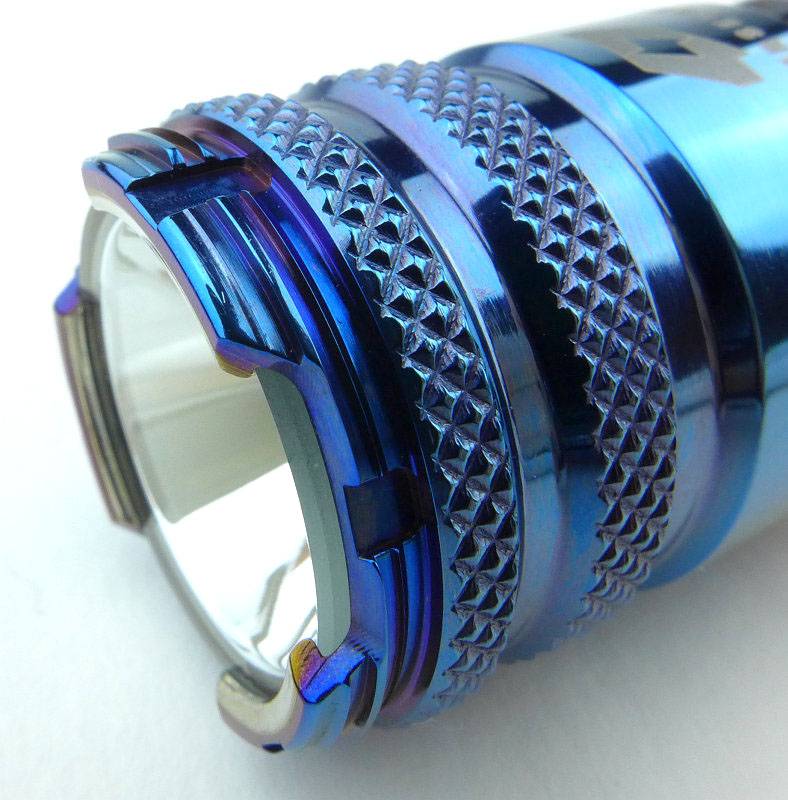
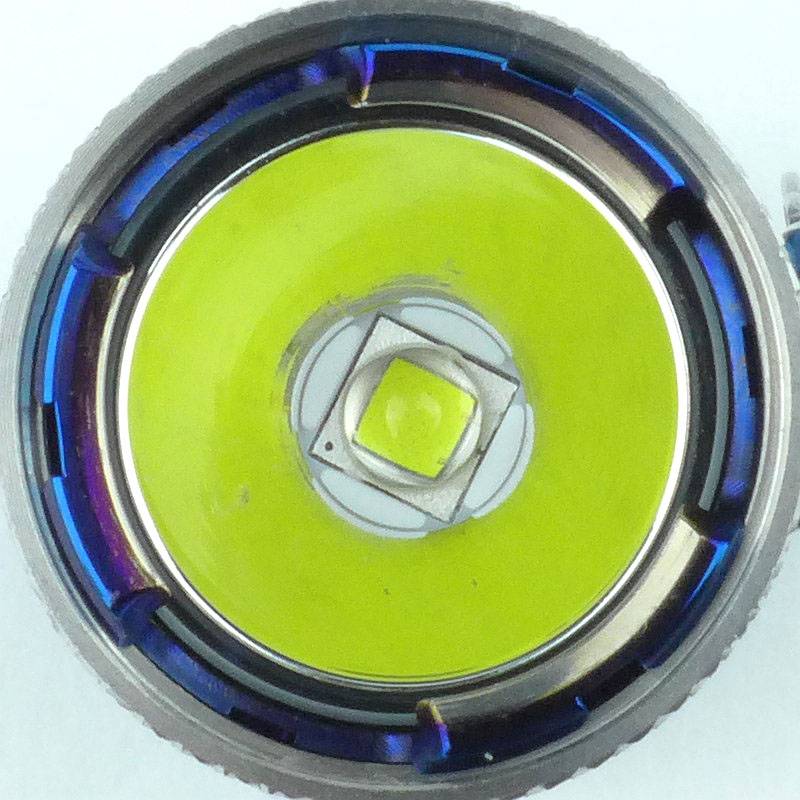
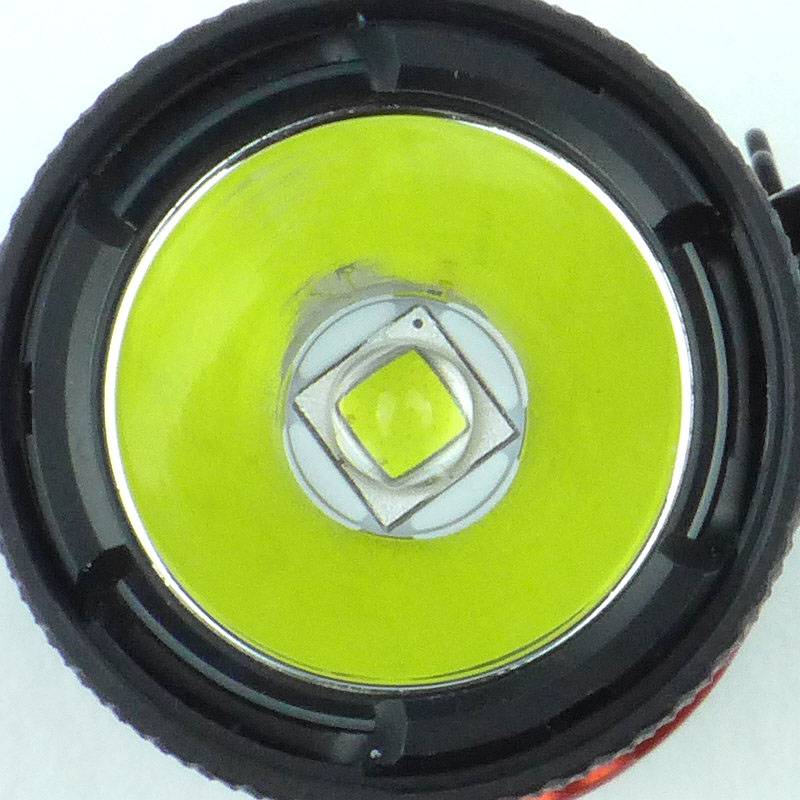
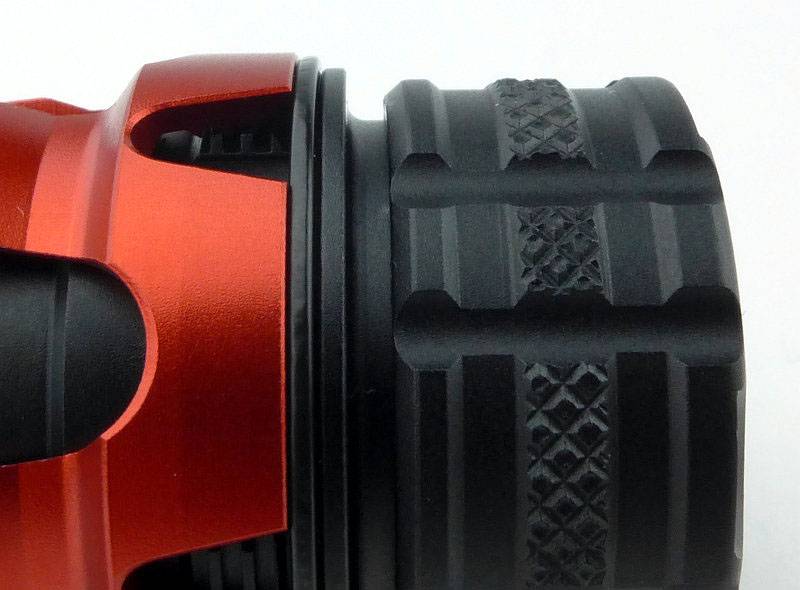
While we are looking at the front, both these lights use a curious lens holder where the edges of the lens are exposed in three places. Once the bezel ring is in place this becomes less noticeable. Also note the small notches through the bezel threads; these allow the pocket clip to be fitted to the front of the light and held in place by the bezel ring.
 photo 04 KnightPaladin lens edge P1170060.jpg

Fitting the bezel ring completes the initial assembly.
 photo 05 KnightPaladin P angle P1170065.jpg

The same goes for the Knight.
 photo 06 KnightPaladin K angle bezel P1170071.jpg

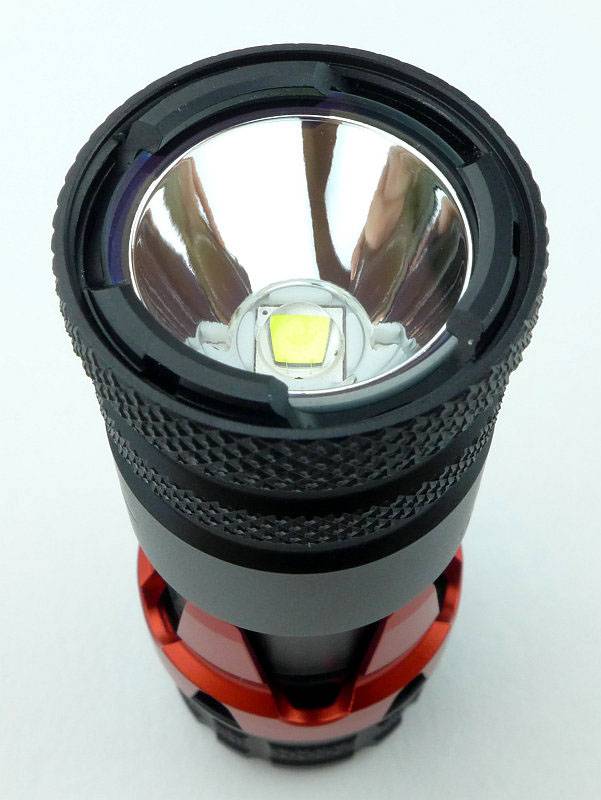
Being all black, the bezel ring blends in more on the Knight.
 photo 07 KnightPaladin K angle P1170079.jpg

The positive and negative terminals in the head are gold plated. Despite the bare threads, these are not used as an electrical path. Physical reverse polarity protection is also included.
 photo 08 KnightPaladin K head P1170083.jpg

The threads are square cut and of a asymmetrical design with the grooves being much wider. This introduces ‘backlash’ into the threads and I suspect this relates to the special tailcap switch, but more on that later…
 photo 09 KnightPaladin K thread P1170086.jpg

A gold plated spring is used for the negative contact.
 photo 10 KnightPaladin K inside P1170087.jpg

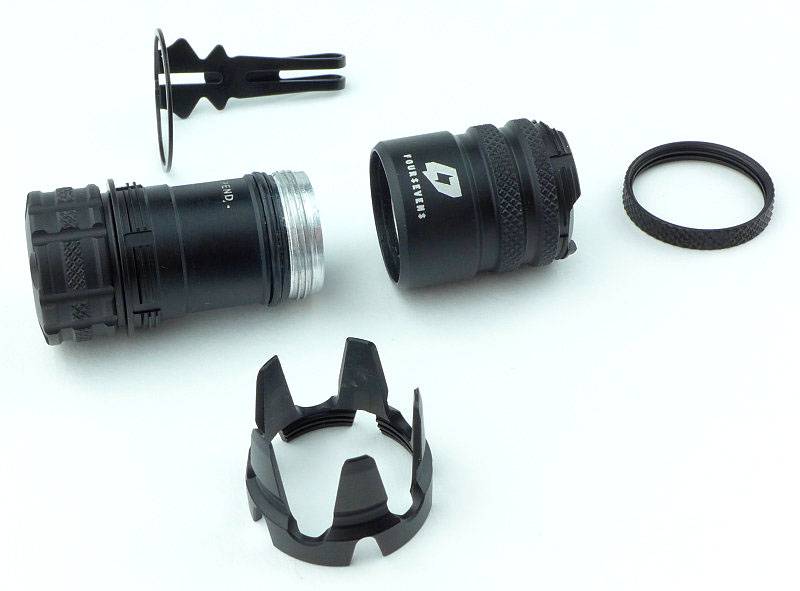
Part of the design of the Knight and Paladin is that the light breaks down into several parts which can be swapped around in a Lego-like way to achieve different configurations.
 photo 11 KnightPaladin K apart P1170094.jpg

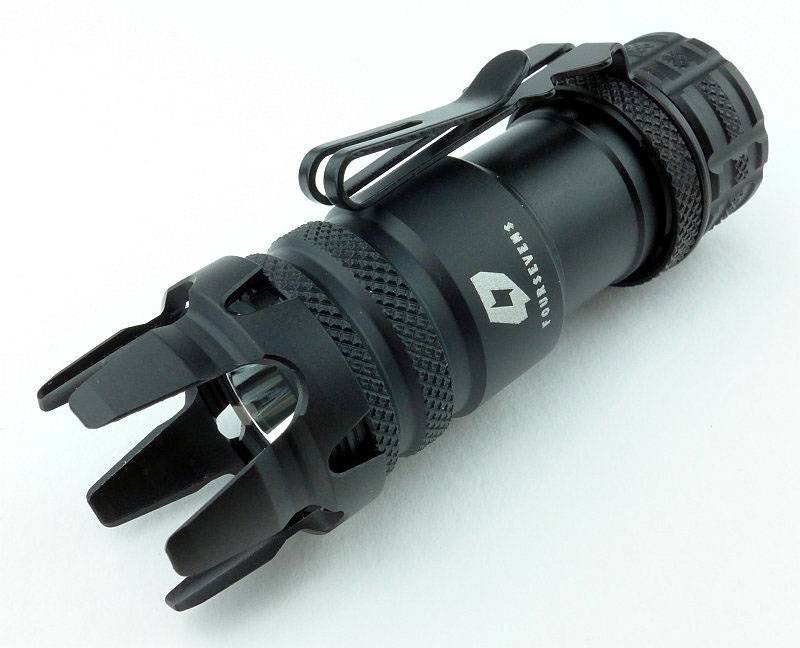
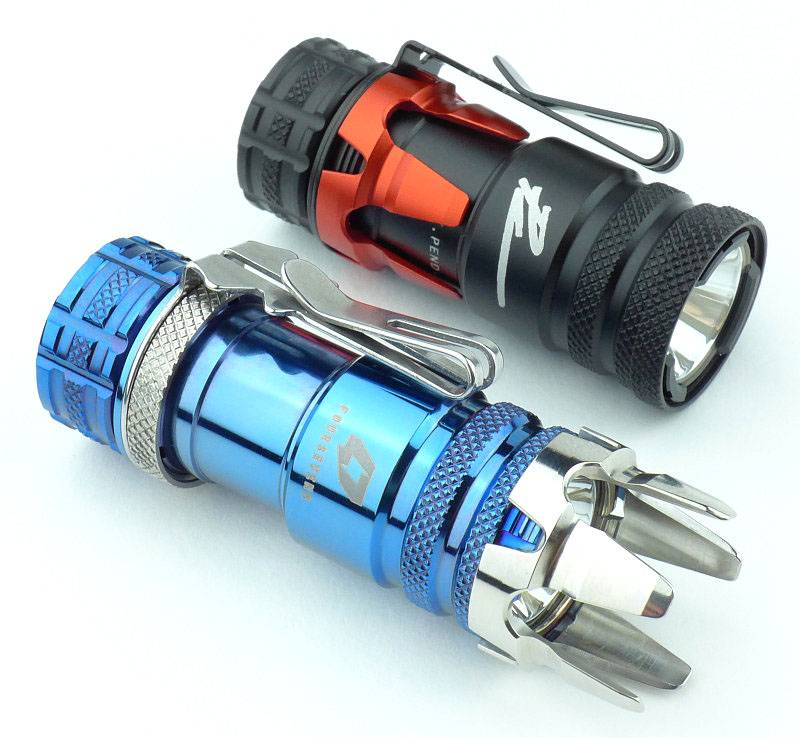
Swapping the bezel ring and the strike bezel components around creates a very different looking light!
 photo 12 KnightPaladin K crown P1170101.jpg

For the Paladin, the internals are the same in the head.
 photo 13 KnightPaladin P head P1170106.jpg

And when looking into the battery tube.
 photo 14 KnightPaladin P inside P1170111.jpg

As on the Knight, the threads are square and thin in profile.
 photo 15 KnightPaladin P thread P1170115.jpg

Taking the Paladin apart.
 photo 16 KnightPaladin P apart P1170118.jpg

Swapping the bezel ring and the strike bezel components and the Paladin too becomes a very different looking light!
 photo 17 KnightPaladin P crown P1170123.jpg

A couple of the options (not showing the clip fitted to the bezel), with the strike bezel on the front and along the battery tube, as well as the optional red strike bezel substituting the original black one on the Knight.
 photo 18 KnightPaladin configurations P1170134.jpg

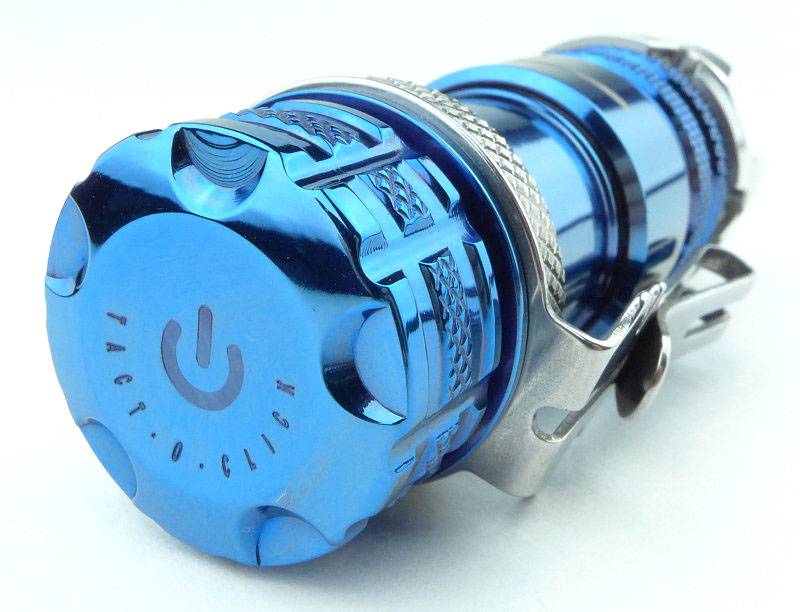
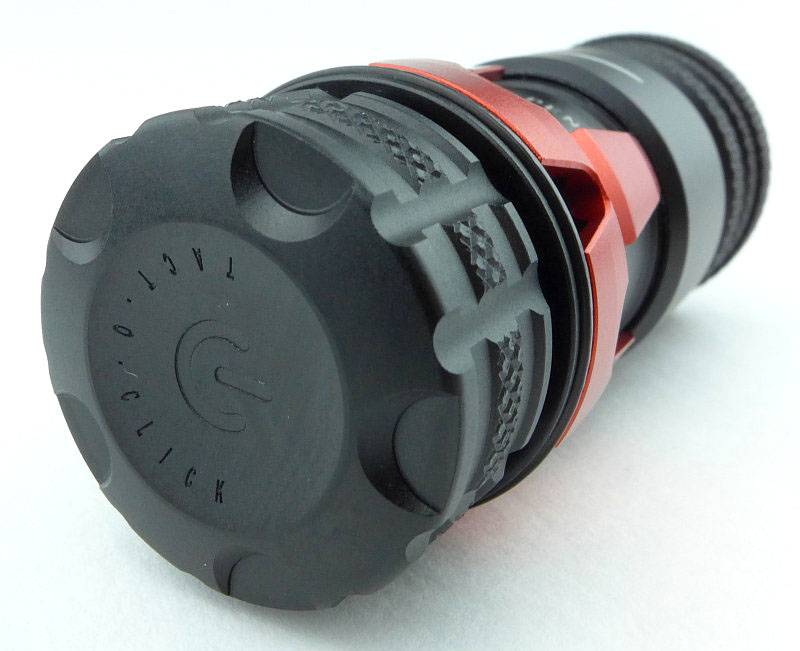
Every part of these lights has had a great deal of attention paid to it. A special Tact-O-Click switch is used (more on that in the UI section).
 photo 19 KnightPaladin P Switch P1170138.jpg

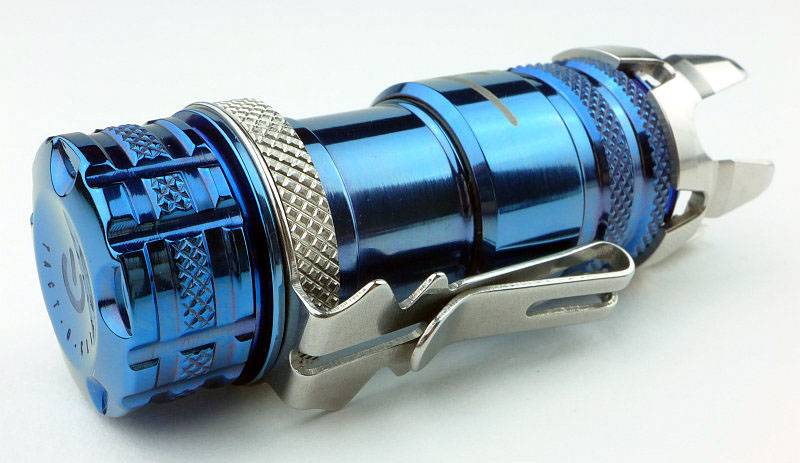
The Paladin especially, deserves to be viewed from every angle to take in all the details.
 photo 23 KnightPaladin P reverse P1170154.jpg

A mid-depth reflector is used.
 photo 24 KnightPaladin P reflector P1170164.jpg

The reflector is the same on both models.
 photo 25 KnightPaladin K reflector P1170167.jpg

With an XM-L2 LED for the emitter.
 photo 25 KnightPaladin P LED P1170172.jpg

And the same again for the Knight.
 photo 26 KnightPaladin K LED P1170176.jpg

Though not the smallest of 1 x CR123 lights (with FOURSEVENS own Mini ML and Atom AL lights being smaller), but they are compact enough to be very easy to carry.
 photo 28 KnightPaladin size P1170190.jpg

The beam

Please be careful not to judge tint based on images you see on a computer screen. Unless properly calibrated, the screen itself will change the perceived tint.

The indoor beamshot is intended to give an idea of the beam shape/quality rather than tint. All beamshots are taken using daylight white balance. The woodwork (stairs and skirting) are painted Farrow & Ball “Off-White”, and the walls are a light sandy colour called ‘String’ again by Farrow & Ball. I don’t actually have a ‘white wall’ in the house to use for this, and the wife won’t have one!

With the Knight’s mid-depth reflector a well defined hotspot is present, but the spill is bright, wide and even until you reach the outer spill, where the lens holder cut-outs become visible.
 photo 30 KnightPaladin K indoor plain P1170343.jpg

Unsurprisingly the Paladin’s beam is the same.
 photo 33 KnightPaladin P indoor plain P1170338.jpg

If you fit the strike bezel to the front, the effect on the beam is just a little noticeable.
 photo 31 KnightPaladin K indoor crown P1170347.jpg

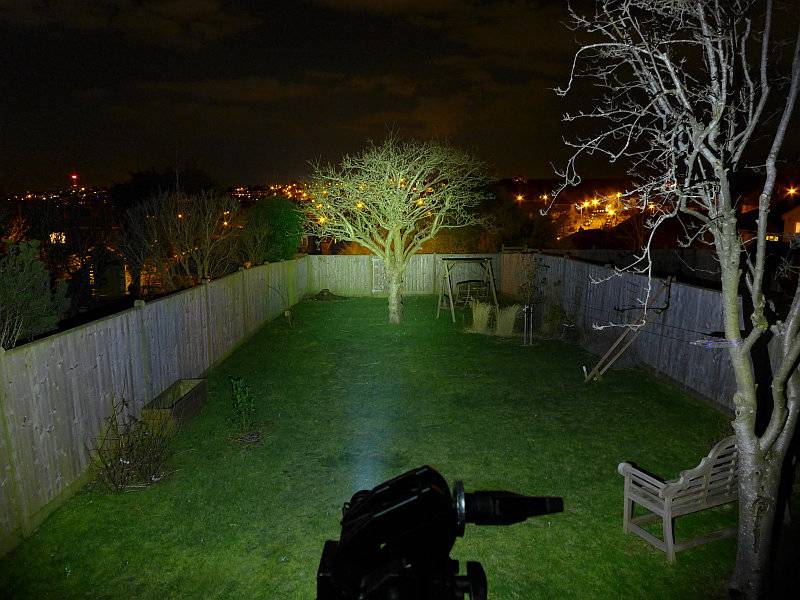
Outdoors (with the Knight) that hotspot gives you some reasonable range, and the bright spill fills in the rest well enough.
 photo 32 KnightPaladin K outdoor P1170267.jpg

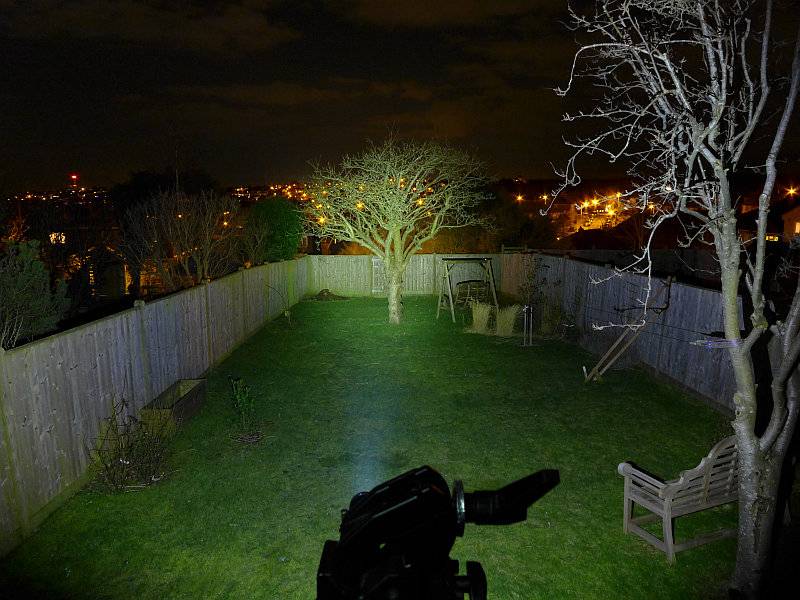
Snap! the Paladin’s beam looks the same outdoors.
 photo 34 KnightPaladin P outdoor P1170264.jpg

Modes and User Interface:

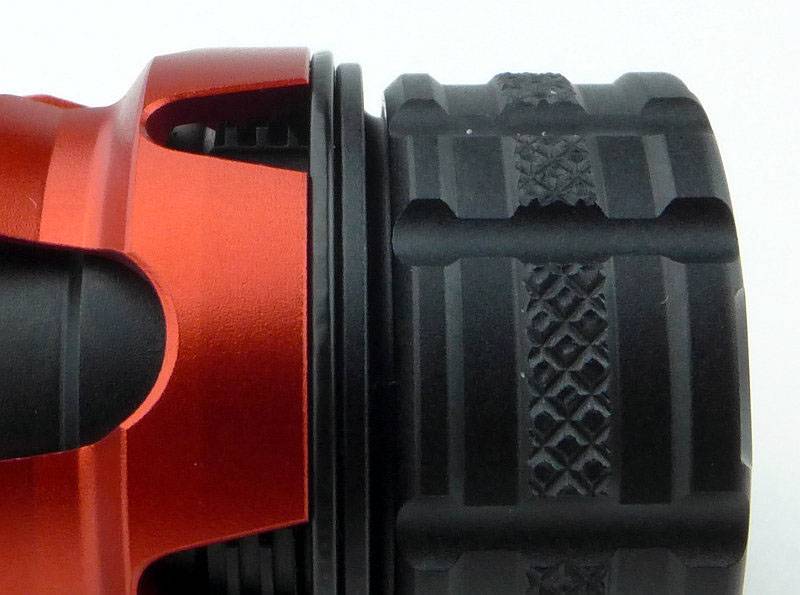
A special TACT-O-CLICK switch is used for these lights. It combines a rotary and momentary click-switch into one design. The threads used for the switch have approximately 0.5-1mm play in them, and under this switch cap there is a momentary click switch.
 photo 20 KnightPaladin K Switch P1170143.jpg

If you tighten the switch cap it presses on the switch and turns the light on and keeps it on.
 photo 21 KnightPaladin K SwitchON P1170185.jpg

If you loosen the switch cap about 1/4 of a turn the light will go off, but there is sufficient movement in the switch cap that you can press on it and click the switch to turn the light on. Like this it operates as a non-latching momentary click switch.
Should you click the light on and wish to keep it on, you can then simply keep pressure on the switch and tighten the switch cap.
When loosening the switch cap, at slightly under one full turn, you reach a ‘stop’ where the switch cap is ‘tight’ against that stop. Like this the light is locked out, and pressure on the switch cap will not operate it.
 photo 22 KnightPaladin K SwitchOFF P1170182.jpg

You have two sets of modes available, Regular and Special. The last used mode is remembered if the light is left off for 1s.
Regular: High – Low
Special: Strobe – Medium – SOS – Beacon (High) – Beacon (Low)
To access the special modes you must first cycle through the Regular modes three times within 1.5 seconds
(Last used Regular or Special) – Low/High – High/Low – Low/High – High/Low – Low/High – Strobe – SOS – Medium – Beacon (High) – Beacon (Low) – (back to Low)

If your last used mode was a Special mode, then it counts as a regular mode when you count the clicks to access the special modes (the same number of clicks is used to access each special mode whatever mode was last used).

From OFF this becomes:

Strobe – 6 clicks
SOS – 7 clicks
Medium – 8 clicks
Beacon (High) – 9 clicks
Beacon (Low) – 10 clicks

Batteries and output:

Both the Knight and Paladin run on CR123 and RCR123.

To measure actual output, I built an integrating sphere. See here for more detail. The sensor registers visible light only (so Infra-Red and Ultra-Violet will not be measured).

Please note, all quoted lumen figures are from a DIY integrating sphere, and according to ANSI standards. Although every effort is made to give as accurate a result as possible, they should be taken as an estimate only. The results can be used to compare outputs in this review and others I have published.

___________________________________________ ________________________________ ________________________________
Knight/Paladin using specified cell I.S. measured ANSI output Lumens PWM frequency or Strobe frequency (Hz)
___________________________________________ ________________________________ ________________________________
Knight – High – CR123 449 0
Knight – Low – CR123 22 0
Knight – High – AW RCR123 585 0
Knight – Low – AW RCR123 22 0
Paladin – High – CR123 443 0
Paladin – Low – CR123 26 0
Paladin – High – AW RCR123 582 0
Paladin – Low – AW RCR123 26 0

* Beacon and Strobe output measurements are only estimates as the brief flashes make it difficult to capture the actual output value.

Peak Beam intensity of the Knight measured 3800 lx @1m giving a beam range of 123 m.
Peak Beam intensity of the Paladin measured 3600 lx @1m giving a beam range of 120 m.

There is no parasitic drain.

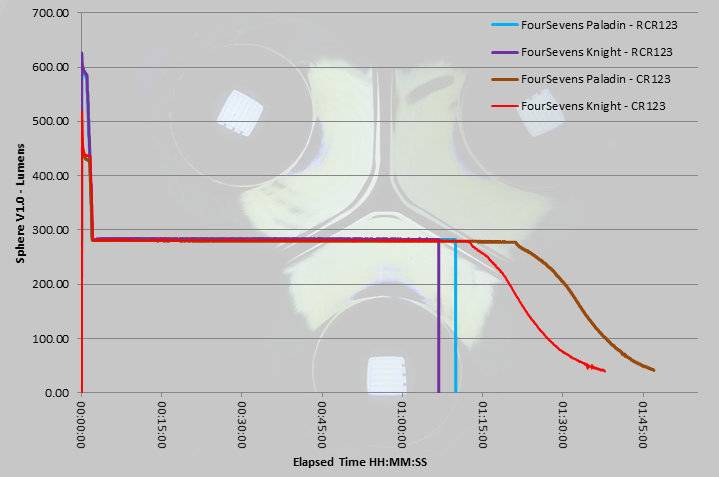
The main part of the runtime is almost identical for both lights and both CR123 and RCR123. RCR123 give a higher ‘burst’ part of the output (the initial 3 minutes of higher output). When using RCR123, these lights do not change their voltage response for the tailing off of the output; the result is that when using RCR123 the output will suddenly cut out when the protection activates.
 photo FourSevens Knight Paladin Runtime.jpg

Troubleshooting

This section is included to mention any minor niggles I come across during testing, in case the information helps anyone else.

No issues were encountered during testing.

As per the description of this section, this information is provided in case anyone else finds a similar ‘issue’ that might be fixed in the same way.

The Knight and Paladin in use

Nothing in the design of these lights has just ‘happened’, everything is designed for function or aesthetics.

Take the pocket clip for example. It is a double-action clip so will clip on in either direction without being turned around. Each ‘side’ of the clip will accommodate thicker or thinner material (thicker next to the body and thinner on the outer part). The two points sticking out sideways either side of the clip provide grip on the pocket and also grip for the user when unscrewing the battery tube. The groove cut into each end of the clip allows a lanyard to be threaded through. Finally inside the clip ring which fits over the body of the light are two tabs which fit into corresponding notches on the body or bezel to prevent it rotating. Details.
 photo 23 KnightPaladin P reverse P1170154.jpg

Also highly functional is the TACT-O-CLICK switch. Once you have got used to the ideal positions for the switch cap to click (1/4 turn undone from the fully ON position) or lockout (3/4 turn from fully ON), and swapping between these (so from lock-out to click is a half turn), the UI comes to life and the click or twist of the switch cap just fits the task at hand.

Personally I find the strike bezel to be more of a decorative item than anything practical, due to the length of the crenellations (not to mention the short overall length of the light). They are too long to be strong enough on the aluminium versions, and even the stainless steel strike bezel will bend if used with any real force (as you would if defending yourself). They are also too long to leave fitted all the time as they just stick into things. So are you really going to take the light apart to swap the bezel ring for the strike bezel ‘if’ you feel threatened? Not likely. BUT, who cares?! They Look great! (And you have an executive toy to play with.)

Ignoring the Special modes, the two Regular modes have covered what I need almost entirely. Those two light levels of 25lm and 450lm, though seemingly a long way apart, work perfectly with the beam profile. For my indoor, round-the-house use, the 22lm setting is ideal, especially as it is backed up by the 450lm. Using the Tact-O-Click switch in the momentary press-and-hold approach, with the two modes you can quickly bump it up or down depending on the distance you are looking at. I’ve not personally ever felt the need for the Medium mode (or Strobe or SOS), but have dipped into the Beacon modes for marking a location. What would improve it for me is adding a moonlight mode into the Special modes.

The timing for the mode changes works really well and I’ve not changed mode by mistake so far. Speaking of the Tact-O-Click switch again, the ability to lock the output on while you are using it as a momentary switch, is useful and can be achieved one handed. Also, by simply backing the switch cap off a bit you lock out the light means the lockout is a specific feature of the light and doesn’t require loosening any other parts. Like this, when you come to turn it on, you just twist it on as normal without having to remember to tighten the tailcap first.

A true fusion of function and aesthetics, even if not every feature is entirely practical.

Review Summary

_______________________________________________ _______________________________________________
Things I like What doesn’t work so well for me
_______________________________________________ _______________________________________________
Tact-O-Click switch (twist/click interface combined). Strike Bezel too long.
Can use CR123 or RCR123 Activates protection circuit when using RCR123.
Excellent all-rounder beam profile. No Moon mode.
Mode-change timing works very well. Strike Bezel strongly affects the beam shape.
Well chosen ‘Regular’ Modes.
Lego-like changes in a single light.


Discussing the Review:

Please feel free to add comments to the review, but the ideal place to freely discuss these reviews is on a forum. If you started reading the shorter forum version of the review, but followed the link this full exclusive review, please return to that forum to discuss the review there.
If you read the review entirely on Tactical Reviews, please consider one of the following to join in any discussion.

CandlePowerForums – Flashlight Reviews Section (Largest and Friendliest Flashlight Community Forum)

EdgeMatters – Sponsored Reviews (UK based Forum for Knife Makers and Collectors)
Light Review: FOURSEVENS Bolt-Mini

Following on from the uncompromising design of the original Bolt-Action BLR2 from FOURSEVENS (check the Light Reviews Index for a review of this light), there has been demand for a smaller version running on a common cell. Enter the new AAA powered Bolt-Mini from Foursevens.

 photo 04-BoltMini angle2 P1160890.jpg

FOURSEVENS’ original Bolt-Action light is the product of a three-way collaboration; FOURSEVENS partnering with Fellhoelter (designers of the Bolt-Action pen) and Tuff-Writer. Incorporating the unique bolt-action mechanism into a light required thinking out-of-the-box. Consideration of the overall size, performance and power options, all led to the final specifications of the BLR2 Bolt-Action flashlight, but some of those choices were criticised.

With the new Bolt-Mini, we have a much more pen-sized Bolt-Action light more in keeping with the Bolt-Action Pen.

Taking a more detailed look:

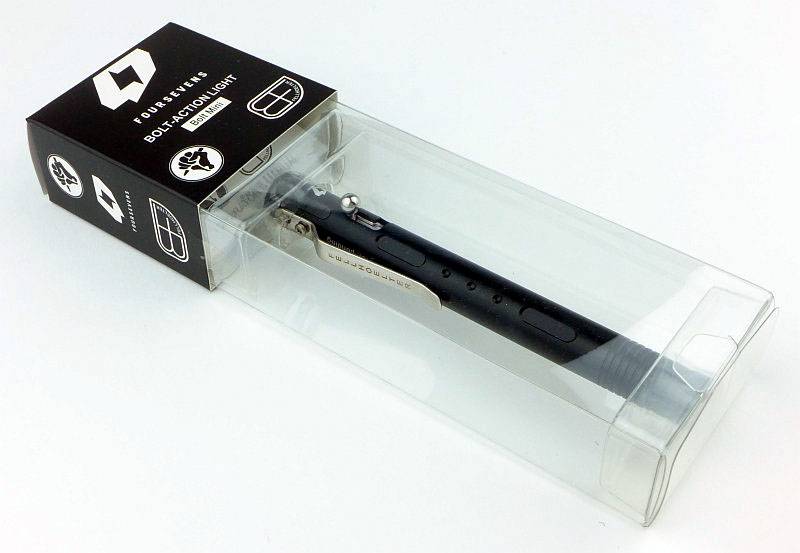
FOURSEVENS’ packaging shows off the light nicely.
 photo 01-BoltMini boxed P1160873.jpg

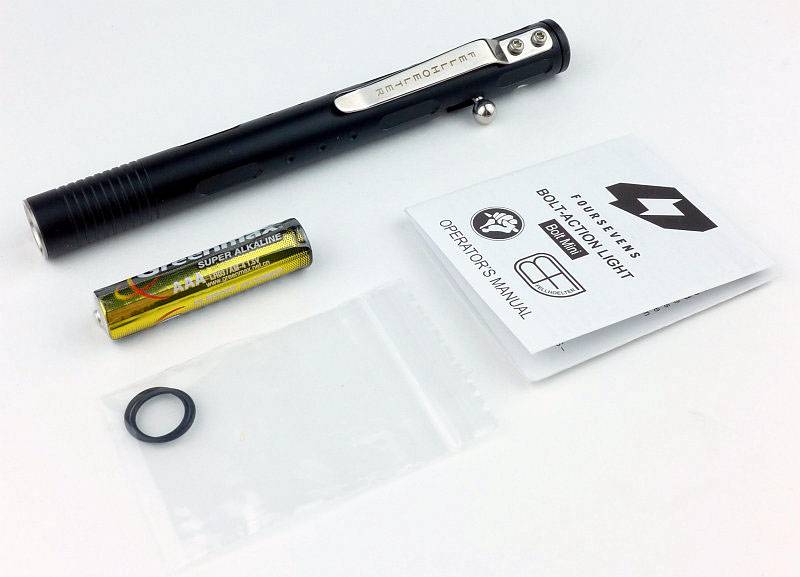
As well as the Bolt-Mini, two spare O-rings, an Alkaline AAA and the instructions are included.
 photo 02-BoltMini unboxed P1160883.jpg

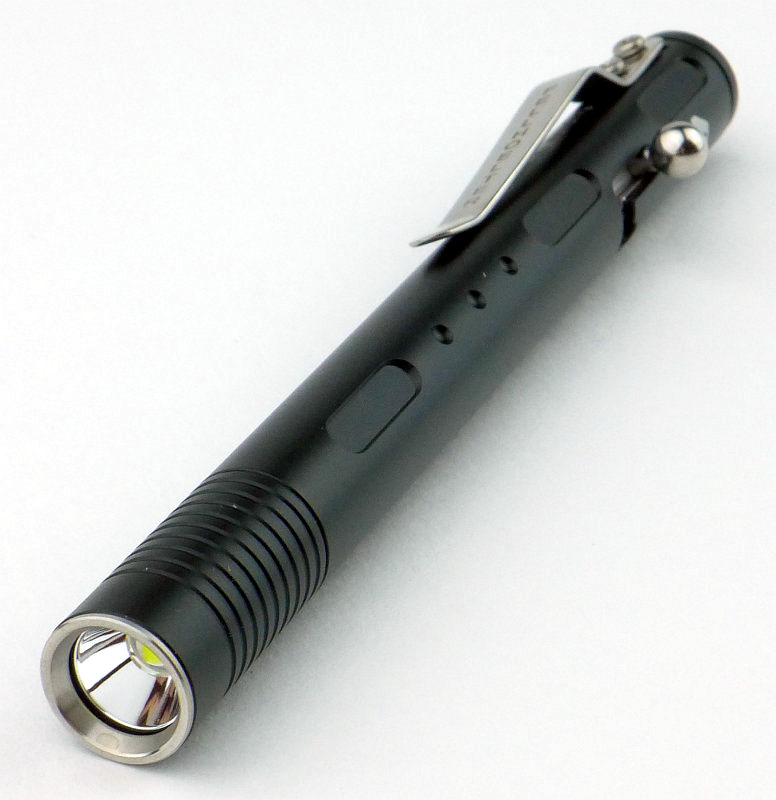
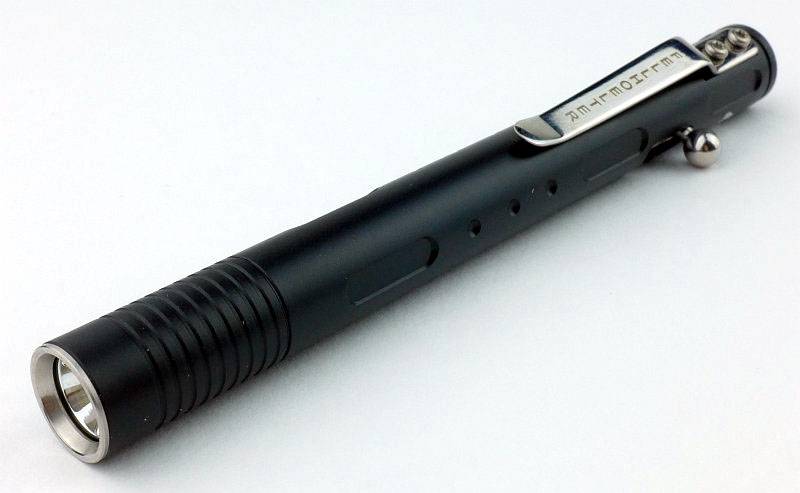
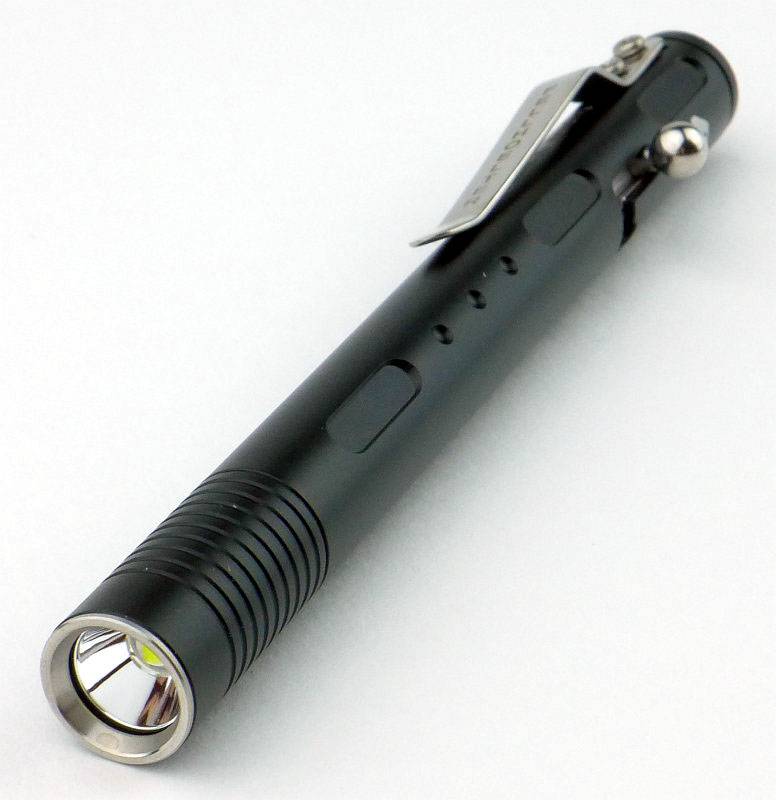
A very sleek looking light.
 photo 03-BoltMini angle P1160886.jpg

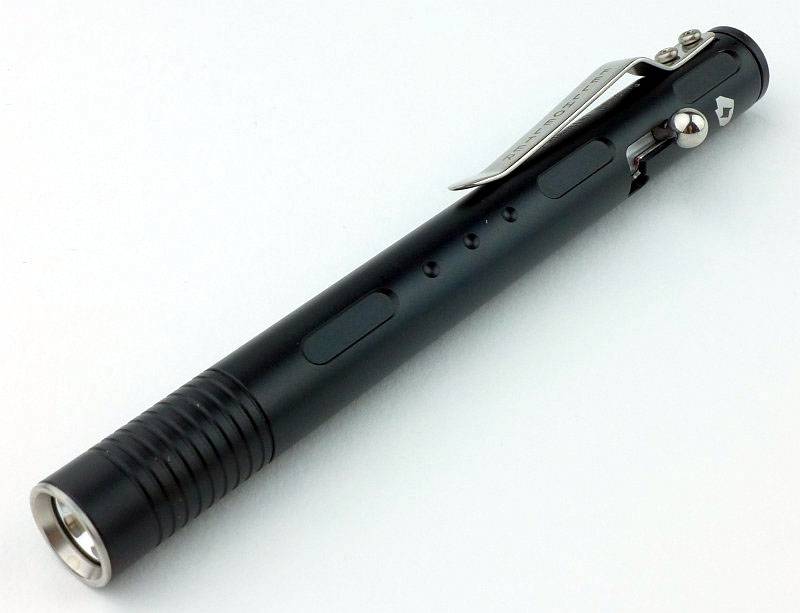
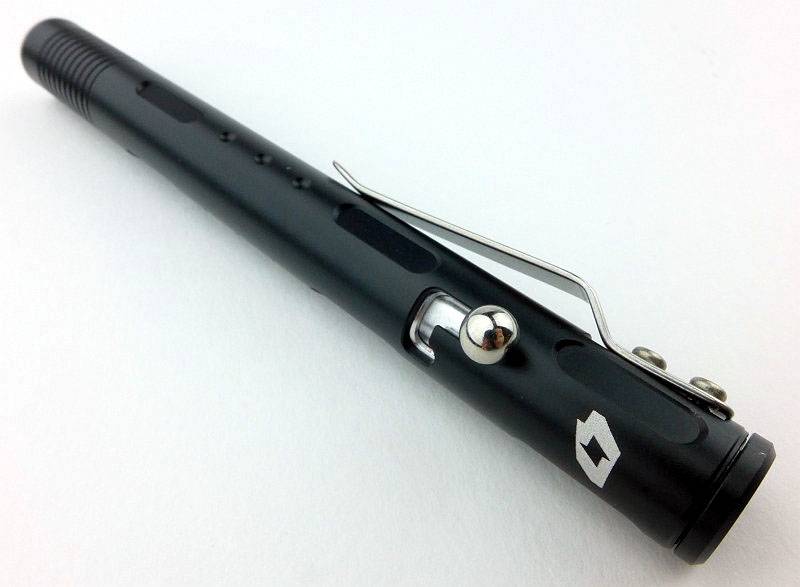
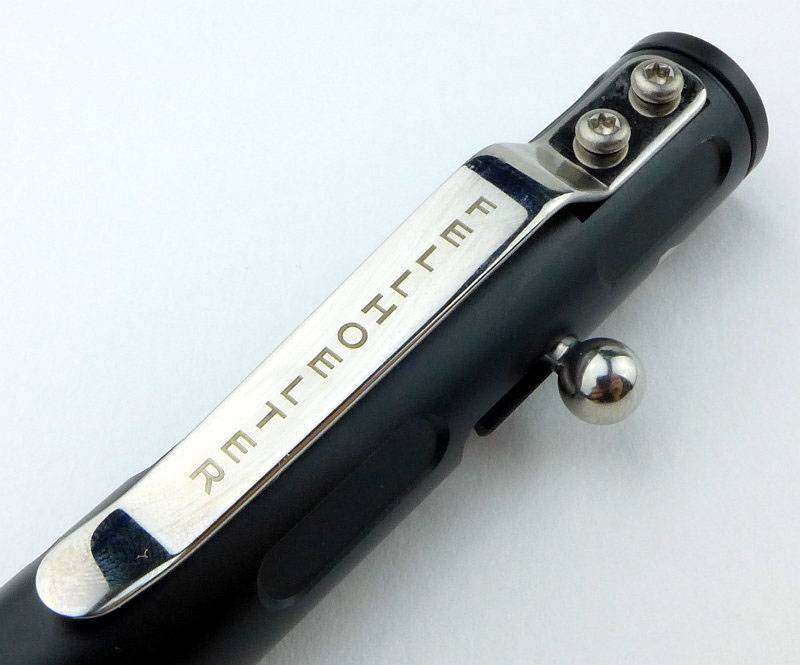
Our first real look at the bolt, as well as the side view of the pocket clip. If you look closely you can see that the top of the pocket clip isn’t quite sitting in the cut out where it is screwed onto the body. This doesn’t affect the function, though it will have increased the clip tension slightly.
 photo 06-BoltMini reverse angle P1160894.jpg

The stainless steel clip is held in place with two screws and has ‘Fellhoelter’ inscribed on it.
 photo 07-BoltMini clip P1160897.jpg

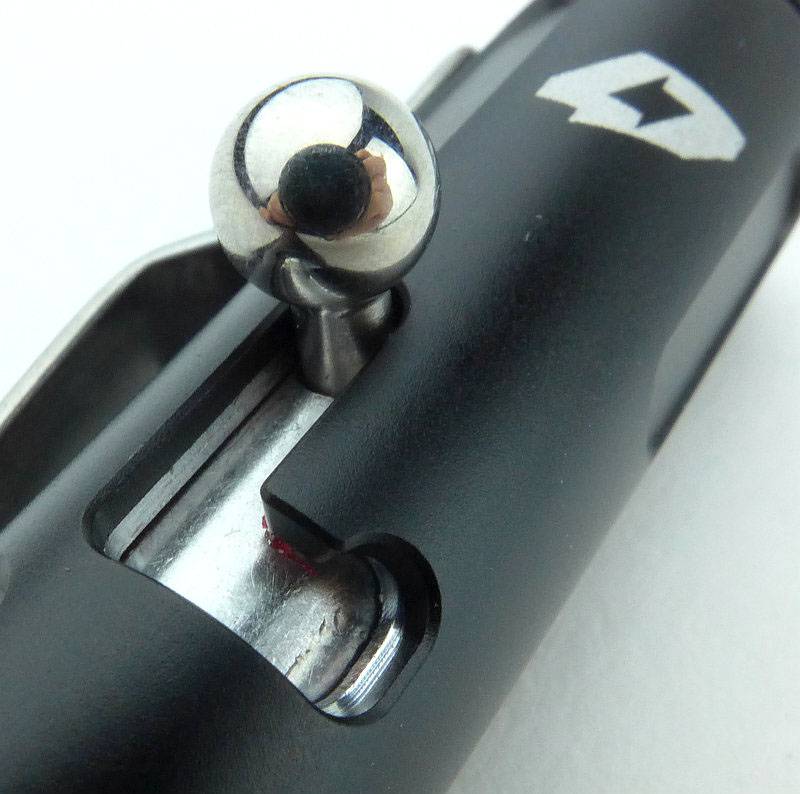
A much closer look at the bolt in the OFF position.
 photo 08-BoltMini bolt off P1160904.jpg

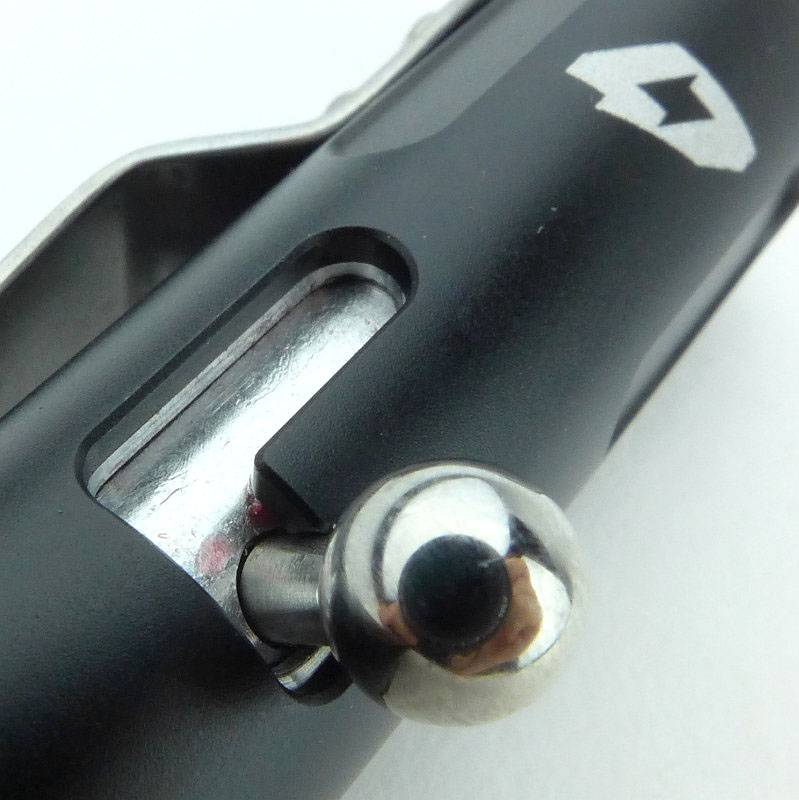
And in the ON position.
 photo 09-BoltMini bolt on P1160907.jpg

To open the Bolt-Mini, the head unscrews.
 photo 12-BoltMini head off P1160920.jpg

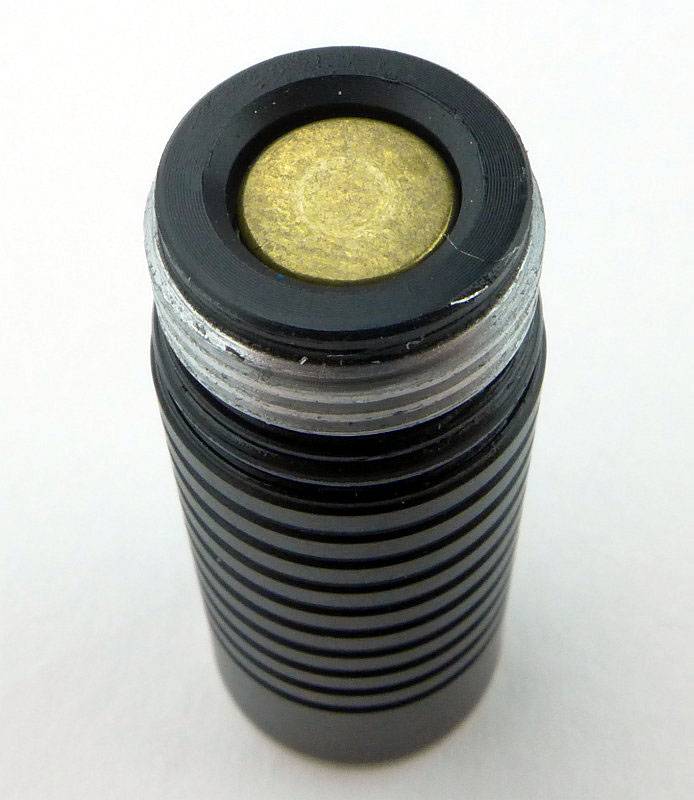
It has square cut threads.
 photo 13-BoltMini threads P1160923.jpg

Peering inside you can see the spring terminal for the negative contact.
 photo 14-BoltMini inside P1160924.jpg

Even in this compact light, an XP-L is used with a compact reflector.
 photo 17-BoltMini reflector P1160937.jpg

Looking straight at the XP-L LED.
 photo 18-BoltMini LED P1160942.jpg

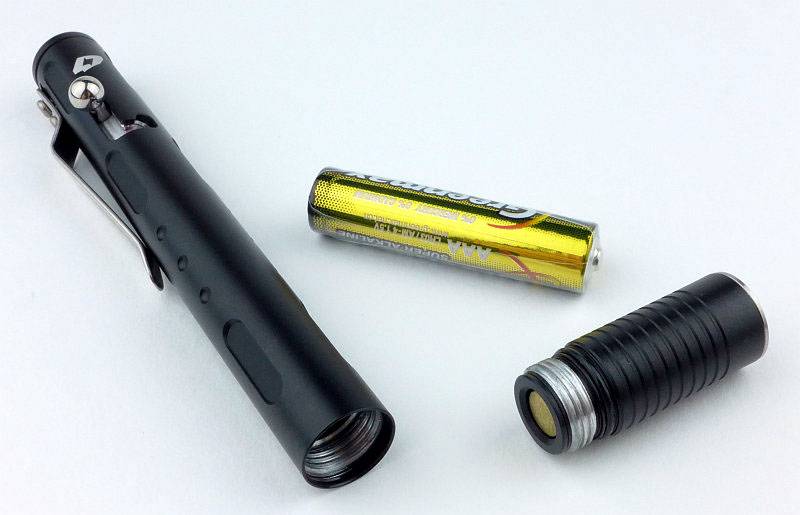
Showing the disassembled Bolt-Mini with its AAA cell.
 photo 15-BoltMini apart P1160929.jpg

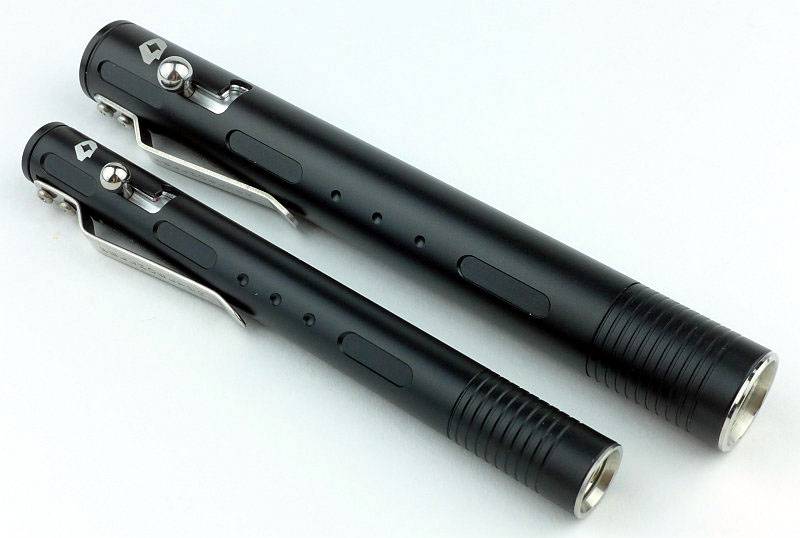
Comparing the Bolt-Mini to the original Bolt-Action you can see it is much slimmer.
 photo 10-BoltMini bolts P1160911.jpg

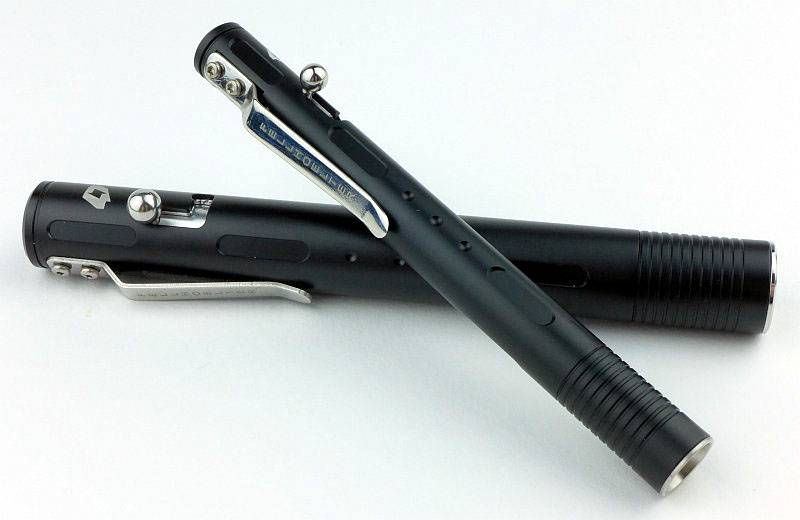
Using the AAA cell makes it a much more pocketable pen-light.
 photo 11-BoltMini bolts2 P1160913.jpg

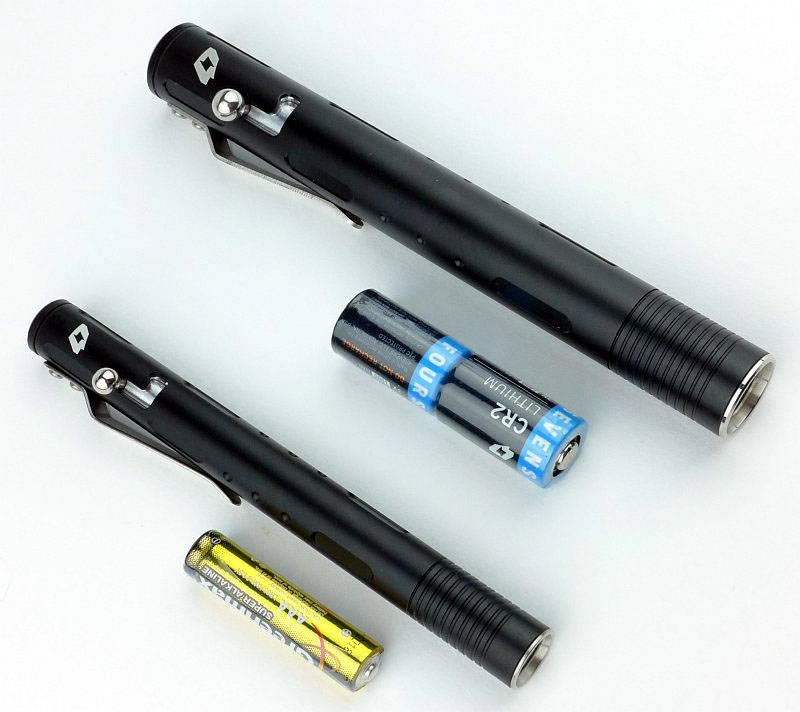
Another comparison with each Bolt-Light’s power source shown as well.
 photo 16-BoltMini bolts with cells P1160932.jpg

The beam

Please be careful not to judge tint based on images you see on a computer screen. Unless properly calibrated, the screen itself will change the perceived tint.

The indoor beamshot is intended to give an idea of the beam shape/quality rather than tint. All beamshots are taken using daylight white balance. The woodwork (stairs and skirting) are painted Farrow & Ball “Off-White”, and the walls are a light sandy colour called ‘String’ again by Farrow & Ball. I don’t actually have a ‘white wall’ in the house to use for this, and the wife won’t have one!

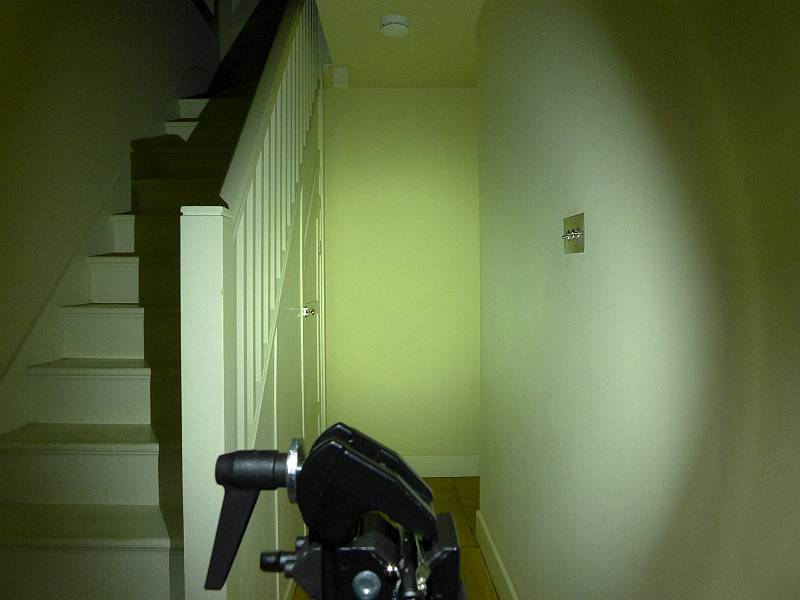
The small reflector and large LED make for a lovely broad beam great for all close range and indoor use. An outdoor beamshot is not shown as the floody beam was too diffuse to show properly.
 photo 19-BoltMini indoor beam P1170367.jpg

Modes and User Interface:

So it is all about this – the Bolt
 photo 08-BoltMini bolt off P1160904.jpg

Operation is simple. Slide the bolt forward and near the end of the travel the light comes on. Quickly releasing and sliding the bolt changes mode, and once you have the output you want, you simply rotate the bolt to lock it on.
 photo 09-BoltMini bolt on P1160907.jpg

Flicking the spring loaded handle sideways knocks it out of the locked position and turns it off.

The Bolt-Mini has 5 configurations with different sets of modes.
Configuration 1: High (factory default)
Configuration 2: ‘Previous’ – High – Low
Configuration 3: ‘Previous’ – High – Strobe
Configuration 4: ‘Previous’ – Low – Medium – High – Strobe
Configuration 5: ‘Previous’ – Low – Medium – High – Strobe – SOS – Beacon (High) – Beacon (Low)

In normal operation (starting from OFF), the Bolt-Mini (if left off for 5-6s) will come onto the ‘Previous’ or last-used mode, then, if cycling through the modes, it will start at the first mode in the configuration mode set.
– ‘Previous’ can be any mode.
– ‘Previous’ only occurs once the first time when cycling rapidly through these modes.
– If the ‘Previous’ mode is the first mode in the current mode set, it will not be repeated. For example if you last used Low in configuration 5, when you turn it on you will get Low, then Medium (not Low then Low).

So, from off, this means on repeated switching of the Bolt in Configuration 5 you get:
‘Previous’ – Low – Medium – High – Strobe – SOS – Beacon (High) – Beacon (Low) – Low – Medium – High – Strobe – SOS – Beacon (High) – Beacon (Low) etc

Once you have the desired mode, simply hold and rotate the bolt to lock it in that mode.

Changing configuration:
To change the configuration you need to turn the light ON and OFF 10 times within 2s. On the 10th activation hold the bolt in the ON position without locking it in place. The Bolt-Mini will flash between 1 and 5 times to indicate the current configuration. Quickly turn the light OFF and ON again to change to the next configuration and repeat until you have the one you want. Turn the light OFF for 5s to confirm the setting.

Batteries and output:

The Bolt-Mini runs on one AAA Alkaline or NiMh.

To measure actual output, I built an integrating sphere. See here for more detail. The sensor registers visible light only (so Infra-Red and Ultra-Violet will not be measured).

Please note, all quoted lumen figures are from a DIY integrating sphere, and according to ANSI standards. Although every effort is made to give as accurate a result as possible, they should be taken as an estimate only. The results can be used to compare outputs in this review and others I have published.

___________________________________________ ________________________________ ________________________________
Bolt-Mini using AAA Eneloop I.S. measured ANSI output Lumens PWM frequency or Strobe frequency (Hz)
___________________________________________ ________________________________ ________________________________
High 142 950
Medium 68 950
Low 7 950
Strobe Not Measured 8
Beacon High Not Measured 0.07
Beacon Low Not Measured 0.07

* Beacon and Strobe output measurements are only estimates as the brief flashes make it difficult to capture the actual output value.

Peak Beam intensity measured 200 lx @1m giving a beam range of 28 m.

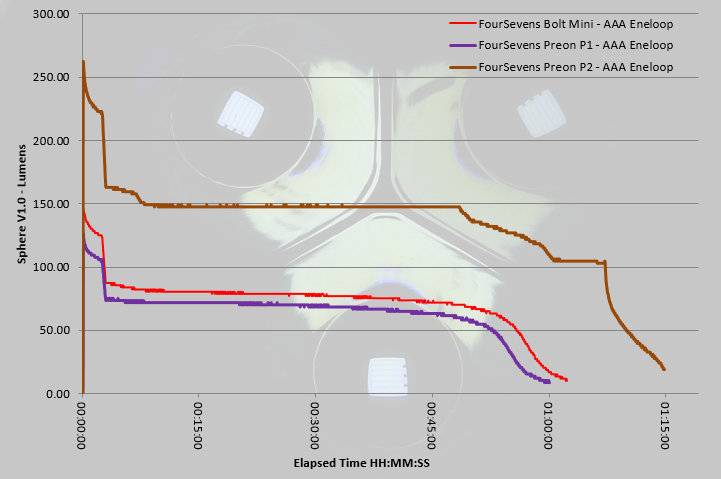
As I’m also testing the Preon P1 and P2, I’ve put all three output traces together to allow the AAA lights to be compared. Like the P1, the Bolt-Mini runs on only a single AAA. You can clearly see the ‘Burst’ mode operating, with the initial part of the trace being at 100% output, and then dropping to around 70% after 3 minutes.

Troubleshooting

This section is included to mention any minor niggles I come across during testing, in case the information helps anyone else.

No issues were encountered during testing.

As per the description of this section, this information is provided in case anyone else finds a similar ‘issue’ that might be fixed in the same way.

The Bolt-Mini in use

When I first heard about the Bolt-Action light I was very sceptical. What was the point? Well actually it is very usable. The bolt-action makes for a great momentary interface and locking on or off is extremely intuitive.

The original Bolt-Action is more powerful and the bolt has an easier action, but it is bigger than a pen, so becomes more noticeable to EDC. Still a great light though (and remember I found it would run on a 14500 as well as the officially supported 2xCR2). However, the Bolt-Mini takes this design into a new league altogether as it now sits in a pocket and alongside pens without standing out.

Unfortunately the action feels quite a bit stiffer and the smaller ball on the lever can dig in a bit on repeated use, making it less comfortable to use than its bigger brother, but you forgive that for the smaller size and with it being much easier to feed with a normal AAA.

Having to wait around 6s from turning it off to turning it back on again if you want to avoid mode changes is a little frustrating. I’d prefer that a much more rapid on/off cycle was needed to change mode.

The ‘Previous’ mode memory is useful, as is the fact that the next mode will then be the first of the current configuration’s mode set. With the interface working in this way, I have chosen configuration 5 (with the most modes), as in general use I never have to cycle through the flashing modes unless I want to use them.

So, some might say that this is a very large single AAA light, and compared to most 1xAAA lights it is much longer. But, and this is an important ‘but’, this is a pen sized EDC light with a unique and satisfying ‘bolt’ interface,… and it happens to use a single AAA for power. Don’t think of it in a simple direct comparison to other single AAA lights, but instead for its distinctive character.

With FOURSEVENS usually not using PWM, I was a little disappointed to find it was utilised in the Low, Medium and High modes, and at 950Hz is on the edge of being noticed. I have high sensitivity to PWM and have found that 1000Hz is the point where the effects start to become less and less noticeable. It means that most of the time I don’t see any effects, but occasionally do. Any effects are most noticeable in Low (as the width of the PWM peaks is the narrowest), much less in Medium and pretty much gone in High.

Generally I don’t like pocket clips as they can be very abrasive and destructive. On the Bolt-Mini, the clip is a polished finish and the tube it sits against is smooth, so it slides on and off a pocket lip nicely. There is plenty of tension in the clip to keep it secure, but as seen early in the review, the pocket clip isn’t quite sitting in the cut-out where it is screwed to the body and this has increased the clip tension. If the clip were sitting flat as it should, the tension will be slightly less.

Another advantage to the bolt-action switch is that you can operate it completely silently. Having previously selected Low, you have a silent operation light to keep by your bed. The Low mode isn’t a moon mode, but again, thanks to the design, you can turn the Bolt-Mini on with the head tucked into your hand or wrist and control how much light can be seen.

The original Bolt-Action light is an interesting concept, if perhaps targeted more at the enthusiast (needing specialist cells), but the Bolt-Mini opens this concept to all. The smaller size is much easier to carry and taking the humble AAA makes it easy to feed. FOURSEVENS have listened to their customers and made the bolt-action design accessible to all.

Review Summary

_______________________________________________ _______________________________________________
Things I like What doesn’t work so well for me
_______________________________________________ _______________________________________________
Bolt-Action switch interface. The Switch action is stiffer than the original Bolt-Action light.
User selectable configuration. Pocket clip isn’t fitted properly.
Excellent close range beam. Occasionally noticeable PWM.
XP-L LED.
AAA power.


Discussing the Review:

Please feel free to add comments to the review, but the ideal place to freely discuss these reviews is on a forum. If you started reading the shorter forum version of the review, but followed the link this full exclusive review, please return to that forum to discuss the review there.
If you read the review entirely on Tactical Reviews, please consider one of the following to join in any discussion.

CandlePowerForums – Flashlight Reviews Section (Largest and Friendliest Flashlight Community Forum)

EdgeMatters – Sponsored Reviews (UK based Forum for Knife Makers and Collectors)
Light Review: SOG Dark Energy Group Review (DE-01, DE-02, DE-03 and DE-06)

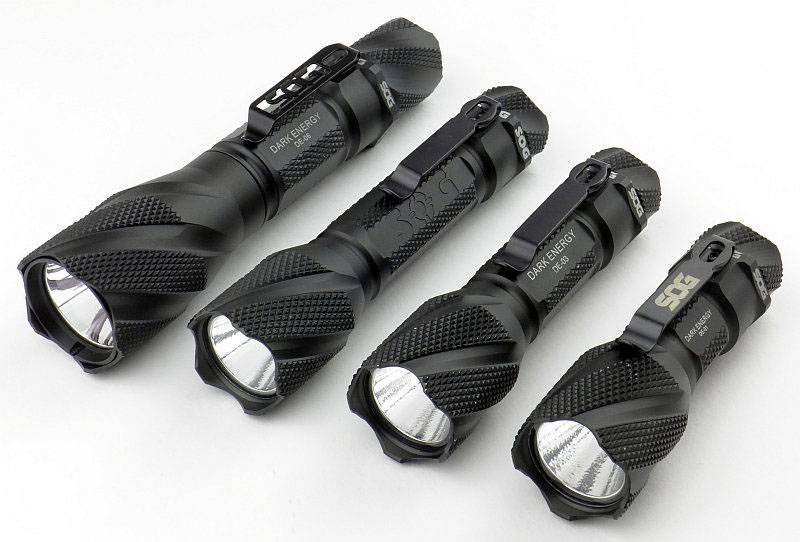
As well as the hybrid SOG Bladelights I reviewed recently, SOG also have a line of dedicated lights named ‘Dark Energy’. I have four of them on test, the DE-01, DE-02, DE-03 and DE-06 to compare the different power options and their performance.

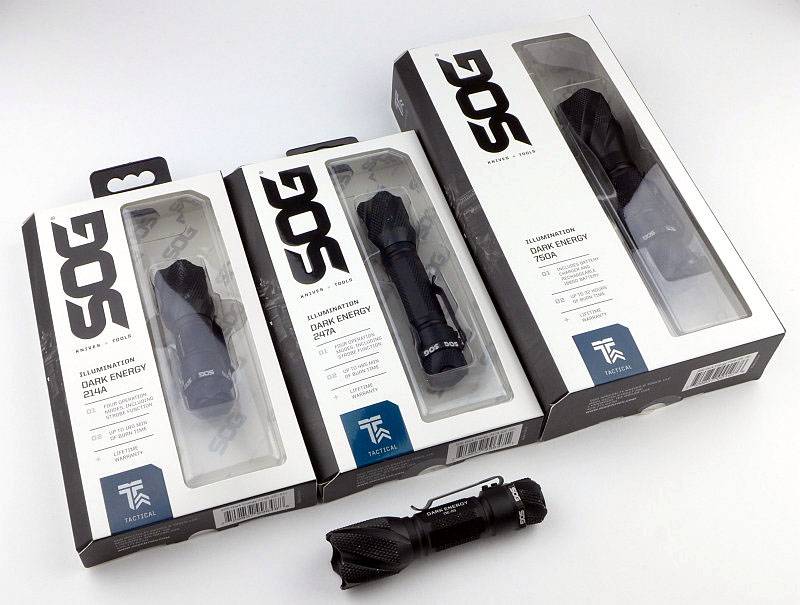
 photo 02 SOG DE unboxed P1160779.jpg

In case you notice that the DE-03 (AA powered) looks a little worn, that particular light has been a show demo light and was supplied in well used condition alongside the other new, boxed, models.
 photo 01 SOG DE boxed P1160594.jpg

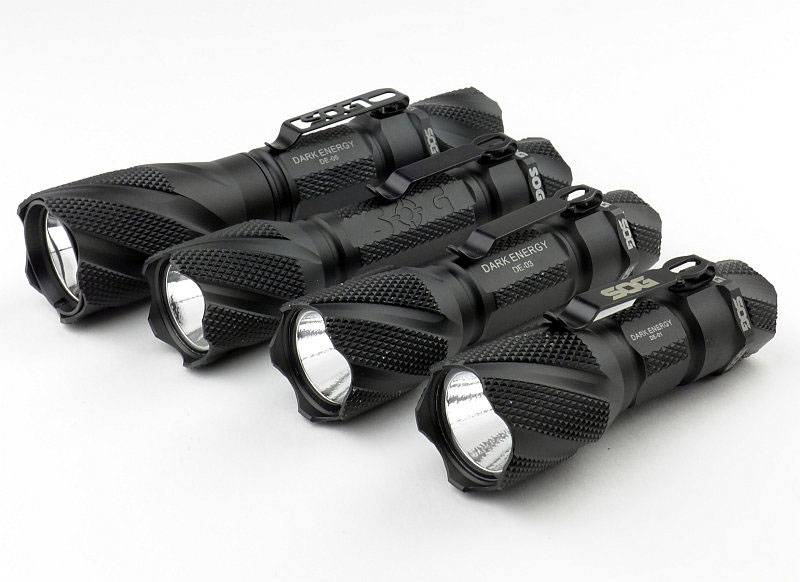
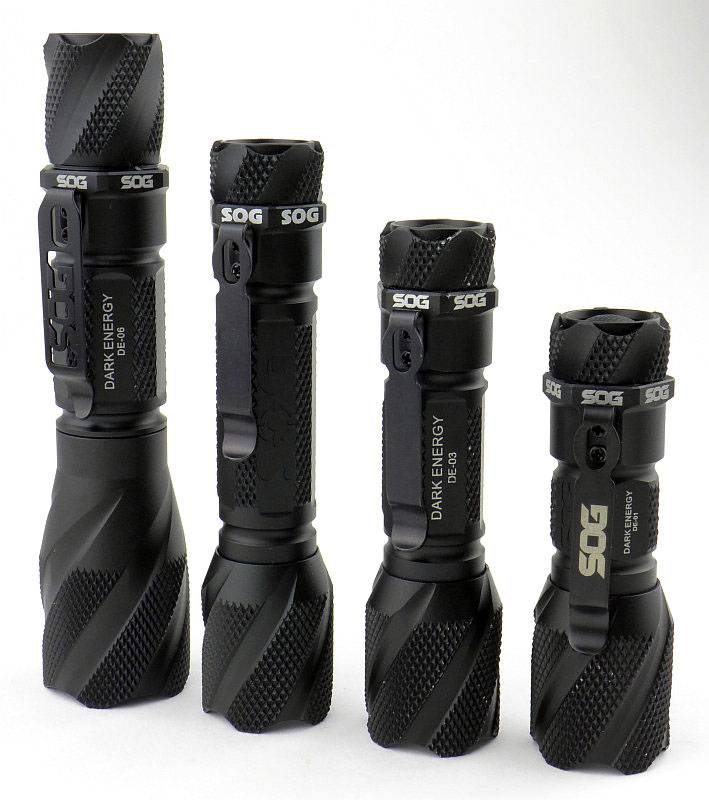
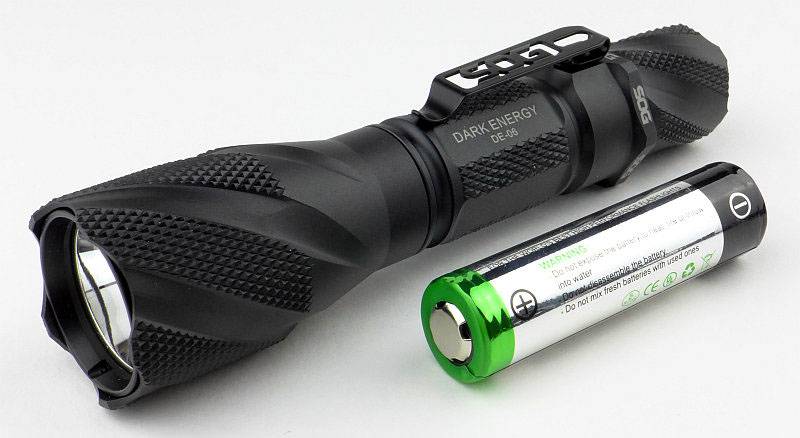
As each light is built around the power source, the sizes vary accordingly. From left to right, the DE-06 uses 1×18650, DE-02 uses 2xCR123, DE-03 uses 1xAA and the DE-01 with a CR123.
 photo 03 SOG DE size P1160780.jpg

Taking a more detailed look at the DE-06:

Of the four models on test, three have very similar details (DE-01, DE-02 and DE-03) but the DE-06 is different so needs its own section.

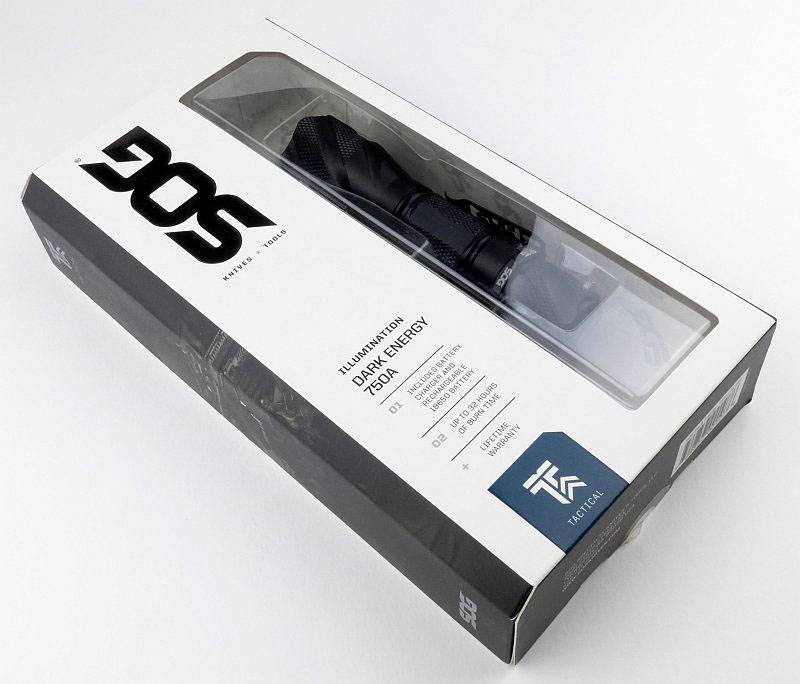
SOG’s presentation is excellent with a distinctive bevelled edge box.
 photo 01 SOG DE06 boxed P1160715.jpg

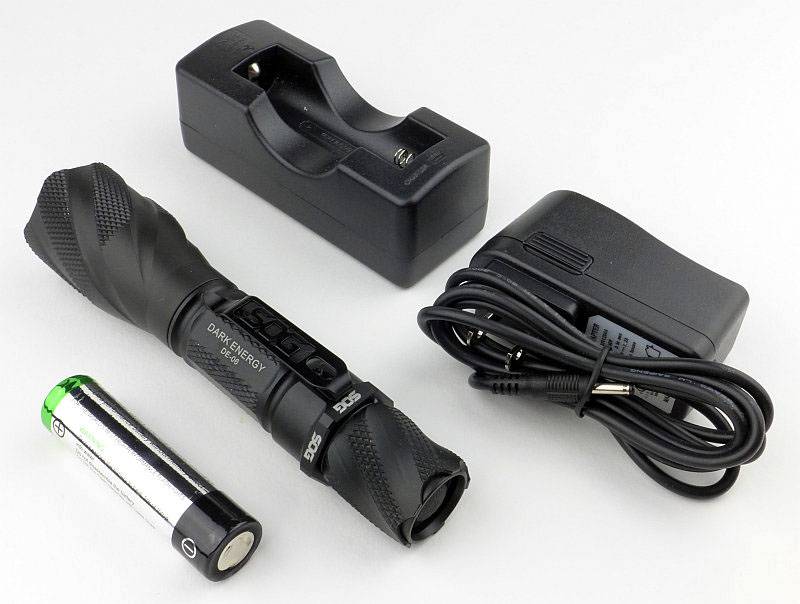
Even with the DE-06, which is the only rechargeable model, the contents are minimal. As well as the DE-06 there is a Nextorch branded 2600mAh 18650 cell and a single bay charger with mains adapter.
 photo 02 SOG DE06 box contents P1160720.jpg

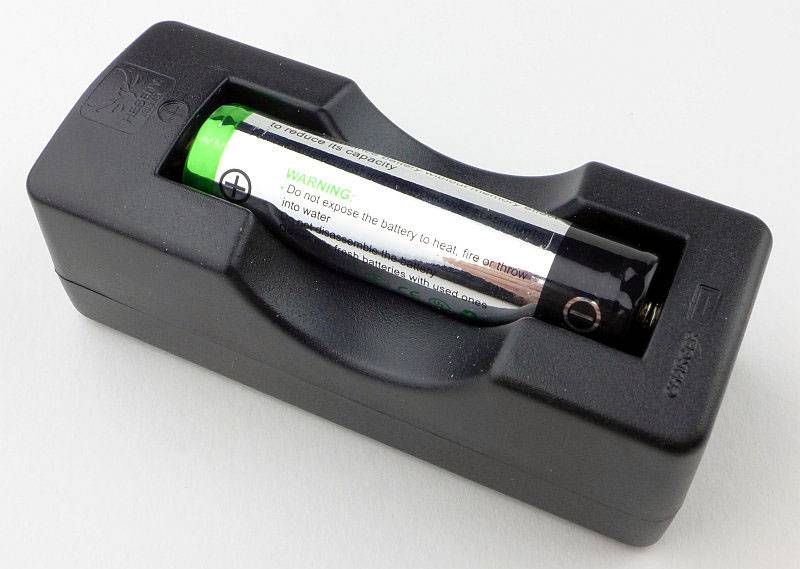
The basic single bay charger with cell fitted.
 photo 03 SOG DE06 charger P1160722.jpg

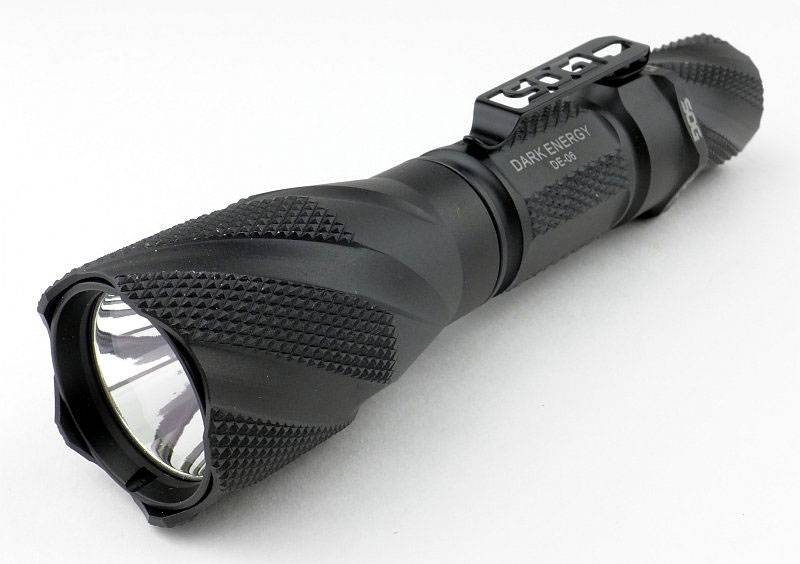
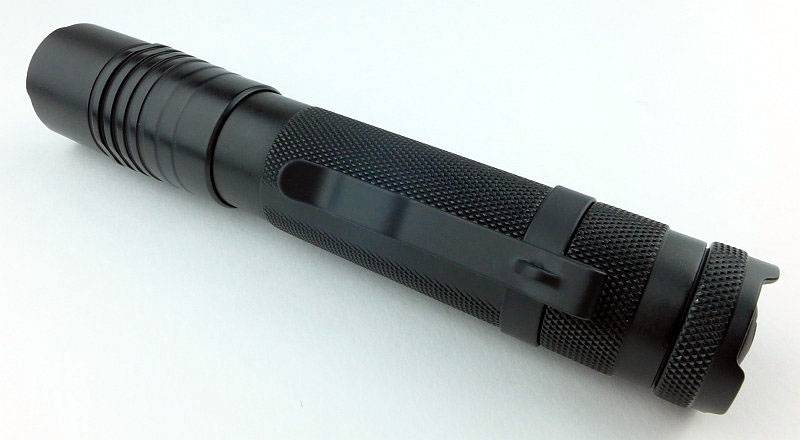
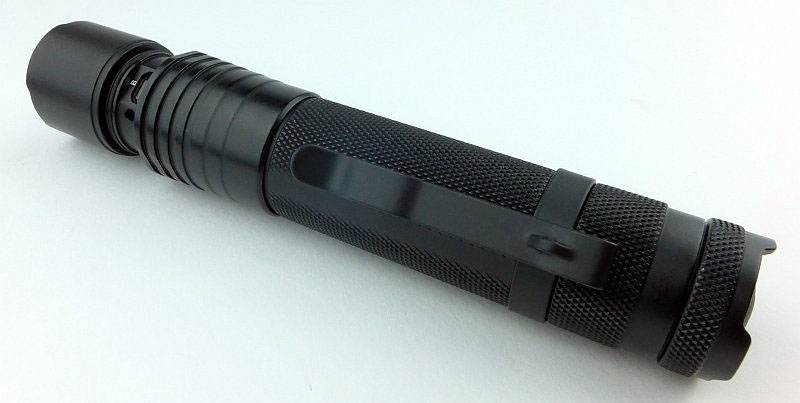
Immediately you can see the strong SOG styling of the Dark Energy series with more knurling than most lights, including the head.
 photo 04 SOG DE06 angle P1160725.jpg

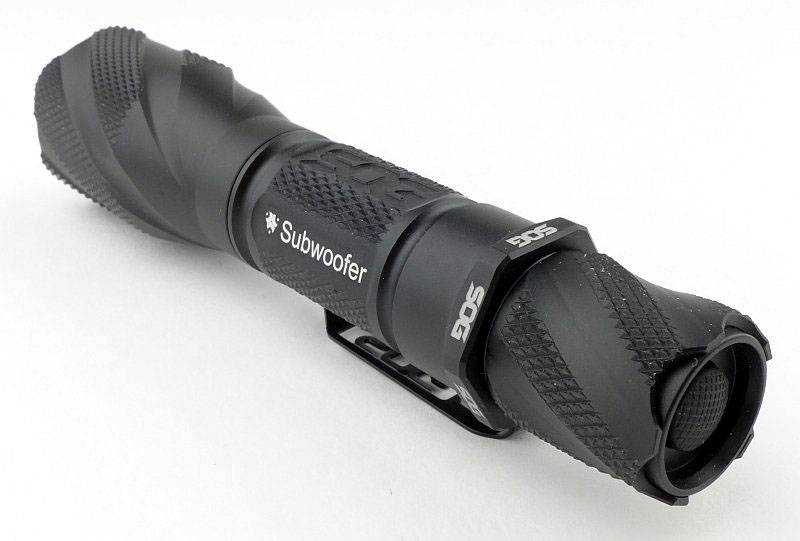
SOG offer engraving on just about all their products, so you will notice some customisation on these samples.
 photo 05 SOG DE06 reverse angle P1160727.jpg

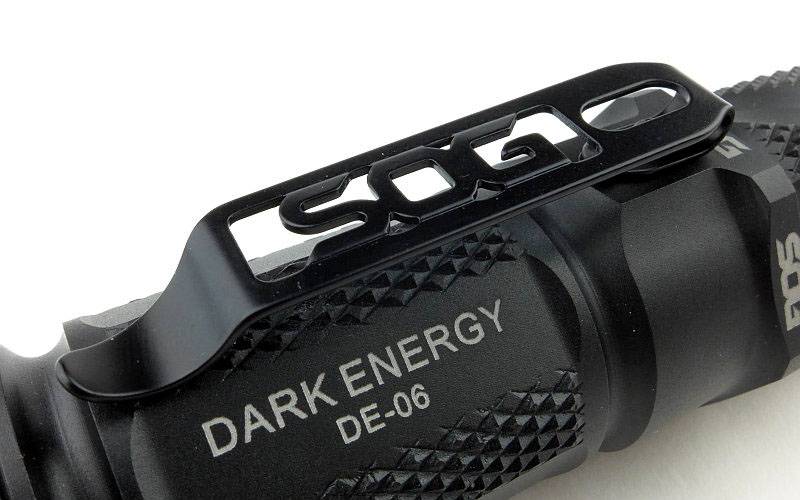
The wide clip is attachedto the side of the light with two screws.
 photo 06 SOG DE06 clip P1160733.jpg

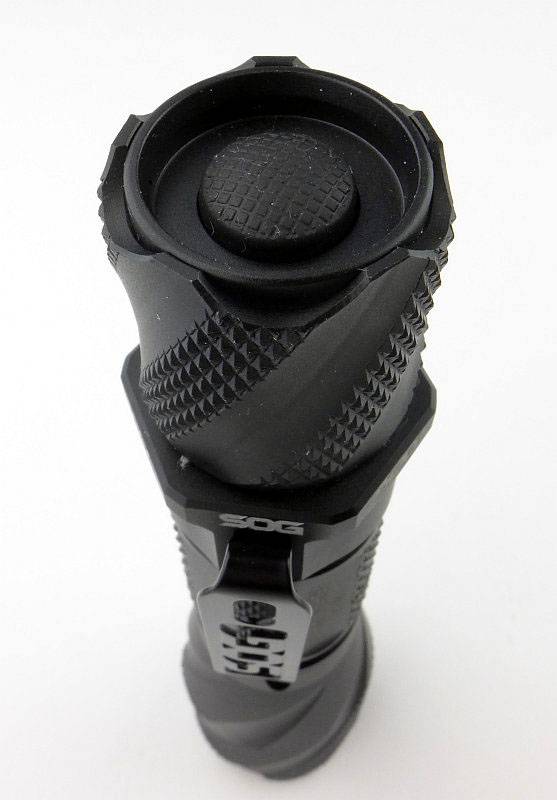
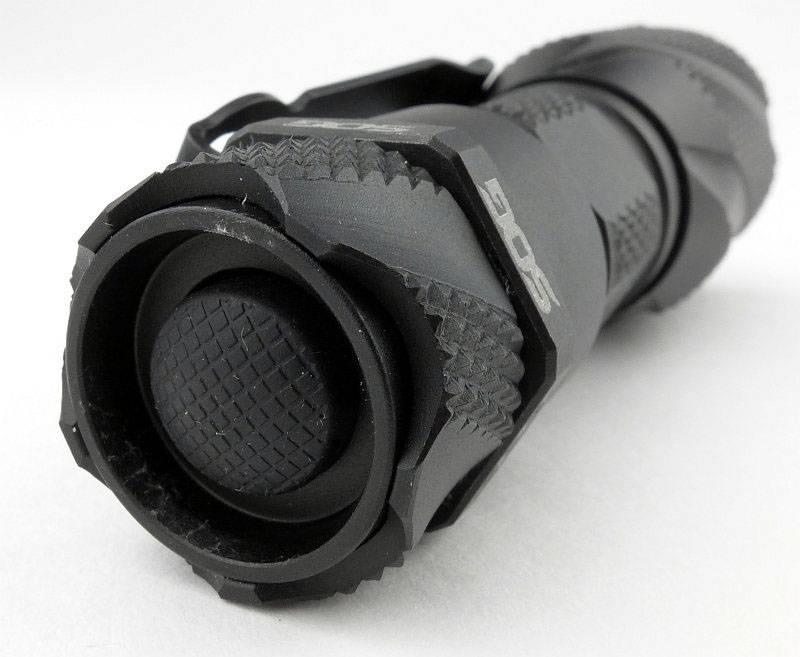
You can tailstand these lights and the switch boot is recessed. With gloves it can be more difficult to operate the switch.
 photo 07 SOG DE06 switch P1160736.jpg

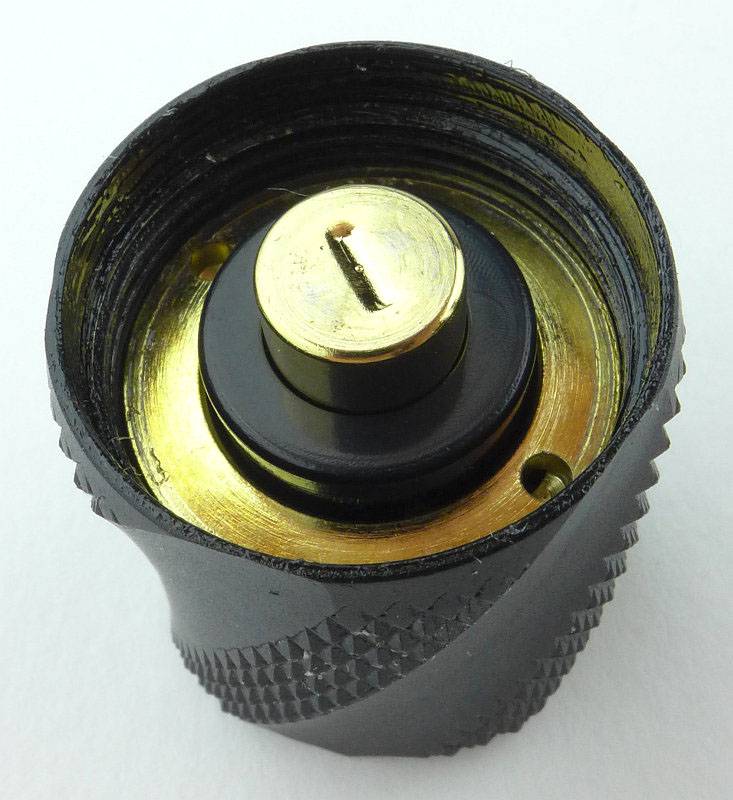
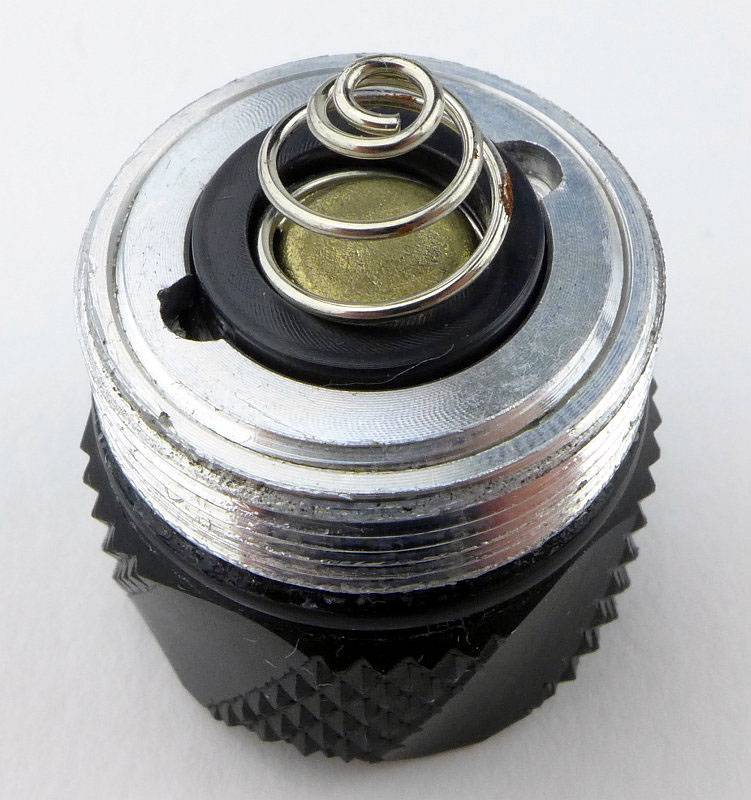
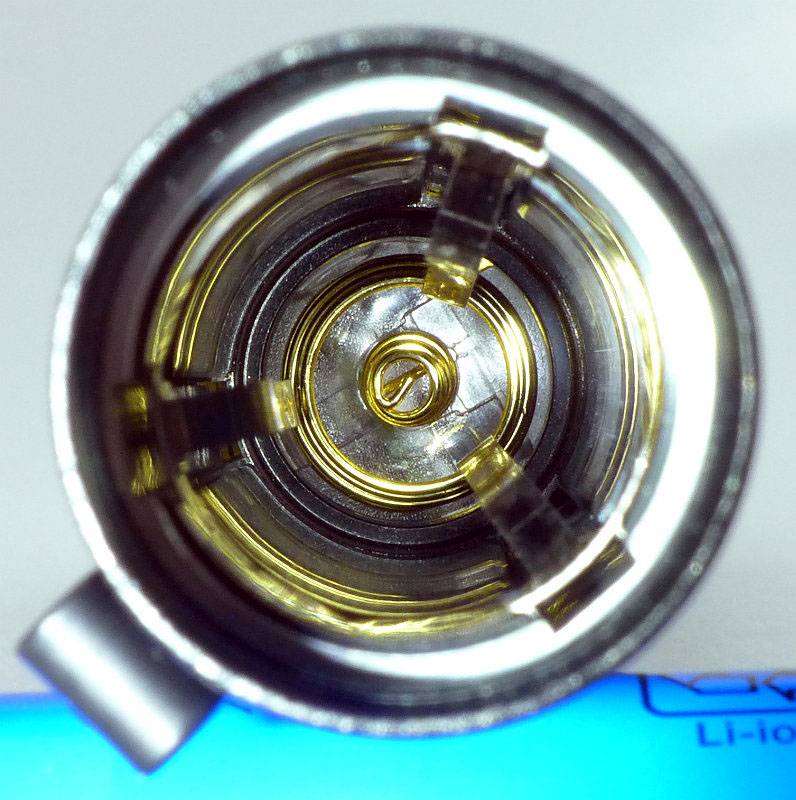
A broad gold-plated sprung-plunger acts as the negative terminal and the battery tube contact is gold-plated as well.
 photo 08 SOG DE06 tailcap contacts P1160739.jpg

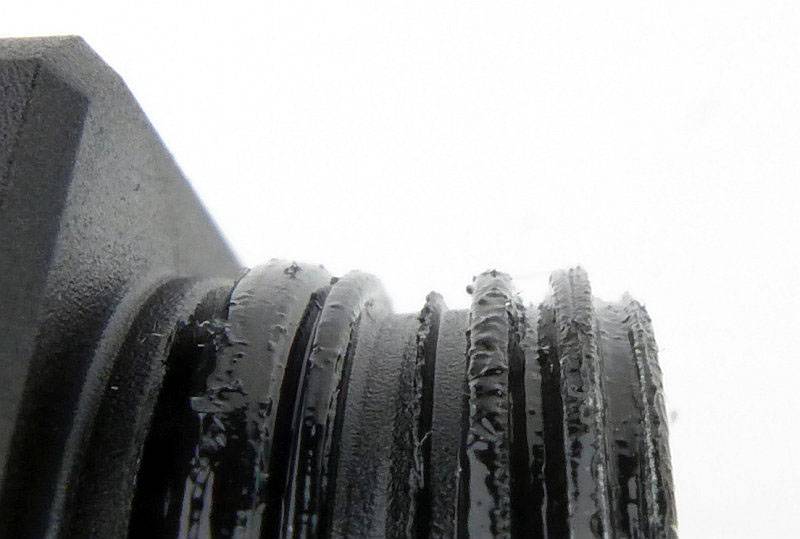
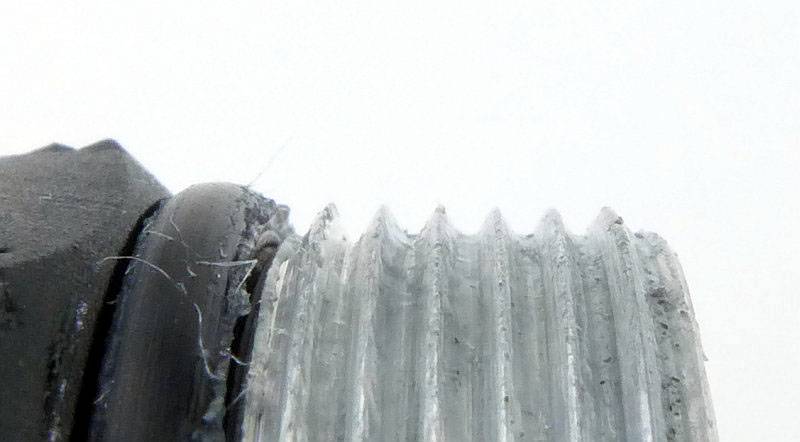
In the DE-06 only, the threads are fully anodised meaning you can lock-out the light. The threads are well lubricated and nearly square.
 photo 09 SOG DE06 threads P1160741.jpg

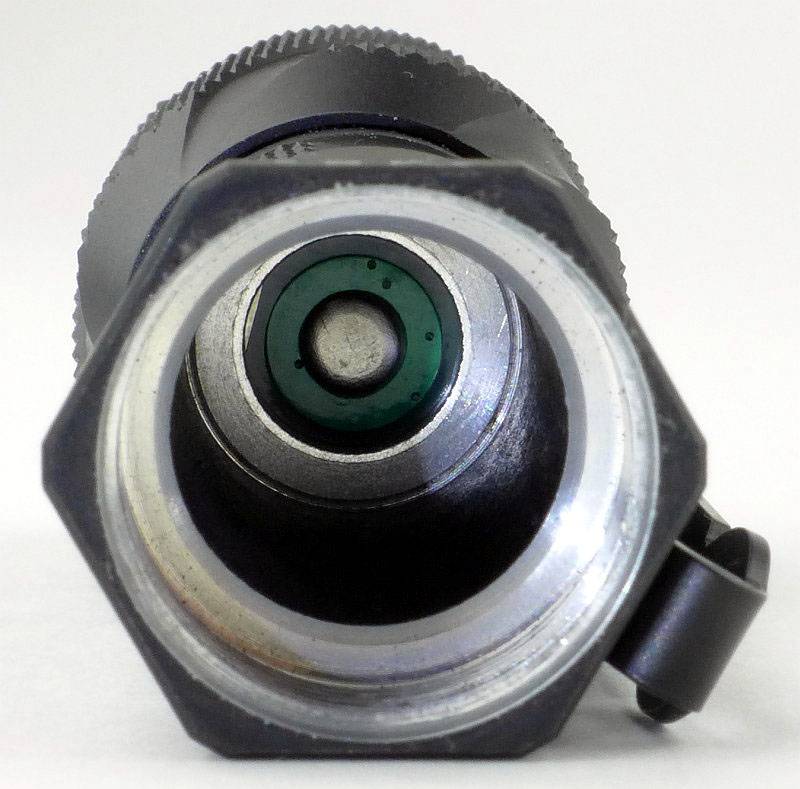
Looking inside the battery tube, the positive contact is a spring terminal.
 photo 10 SOG DE06 inside P1160747.jpg

Though not specified on the packaging, the LED is an XM-L2.
 photo 12 SOG DE06 LED P1160755.jpg

Unlike the other models, the DE-o6 uses a smooth reflector.
 photo 13 SOG DE06 reflector P1160757.jpg

As well as the laser engravings on the DE-06, it also has ‘SOG’ machined into the side prior to anodising.
 photo 14 SOG DE06 engravings P1160758.jpg

Just for scale, this is the DE-06 next to its 18650 cell.
 photo 15 SOG DE06 size P1160764.jpg

Taking a more detailed look at the DE-01:

This one has been chosen to represent several models as the details of the DE-01, DE-02 and DE-03 are all very similar (apart from battery tube length).

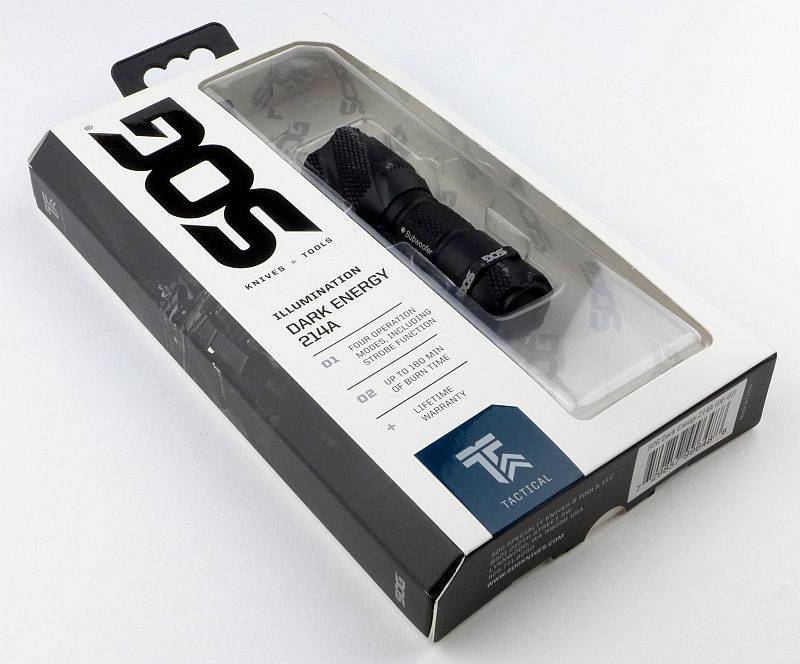
SOG’s packaging is the same for the entire series and other SOG products as well.
 photo 01 SOG DE01 boxed P1160638.jpg

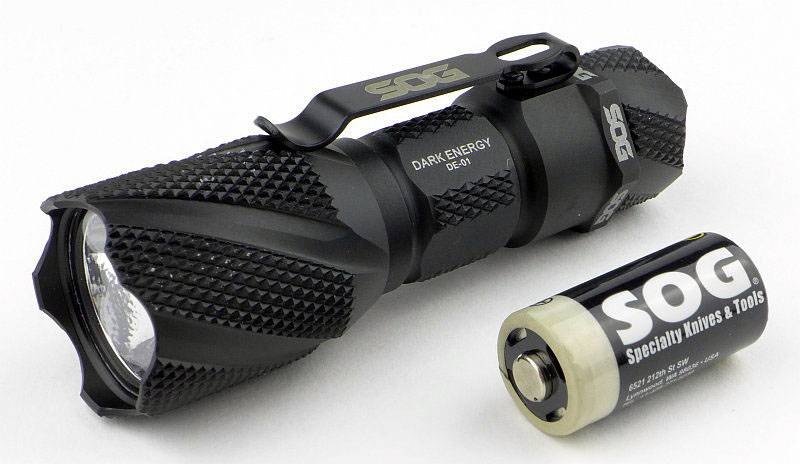
Even simpler than the DE-06, the DE-o1 simply comes with a CR123 primary cell with SOG branding.
 photo 02 SOG DE01 box contents P1160639.jpg

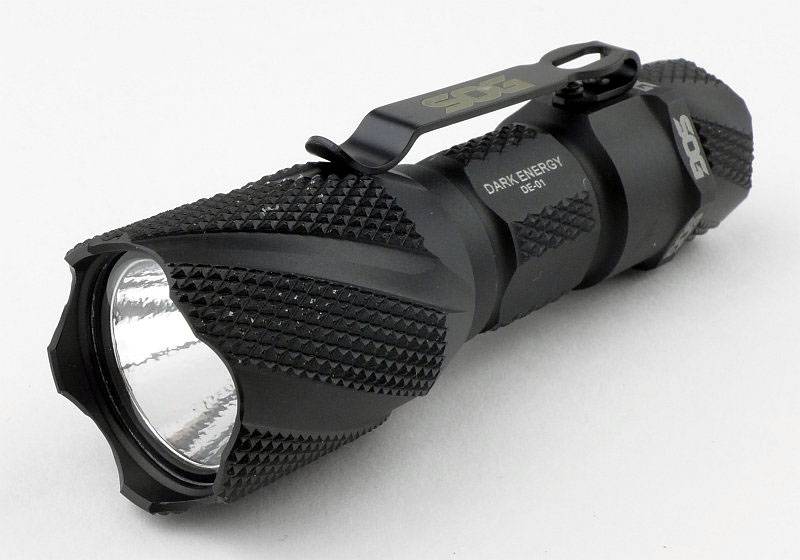
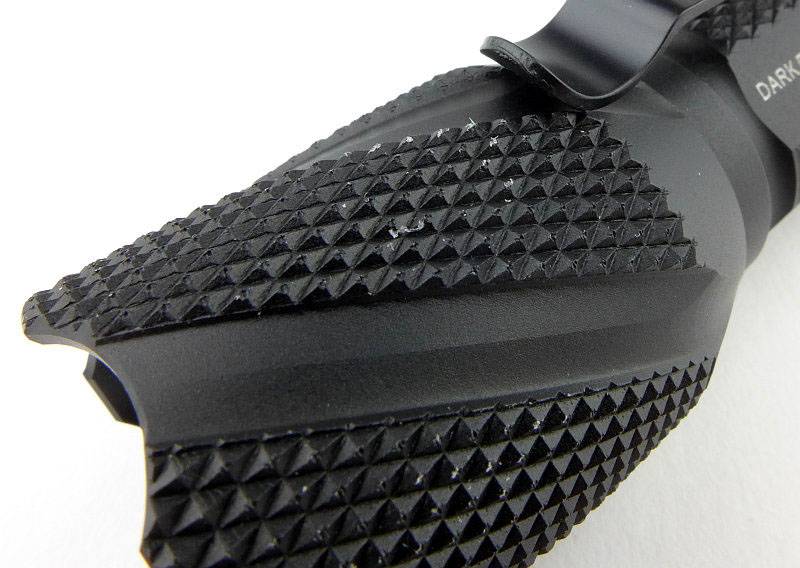
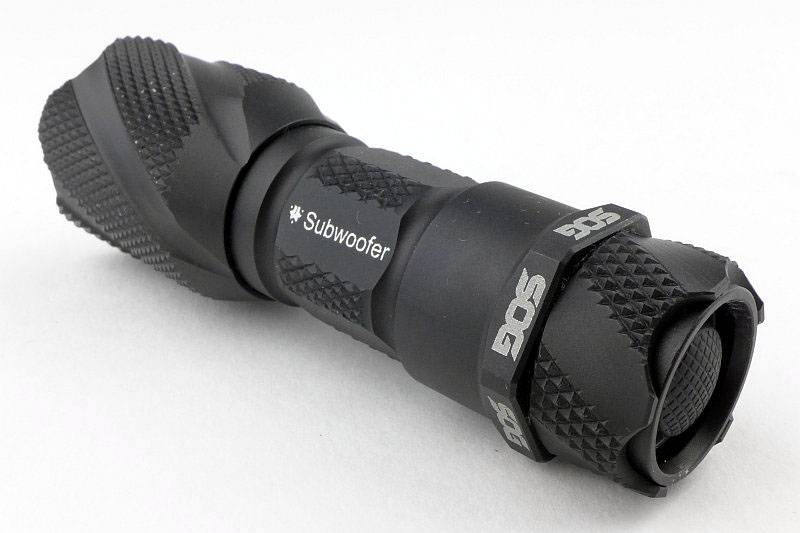
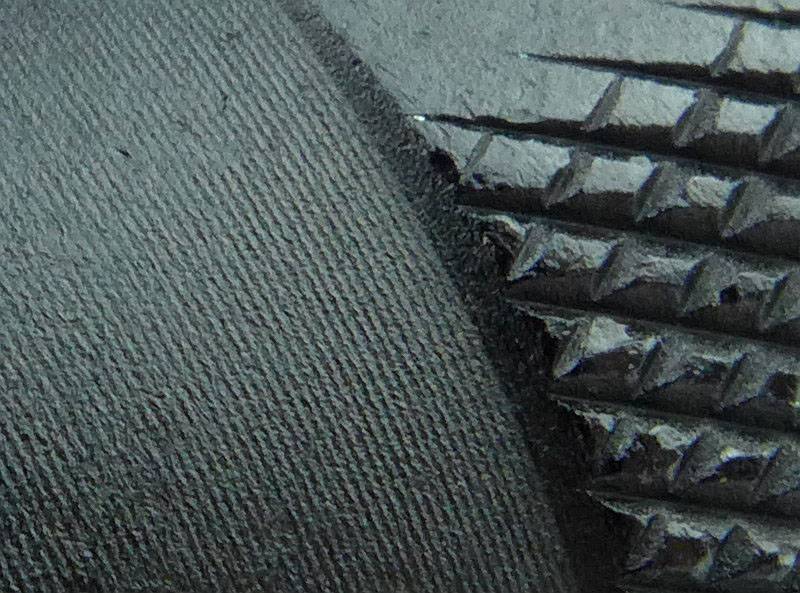
All of the Dark Energy lights have extensive aggressive knurling and here you can see traces of the packaging that the knurling on the head has scratched off. There are no flaws in the anodising, what you see is debris from the packaging.
 photo 03 SOG DE01 angle P1160641.jpg

A closer view of this knurling.
 photo 04 SOG DE01 head knurling P1160645.jpg

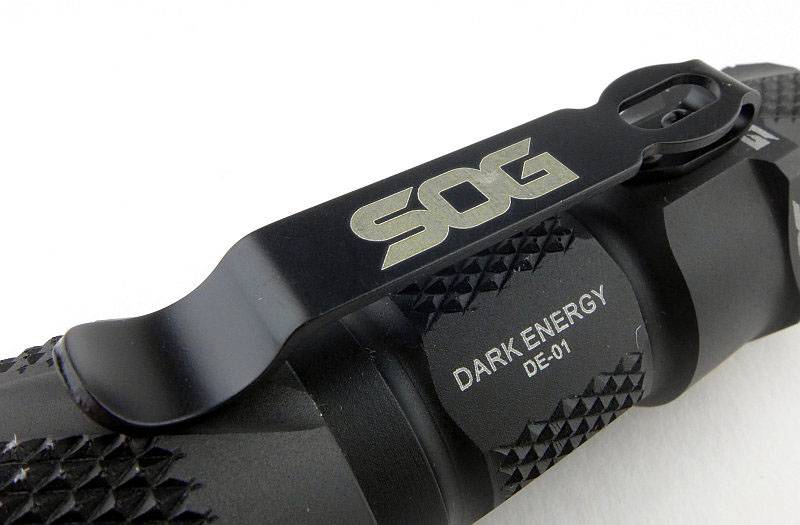
The DE-01 uses a slimmer pocket clip which is fixed to the side with two screws.
 photo 05 SOG DE01 clip P1160647.jpg

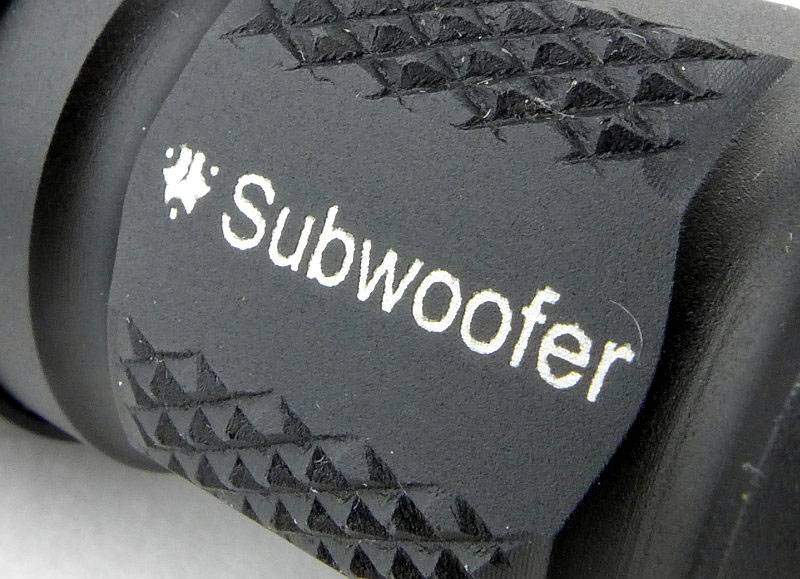
Even on the smallest of the lights, the custom engraving has been fitted on.
 photo 06 SOG DE01 reverse angle P1160651.jpg

Looking closer, the engraving is still clear enough despite being reduced to a very compact size.
 photo 07 SOG DE01 engraving P1160654.jpg

As with the DE-06 the switch is slightly recessed and tail standing is possible.
 photo 08 SOG DE01 switch P1160657.jpg

Where the DE-01, DE-02 and DE-03 really differ from the DE-06 is with the tailcap. A very different configuration with an exposed spring terminal and bare threads.
 photo 09 SOG DE01 tailcap P1160658.jpg

Bare aluminium standard threads are used.
 photo 10 SOG DE01 threads P1160661.jpg

Inside the battery tube, the positive terminal is not sprung.
 photo 11 SOG DE01 inside P1160663.jpg

Textured reflectors are used for the smaller models. This is more suited to EDC tasks.
 photo 12 SOG DE01 reflector P1160671.jpg

There is a SOG identifier around the XP-G R5 LED.
 photo 13 SOG DE01 LED P1160675.jpg

The beam

Please be careful not to judge tint based on images you see on a computer screen. Unless properly calibrated, the screen itself will change the perceived tint.

The indoor beamshot is intended to give an idea of the beam shape/quality rather than tint. All beamshots are taken using daylight white balance. The woodwork (stairs and skirting) are painted Farrow & Ball “Off-White”, and the walls are a light sandy colour called ‘String’ again by Farrow & Ball. I don’t actually have a ‘white wall’ in the house to use for this, and the wife won’t have one!

All exposure have been kept the same for this series of indoor and outdoor beamshots to allow a direct comparison of the different outputs to be made.

Despite the textured reflector of the smaller lights, there is still a bright hotspot in the DE-01’s beam. The spill is relatively dim and the outer spill shows the shaping of the bezel.
 photo SOG DE01 indoor beam P1170317.jpg

Moving to the DE-02 the main difference here is that the output is higher; the beam characteristics are the same.
 photo SOG DE02 indoor beam P1170314.jpg

Again with the DE-03 (the dimmest of all being AA powered) the beam characteristics are the same as the previous two.
 photo SOG DE03 indoor beam P1170320.jpg

With its smooth reflector and larger emitter, the DE-06 has a better beam overall with wide hotspot and much more usable spill.
 photo SOG DE06 indoor beam P1170311.jpg

Moving outdoors the DE-01’s beam shows the benefit of the small hotspot as it gives the beam a reasonable range for its output.
 photo SOG DE01 outdoor beam P1170251.jpg

As the DE-02 has 2x CR123 it is simply a brighter version of the DE-01.
 photo SOG DE02 outdoor beam P1170248.jpg

At the extended range and only having a single AA for power, the DE-03 starts to run out of steam.
 photo SOG DE03 outdoor beam P1170254.jpg

The combination of 18560 (li-ion) power, a larger smooth reflector and a powerful XM-L2 LED gives the DE-06 much more punch that the smaller lights.
 photo SOG DE06 outdoor beam P1170245.jpg

Modes and User Interface:

All the Dark Energy lights use a very intuitive dual function tail-cap switch. It operates like both a forward-clicky and reverse-clicky at the same time.

From OFF, using the momentary operation, you get High mode every time and you can tap the switch as many times and as quickly as you like, you only get High.
Once clicked ON, now if you tap the switch (half press) you cycle through the available modes.
Once you switch OFF, you will then get High on the first press every time.

For the DE-01, DE-02 and DE-03, the modes are High -> Low -> Strobe -> High etc…
For the DE-06 the modes are High -> Medium -> Low -> Strobe -> High etc…

Simple, intuitive and predictable.

Batteries and output:

The DE-01 runs on 1xCR123.
The DE-02 runs on 2xCR123.
The DE-03 runs on 1xAA.
The DE-06 runs on 1×18650 (also 2xCR123 and 1×17670).

To measure actual output, I built an integrating sphere. See here for more detail. The sensor registers visible light only (so Infra-Red and Ultra-Violet will not be measured).

Please note, all quoted lumen figures are from a DIY integrating sphere, and according to ANSI standards. Although every effort is made to give as accurate a result as possible, they should be taken as an estimate only. The results can be used to compare outputs in this review and others I have published.

___________________________________________ ________________________________ ________________________________
Model/Mode using specified cell I.S. measured ANSI output Lumens PWM frequency or Strobe frequency (Hz)
___________________________________________ ________________________________ ________________________________
DE-01/High – CR123 199 0
DE-01/Low – CR123 79 760
DE-01/Strobe – CR123 55 9.8
DE-02/High – 2xCR123 252 0
DE-02/Low – 2xCR123 91 760
DE-02/Strobe – 2xCR123 70 10.2
DE-03/High – AA Eneloop 115 0
DE-03/Low – AA Eneloop 43 740
DE-03/Strobe – AA Eneloop 33 9.8
DE-06/High – Supplied 2600mAh 18650 716 0
DE-06/Medium – Supplied 2600mAh 18650 255 2940
DE-06/Low – Supplied 2600mAh 18650 21 1420
DE-06/Strobe – Supplied 2600mAh 18650 377 8.3

* Beacon and Strobe output measurements are only estimates as the brief flashes make it difficult to capture the actual output value.

DE-01 peak Beam intensity measured 5400 lx @1m giving a beam range of 147m.
DE-02 peak Beam intensity measured 7100 lx @1m giving a beam range of 169m.
DE-03 peak Beam intensity measured 2700 lx @1m giving a beam range of 104m.
DE-06 peak Beam intensity measured 14500 lx @1m giving a beam range of 241m.

There is parasitic drain in all models:
In the DE-01, drain was 8uA (averaged as it varied from 3-12uA) giving 19.96 years to drain the cell.
In the DE-02, drain was 6.8uA giving 23.49 years to drain the cell.
In the DE-03, drain was 24uA (averaged as it varied from 4-44uA) giving 9.03 years to drain the cell.
In the DE-06, drain was 5uA giving 77.57 years to drain the cell.

Both CR123 powered lights show good regulation and the AA powered DE-03 has a reasonably consistent output. Though always much higher in output than the other lights, the DE-06 is not regulated (or not able to maintain regulation with the supplied cell).
 photo SOG DE runtime.jpg

Troubleshooting

This section is included to mention any minor niggles I come across during testing, in case the information helps anyone else.

No serious issues were encountered during testing.
However, I did find the switch on the DE-06 failed to latch at times. With the recessed switch design I found I ended up pushing the switch sideways as well as in and when doing this occasionally had the issue. Pressing the switch straight in always worked correctly, so it was the sideways pressure that caused the occasional issue.

As per the description of this section, this information is provided in case anyone else finds a similar ‘issue’ that might be fixed in the same way.

The Dark Energy lights in use

My personal lighting requirements generally mean I want to start on low, but reliably starting on high is important for many users, and with the excellent dual function switch these Dark Energy lights allow you to know every time you pick them up you get maximum output on the first press every time.

With that usage in mind, I would have preferred a protruding switch to make it easy to hit the button gloved or not.

The extensive knurling is aggressive and abrasive but ensures a very firm grip whatever your hands or the light are covered in and wherever you grab it. Storage and carry need some consideration as it will wear through fabrics fairly fast.

Especially with this feature of the knurling, the lack of a holster is a disappointment as a properly matched holster would take away the problem of finding a suitable carry solution for these lights.

For each model the output levels are sensible and do not push the cells too hard. In these days of lumen chasing SOG have taken a good approach as you get a good balance of output and runtime.

With relatively limited outputs, the smaller Dark Energy lights use a more focused beam which extends their usable range. This choice does mean they are not so good for close range and indoor uses as you can get hotspot tunnel vision.

In the output measurements you will see that the lower levels use PWM. Fortunately this has been set at a reasonably high frequency. Despite my PWM hypersensitivity, I did not notice the DE-06 giving any PWM effects. For the DE-01, DE-02 and DE-03 the frequency is a bit lower and this did result in me noticing a few PWM effects, but it was not bad. (1000Hz is the critical point where above this I can’t visually detect PWM and below this I can – 300Hz and below becomes very noticeable)

In a crowded market, the outstanding features of this series of lights is the dual function switch and resulting user interface, and the distinctive all-over knurling with super secure grip that this gives you.

Review Summary

_______________________________________________ _______________________________________________
Things I like What doesn’t work so well for me
_______________________________________________ _______________________________________________
Excellent Dual-Function switch. No Holster provided.
Superb grip from all-over knurling. Knurling is very abrasive.
Reliably switches onto Maximum output. Recessed switch sometime difficult to fully press.
Choice of power sources and sizes. Occasional PWM effects on low mode (except DE-06).
Quality personalisation engraving available.


Discussing the Review:

Please feel free to add comments to the review, but the ideal place to freely discuss these reviews is on a forum. If you started reading the shorter forum version of the review, but followed the link this full exclusive review, please return to that forum to discuss the review there.
If you read the review entirely on Tactical Reviews, please consider one of the following to join in any discussion.

CandlePowerForums – Flashlight Reviews Section (Largest and Friendliest Flashlight Community Forum)

EdgeMatters – Sponsored Reviews (UK based Forum for Knife Makers and Collectors)
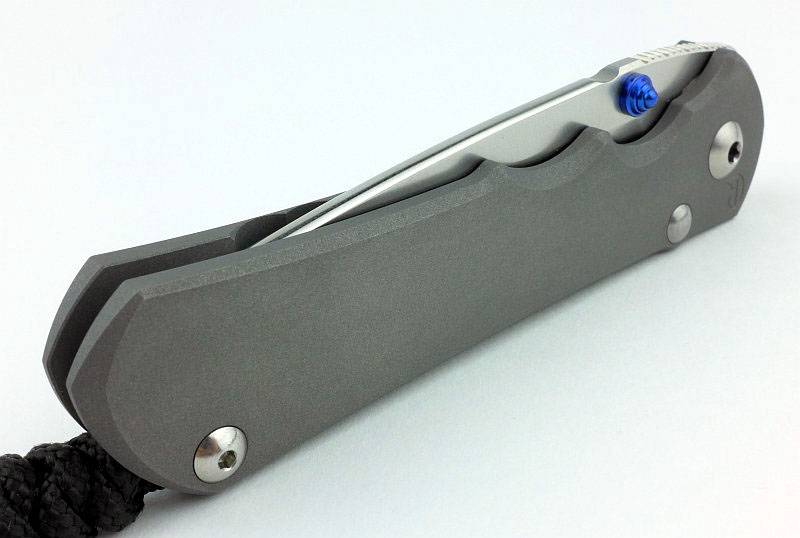
Light Review: Streamlight ProTac HL USB and Portable USB Charger

Streamlight have been adding USB power into their range and in this review we take a look at the ProTac HL USB along with the Portable USB Charger

 photo 23 Protac HL USB plus charger P1170014.jpg

Taking a more detailed look:

Everything shown here actually came in a completely plain white outer cardboard box (which didn’t really show up in these white background photos).
 photo 01 Protac HL USB boxed P1160952.jpg

The package is comprehensive as it includes the ProTac HL USB, a holster, USB cable, mains USB charger and 12v Car USB charger.
 photo 02 Protac HL USB unboxed P1160958.jpg

A simple holster is provided.
 photo 03 Protac HL USB holster1 P1160961.jpg

The belt loop has a Velcro closure so it can be fitted without taking your belt off.
 photo 04 Protac HL USB holster2 P1160963.jpg

Laser-engraved on the side is the model and serial number. There is not enough flat space for the writing so it spills over onto the knurling.
 photo 06 Protac HL USB engraving P1160971.jpg

Already fitted is a removable, powder-coated, pocket clip.
 photo 07 Protac HL USB clip P1160974.jpg

As with most Streamlight lights, the main switch has the Streamlight logo.
 photo 08 Protac HL USB switch P1160977.jpg

Taking the tailcap out reveals its long twin-springs. This is part of a special design catering for the use of the Streamlight proprietary 18650, standard 18650s and CR123 cells.
 photo 09 Protac HL USB tailcap P1160982.jpg

Standard fully-anodised threads are used.
 photo 10 Protac HL USB threads P1160984.jpg

Streamlight’s proprietary 18650 cell has a full plastic casing with one standard negative terminal.
 photo 11 Protac HL USB battery1 P1160988.jpg

Swapping round to the front end of the cell, there is a dual pole contact system which relates to the built-in USB charging of the Protac HL USB.
 photo 12 Protac HL USB battery2 P1160990.jpg

For an 18650 light, the Protac HL uses a slightly larger tube than most, but this is due to the clever system to accommodate 18650 and CR123 cells without any rattle. Inside the battery tube are three sprung strips which keep whatever cells are being used securely in place.
 photo 13 Protac HL USB battery tube P1160994.jpg

While we are looking very closely, the surface texture has a subtle sheen.
 photo 14 Protac HL USB surface P1170003.jpg

So where is the USB part? Starting here with a reverse angle view with the USB port cover closed.
 photo 15 Protac HL USB reverse angle P1170006.jpg

Then with the port cover pulled back.
 photo 16 Protac HL USB reverse angle port P1170007.jpg

Under the port cover is a micro USB port and a charging indicator light.
 photo 17 Protac HL USB chaging port P1170011.jpg

Oddly the Protac HL doesn’t make full use of the size of the head, instead having a thick bezel and smaller reflector. For its diameter the reflector is relatively deep.
 photo 18 Protac HL USB reflector P1170015.jpg

Though Streamlight never specify the actual LED used, this sample has an XM-L2 LED.
 photo 19 Protac HL USB LED P1170024.jpg

Of course, if you are out and about with no mains or car charger available, a Portable USB Charger is ideal for topping up the battery.
 photo 20 Protac HL USB charging P1170030.jpg

Taking a more detailed look at the Portable USB Charger:

Taking a slight digression from the Protac HL USB light and onto the Streamlight Portable USB Charger. This is how it arrives.
 photo 01 Stream USB boxed P1120294.jpg

There is a short USB cable which you can use to charge it, or charge other devices, and the instructions.
 photo 02 Stream USB unboxed P1120297.jpg

A nice feature of the Streamlight powerbank is that is has a weatherproof cover over the ports. The cover is held on with an elasticated cord, so you need to positively pull it off.
 photo 03 Stream USB opening P1120305.jpg

Once opened the cover stays at an angle and cannot be lost. There is a 5mm LD built in which allows this to be used as a basic light and this has been switched on in this photo.
 photo 04 Stream USB open P1120320.jpg

When you turn it on with a click of the power switch, there are four lights to indicate the state of charge. This is showing approximately 75% remaining.
 photo 05 Stream USB lights P1120316.jpg

Though not specified as fully waterproof, the seal has a triple flange.
 photo 06 Stream USB seal P1120328.jpg

Thought it looked familiar? Well yes, it is rather reminiscent of the Streamlight Sidewinder.
 photo 07 Stream USB sidewinder P1120339.jpg

Any standard USB device can be charged.
 photo 08 Stream USB output P1120347.jpg

When charging the USB Portable Charger, the indicator lights tick up to show it is charging, with each 25% LED staying lit once that level of charge has been reached, and then all stay on once fully charged.
 photo 09 Stream USB input P1120857.jpg

Back to the ProTac HL USB …

The beam

Please be careful not to judge tint based on images you see on a computer screen. Unless properly calibrated, the screen itself will change the perceived tint.

The indoor beamshot is intended to give an idea of the beam shape/quality rather than tint. All beamshots are taken using daylight white balance. The woodwork (stairs and skirting) are painted Farrow & Ball “Off-White”, and the walls are a light sandy colour called ‘String’ again by Farrow & Ball. I don’t actually have a ‘white wall’ in the house to use for this, and the wife won’t have one!

The beam is a pretty good all-rounder. There is a wide hotspot and usable spill.
 photo 22 Protac HL USB indoor beam P1170302.jpg

Giving it a bit of range and the beam smoothes out further and give a nice field of view.
 photo 21 Protac HL USB outdoor beam P1170237.jpg

Modes and User Interface:

Thanks to Streamlight’s TEN TAP programming, you have the choice of three different mode sets. These are:
High – Strobe – Low (Factory default)
High Only
Low – Medium – High

There is no mode memory so every time you use it, it will start from the first mode in the set. To access sub-modes, you use rapid half-presses of the switch.
For example, on the factory default mode set, one press gives you High, a rapid double tap gives you Strobe, and a rapid triple tap for Low.

The switch is a momentary ‘forward-clicky’ so once you have the mode you want, you can fully press the switch to click the mode on.

TEN TAP programming is simple. To cycle through the available mode sets, rapidly press the switch 9 times and then on the tenth hold it on. Continue to hold until the light goes off then release the switch. Doing this moves you to the next mode set, so simply repeat until you have the one you want.

Batteries and output:

The ProTac HL USB runs on its own rechargeable 18650 cell, any standard button top 1860 or 2x CR123. The manual also mentions not using RCR123, but only due to the lower capacity, not because it will damage the light.

To measure actual output, I built an integrating sphere. See here for more detail. The sensor registers visible light only (so Infra-Red and Ultra-Violet will not be measured).

Please note, all quoted lumen figures are from a DIY integrating sphere, and according to ANSI standards. Although every effort is made to give as accurate a result as possible, they should be taken as an estimate only. The results can be used to compare outputs in this review and others I have published.

___________________________________________ ________________________________ ________________________________
ProTac HL USB using supplied cell I.S. measured ANSI output Lumens PWM frequency or Strobe frequency (Hz)
___________________________________________ ________________________________ ________________________________
High 856 0
Medium 360 0
Low 92 0

* Beacon and Strobe output measurements are only estimates as the brief flashes make it difficult to capture the actual output value.

Peak Beam intensity measured 8700 lx @1m giving a beam range of 187m.

There is no parasitic drain.

Maximum output is delivered in a burst format, lasting around 3 minutes before making a controlled reduction. Turning the light off and on again restarts the 3 minute burst. If left on permanently (as in this runtime test) the output initially reduces and then remains well regulated until it steps down slightly after 30 minutes. The remaining runtime is also well regulated right up to the point the cell runs low and output quickly drops.
 photo Streamlight Protac HL runtime.jpg

Troubleshooting

This section is included to mention any minor niggles I come across during testing, in case the information helps anyone else.

No issues were encountered during testing.

As per the description of this section, this information is provided in case anyone else finds a similar ‘issue’ that might be fixed in the same way.

The ProTac HL USB in use

Though the ProTac HL USB uses a wider battery tube than most 18650 lights, by keeping the head roughly the same size as the battery tube, overall the light is not overly bulky. With my XL glove sized hands, I find the ProTac HL USB a very comfortable size.

Tailstanding can be a useful feature, and the tailcap design allows for this, but what it means is that the switch is relatively recessed and can become a little difficult to press and click-on, especially when wearing gloves. It requires more of a stab with the tip of your thumb than a press with the pad.

I’ve always like the Streamlight TEN TAP programming, and wish there were more mode-sets available. My preference is for the Low-Medium-High mode set. What I really do like is that when then choosing your output level, this system keeps it very simple; you have a single tap, double tap, or 3 or more taps. If you rapidly press the switch 5 or 6 times you still get the third output level in the mode set. Timing on the mode changes seems to work very well and I always managed to get the mode I want.

Access to the USB charging port is easy as the cover is a simple slider. What does worry me is that the cover is retained only by the o-rings at each end. Once these o-rings wear the cover may not stay in place securely, so it might be better if there was a screw thread to hold it in place. This is a trade off between ease of use and reliability.

Great news is that in the ProTac HL USB Streamlight have not used PWM. All output levels are current controlled and a pleasure to use.

The included 18650 is only 2200 mAh; comparing this to current ‘normal’ capacities of 3400mAh it is somewhat behind the rest. There may be some reliability in a lower capacity cell, but this is slightly disappointing. Of course you can pop a 3400mAh 18650 in and use it, but you can’t charge it in the ProTac HL USB.

Being able to also use standard 18650 (button top) and CR123 cells is a great feature as you are not tied into the proprietary Streamlight cell and can carry backup cells. If you want to use the built-in charger then you have to use the Streamlight cell, but you get one with it so that is not a big issue. Streamlight’s anti-rattle battery tube works very well (but can be a bit tight on some 18650s) and stops CR123s making the light feel cheap as they don’t rattle about.

It may not be outstanding in terms of overall output, or for being compact, but the ProTac HL USB is a workhorse of a light and the package gives you a full kit of parts which can be used for other purposes. I use the mains and 12V USB chargers for my phone and the Portable USB Charger as well as the ProTac HL USB. Simple, programmable and rechargeable.

Review Summary

_______________________________________________ _______________________________________________
Things I like What doesn’t work so well for me
_______________________________________________ _______________________________________________
USB Rechargeable. Switch can be a little difficult to press.
Can use standard 18650 and CR123 cells. Charging port cover only held closed by o-rings.
No PWM. Supplied 18650 only 2200mAh
TEN TAP Programming.
Anti-Rattle battery tube.

 photo 05 Protac HL USB angle P1160965.jpg


Discussing the Review:

Please feel free to add comments to the review, but the ideal place to freely discuss these reviews is on a forum. If you started reading the shorter forum version of the review, but followed the link this full exclusive review, please return to that forum to discuss the review there.
If you read the review entirely on Tactical Reviews, please consider one of the following to join in any discussion.

CandlePowerForums – Flashlight Reviews Section (Largest and Friendliest Flashlight Community Forum)

EdgeMatters – Sponsored Reviews (UK based Forum for Knife Makers and Collectors)
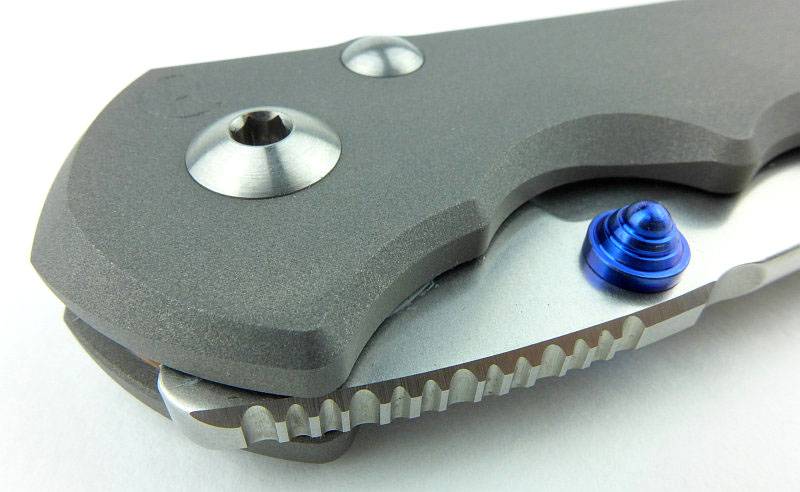
Knife Review: Ontario Knife Company – Group Review

After selecting a set of three knives I felt represented what Ontario Knife Company bring to the market (Blackbird SK-5, Ranger RD Tanto and RTAK-II), I originally intended to present a single group review.
As I have got to know them better, I found that individual reviews would work better, so this page is to tie together the review series and provide a single point of reference to link to all three reviews, plus provide a few group shots for comparison.
This article includes some exclusive images and comments, so is worth getting to the end of before going to an individual review.

03 Apr 2016 – ‘Ranger’ RD Tanto
06 Apr 2016 – RTAK-II
18 Apr 2016 – Blackbird SK-5

 photo 01 OKCtrio sheathed P1140542.jpg

 photo 09 OKCtrio in log P1160300.jpg

Explained by the Maker:

The reasons for certain design choices may not be clear when simply looking at an object, so this section is intended to give an insight into the thinking behind a design by speaking to the designer themselves.

See individual reviews for this exclusive information.

A few more details:

The images at the beginning of this group review page show the unsheathed knives together. This image better shows how the sheathed knives compare in size.
 photo 02 OKCtrio sheathed P1140548v2.jpg

Looking at blade stock thickness, top left is the RTAK-II, middle RD Tanto and bottom right is the Blackbird SK-5.
 photo 03 OKCtrio blade thickness P1140571.jpg

Moving back to show the three blades sitting next to each other.
 photo 04 OKCtrio comparison P1140575.jpg

The Blade and Handle Geometry:

Most knives specifications have a basic description of the blade geometry, but in this section I will be taking a more detailed look at geometry and balance.

 photo 36 RD Tanto flat grind P1140603.jpg

Using a set of gauges and precision measuring equipment including a Vernier protractor, callipers, fixed radius gauges and the unique Arc Master adjustable radius gauge (the one that looks like a crossbow).

These measurements have been tabulated and are presented along with a few reference blades (8″ Chef’s Knife, 5.5″ Santoku and the popular Fällkniven F1).

Key aspects such as the primary bevel angle, grind type, blade depth, blade thickness, length, weight are detailed, along with balance information.
 photo 32 RTAK II angle P1140389.jpg

The ‘Balance relative to the front of the handle’ tells you if the knife will feel front heavy, or if the weight is in your hand (a positive value means the weight is forward of the front of the handle). The ‘Balance relative to the centre of the handle’ indicates how close to a ‘neutral balance’ the knife has in the hand.
 photo 31 Blackbird balance P1140196.jpg

In the case of full convex grinds the approximate centre of the grind is used for the primary bevel angle estimate. This table includes the parameters for all the OKC knives in this series of reviews.
 photo OKC Parameters BlackbirdRDTantoRTAKII.jpg

What they are like to use?

There is too much detail to describe each of these blades strengths and weaknesses in detail, so I’ll just use this opportunity to show the pointed-stick comparison side-by-side
 photo 05 OKCtrio whittlers P1160278.jpg

The RTAK-II is an excellent cutter.
 photo 06 OKCtrio RTAKII stick P1160289.jpg

As a super tough extraction/digging/rescue tool, the RD Tanto struggles a bit for some basic cutting. It excels at heavy tasks though.
 photo 07 OKCtrio RDTANTO stick P1160291.jpg

With the factory edge the Blackbird works well enough, but the edge angle is steep. This photo is from before an edge reprofiling after which the SK-5 cuts furiously well.
 photo 08 OKCtrio Blackbird stick P1160293.jpg

Review Summary

The views expressed in this summary table are from the point of view of the reviewer’s personal use. I am not a member of the armed forces and cannot comment on its use beyond a cutting tool or field/hunting knife.

Something that might be a ‘pro’ for one user can be a ‘con’ for another, so the comments are categorised based on my requirements. You should consider all points and if they could be beneficial to you.

Here I’ve included a very basic summing up of each knife. See individual reviews for detailed information.

_______________________________________________ _______________________________________________
Knife In a nutshell
_______________________________________________ _______________________________________________
Blackbird SK-5 No-nonsense survival knife
Ranger RD Tanto Super tough extraction/rescue tool
RTAK-II Fantastic all-rounder

 photo 10 OKCtrio on log P1160316.jpg


If you enjoyed my reviews, please remember to ‘Like’ me on Facebook and follow me on Twitter to get all the latest updates and news. You can also find exclusive insights on Instagram and Pinterest